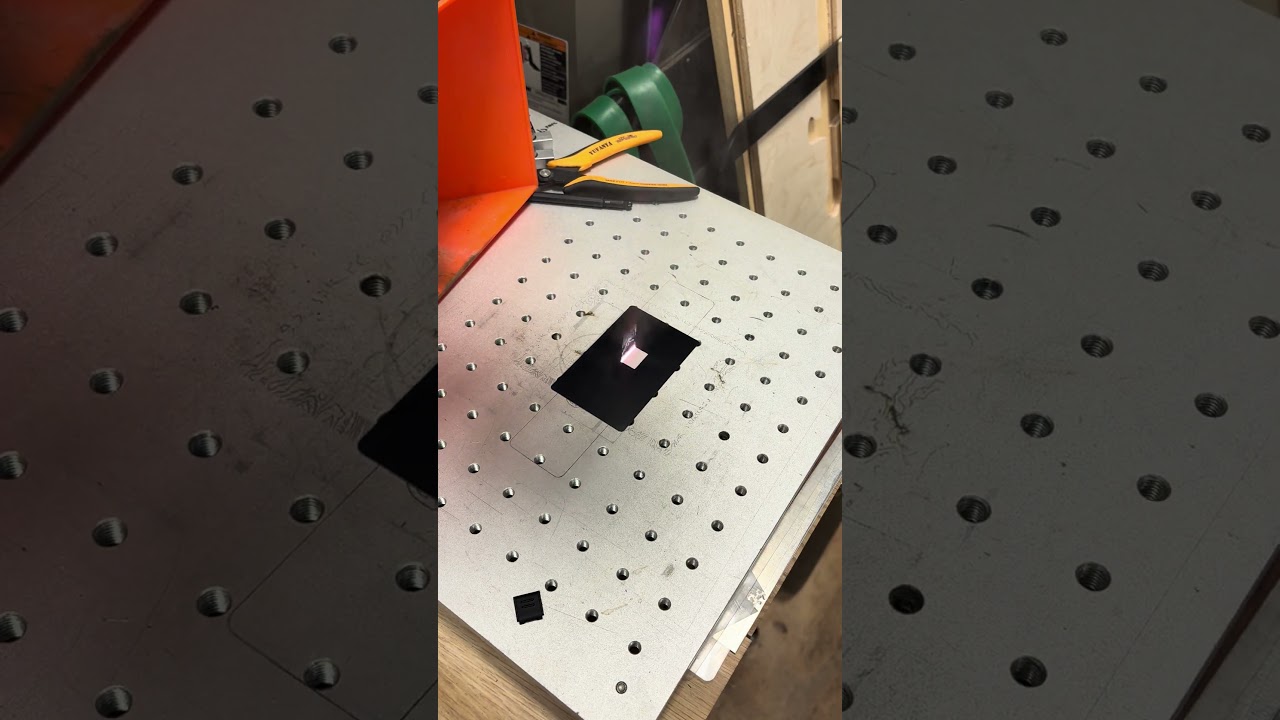
Good day, everyone! Haven’t had many issues, but wondering if someone else has come up with a solution to this issue.
I have an OmTech 30w Raycus fiber laser and the framing function just stopped working for me this weekend. The laser engraves fine but framing doesn’t seem to work. As you can see in the video that I will try to upload, I’m using a Windows computer with the latest version of LB. I’ve reseated all connections that I can easily find, but don’t mind popping a cover to check internally on the laser if needed. I’ve put screen shots of my settings from LB that you can pause or whatever if needed. Thank you in advance!
Well, I can’t seem to upload the video, or I can’t seem to find the option…I’ll work on taking screen shots, I guess.
I have not tried that, I’ve used LB for so long. LOL Should I download EzCad and use it with that?
I’ll check the “red dot always on” but if I remember right, that was the two little “focusing” red dot lasers. I’ll check the image bounds setting as well and report back.
The “always on” for the red dot didn’t change anything and it didn’t effect the framing. No, it doesn’t respond when I change the setting from “bounds, hull, or contour”. It’s not responding. I’ll report back after I check with EzBad. LOL
I’ve tried using Ezcrap, but I don’t have the original dongle for the laser, so it’s not showing a valid controller. Is there another software that I could try?
I checked the red dot led that is mounted in the large part mounted on the gantry and it appears to be working fine. It’s the one mounted just past the fiber source output, just before it goes into the galvo head.
When trying to isolate these types of problems, it’s nice to know if it thinks it’s working or not.
What I mean is, can you hear the galvo motors moving the mirrors but don’t see the visible laser?
It’s likely they are moving or you’d have a spot on your material, it’s also unlikely that it would work for framing and and not the other.
That only leaves the led source. If it’s a setting, I don’t know, everything I can see, looks ok. If this happened in the middle of a job start or it was powered down and back up is usually a hardware failure.
With hardware it’s broken, if it’s software it’s a bug.
It won’t hurt to edit the profile and just import the configuration file again. If you do this and you’ve created a cor file for a different lens, you need to delete or clear the cor field and re load it.
Have you upgraded to a new version of Lightburn recently about the same time? You can roll it back to an earlier release, but I doubt it will get you much if anything.
I’m not clear if you ever got EZCad2 to operate the machine? There are a bunch of pirated versions out there that don’t require a dongle. Mine didn’t come with a dongle.
How old is the machine? Sometimes it’s better to contact the vendor and see if they can help.
Machine is about 4 years old, but worked fine up till this weekend.
I used EzCrap with it when I first bought it and then heard about LB and haven’t looked back. I will have to look for a pirated version…unless you have a reliable, safe link to download it from.
I updated LB when the last update came out, but I will try to roll it back a few versions and see if that makes a difference.
I’ve never worked with these machines, but I see something that I’m not sure could be the cause of the problem. I’m probably wrong, but if I’m not, I can help solve the problem.
I know that these machines are extremely fast at taking the “frame,” so much so that it has to be repeated several times to get an idea of the area to be engraved.
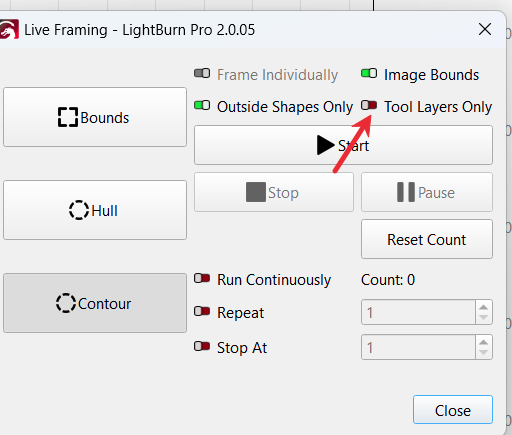
In the video, I don’t see any selected option, which, in my opinion, may mean that it takes the frame only once and doesn’t do it again. Because it’s so fast, it seems like it didn’t take the frame.
Shouldn’t at least one of these options be selected?
I’m not sure how it happened or why, but I found the solution!
If you have issues with your laser not framing before firing, check the “Tool Layers Only” toggle in the framing/firing screen. I’ve got a screen shot for reference and it solved the problem.
Yeah, it was kind of weird…I’ve never had to check it before to get the fiber to frame. I’m not sure if it was a mistake on my part or a glitch in the software. Either way, I got it working, life is good.
Thank you for your input! You are one of the greatest on here!!