I have imported my Laser Controller and set as default.
My issue;
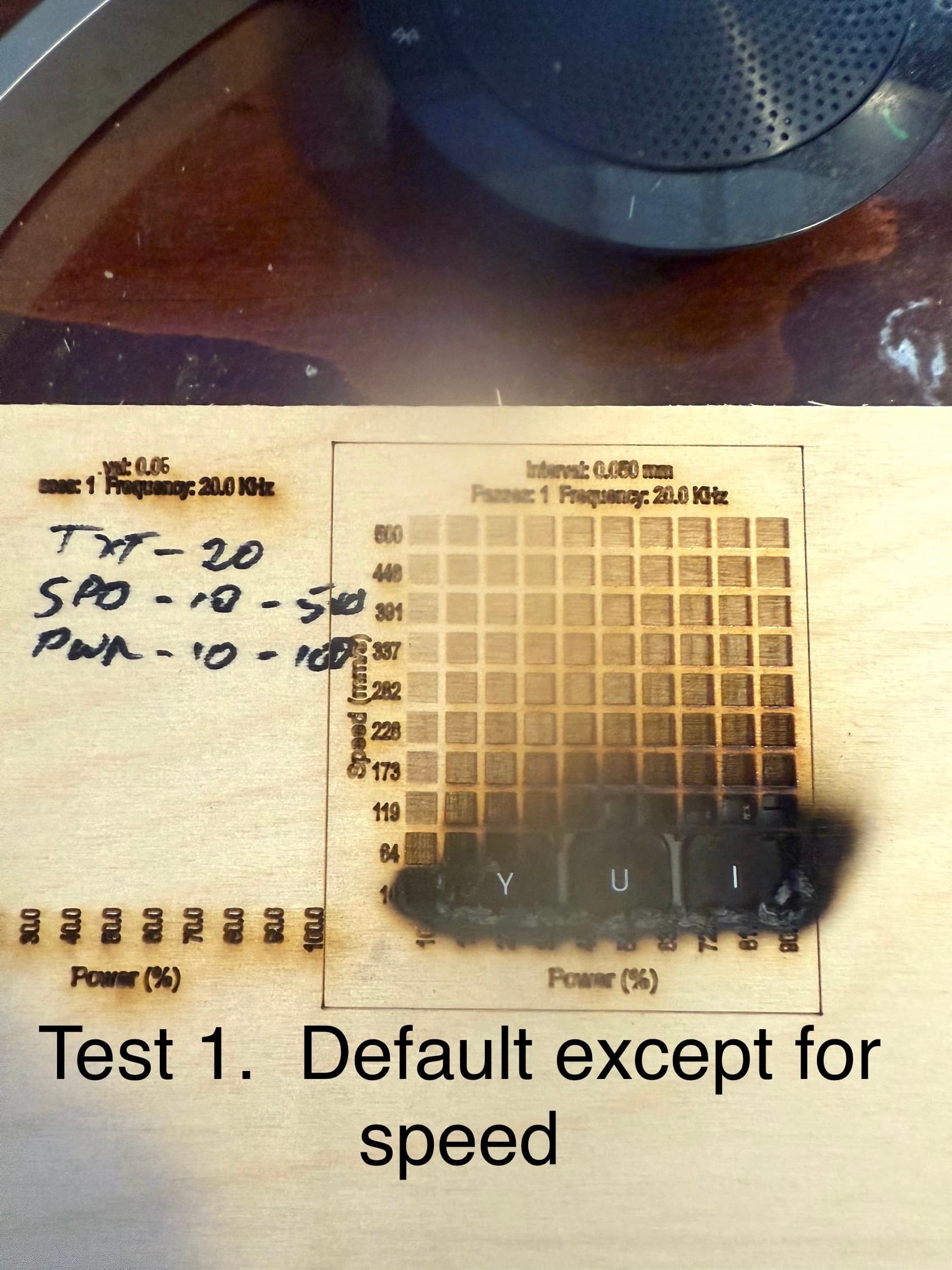
On Material test 1, Lightburn default, except I changed speed to 500. 3mm birchwood. Burnt the panel through, the bottom left at 100%. other than the obvious. See test pic.
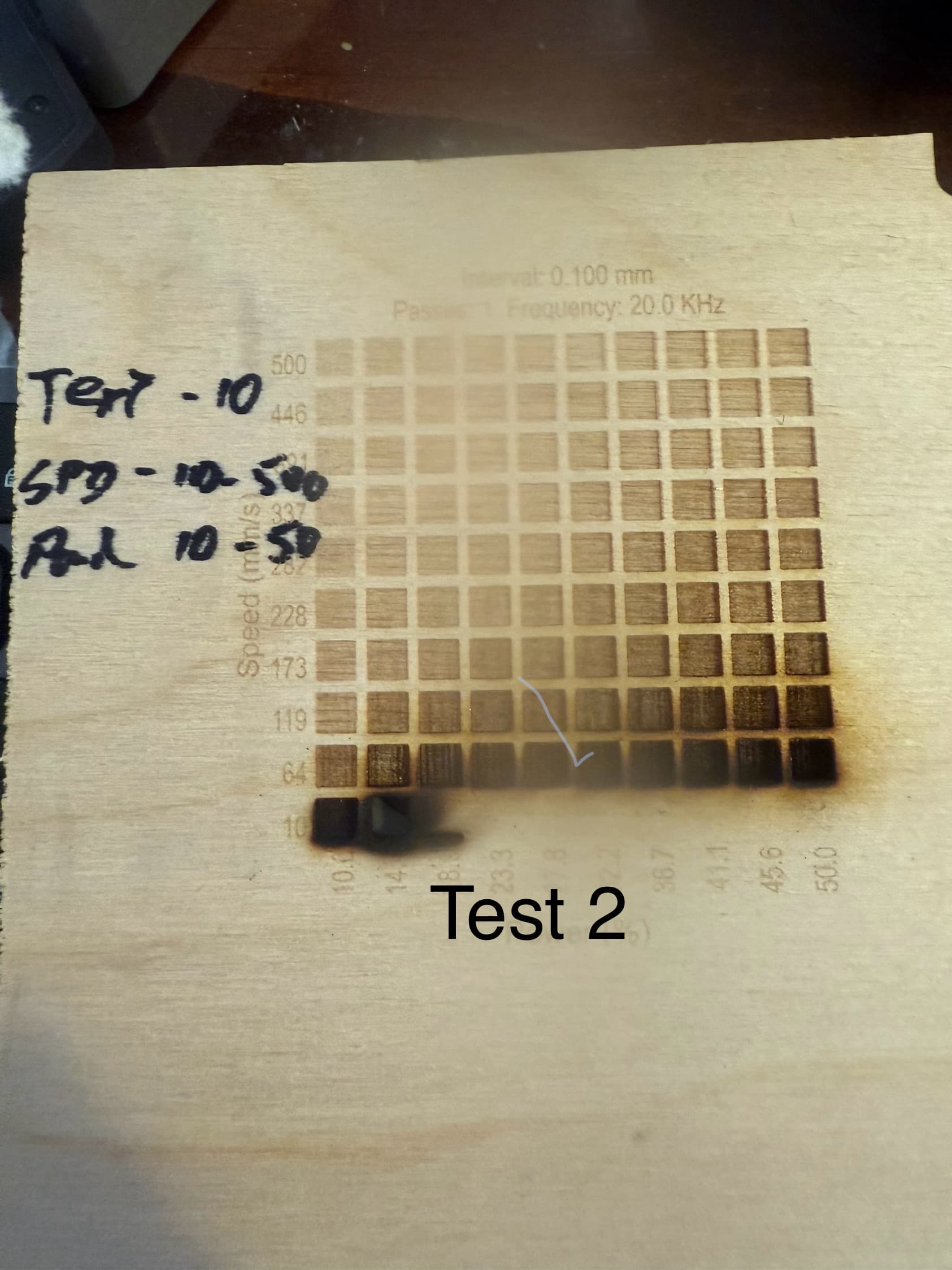
On material test 2 I cut settings in half, nearly the same burn issues in the same area. So the bottom left is power 50% though I stopped it before it burnt through. In both test it cuts deeper - through. See Pic 2
Help with settings where I can get get a near black shading, words without cutting to much into the wood. You see people making these gorgeous pictures, how? need help with settings and speeds.
Watching you tube videos on settings and material tests on Lightburn, Louisiana guy subscriptions and some random ones. I Haven’t found any that has focused on 50W CO2 lasers so any advice from those that have this setup is appreciated.
Russ Sadler’s YouTube channel is a great resource for 50 W CO₂ machines — his RDWorks series is worth dipping into even though he’s not using LightBurn. Start with this playlist:
On the power side: don’t run your tube flat out. A sensible working range is roughly 12% (minimum strike) up to about 65–70% power. Above that you’re only stressing the PSU/tube without meaningful extra output.
For engraving you want the opposite of cutting — higher speeds and much lower power. On 3mm birch, try something like 300mm/s at 12–20% power, interval 0.1 mm, then narrow in from there with Tools → Material Test in LightBurn. That will quickly show you where you’re just shading the surface instead of cutting through.
Birch ply is also a tough material for fine photo engraving because of the glue layers. If you want those sharp black-and-white photo results, solid woods like alder or maple are much more consistent, I’ve seen some amazing results on tile also!
One of your problems with your tests is that you haven’t found a “reasonable” range that suits your machine. Another thing that catches my eye is, 500mm/s. Our machines can’t reach this speed at these short distances, more reasonable/sensible would be 300 mm/s.
To find the max speed for your machine (with standard machine settings) you can draw a square 10x10mm and run it with
100, 200, 300, 400 mm/s … (can be refined), look at your controller how many seconds the sensor has used for the different speeds, the result speaks for itself.
Thank you for this. How do I know how fast I can run this? Ignore the material test or anything how do I know the max speed for my blue/white laser. I’ve gone into a machine info and I can’t discern out of it. What it is it’s not very clear. I either isn’t a Min or Max speed?
So looks like you’re a business selling lasers are you familiar with this laser. Do you know where I can find the make model serial number? Nothing evident outside I didn’t think there was anything under. How can I find out what the true make model is? Then I can focus my searches more on that. The instruction booklet mentions a MORN, but I believe I’ve also seen POLAR. if you can help me look at that I’d be appreciative. Otherwise, I’m going to try your advice.
Thank you I’m just trying to find that speed range. I’ve seen it on here, although i haven’t seen a 50 W CO2 laser setting. I’ve seen people even using 4000, 5000.
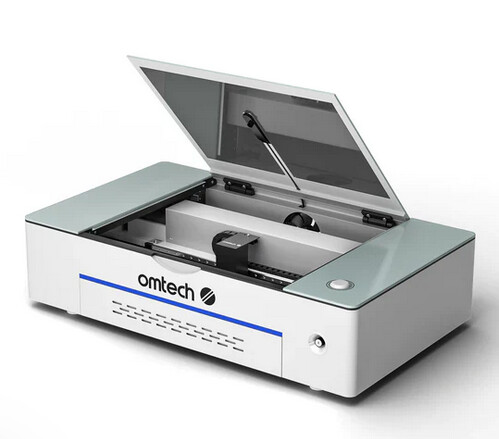
These blue/white 50 W machines don’t really have a single make or model — they’re mass-produced in China by different factories, then re-branded by sellers like Morn, Polar, OMTech, Vevor, and many others. The design is usually referred to by bed size, for example a “5030” (500×300 mm) or “6040” (600×400 mm). A serial number isn’t usually stamped anywhere beyond the tube itself or the controller board, though sometimes on an engraved plate on the side or back, but that info won’t really help you.
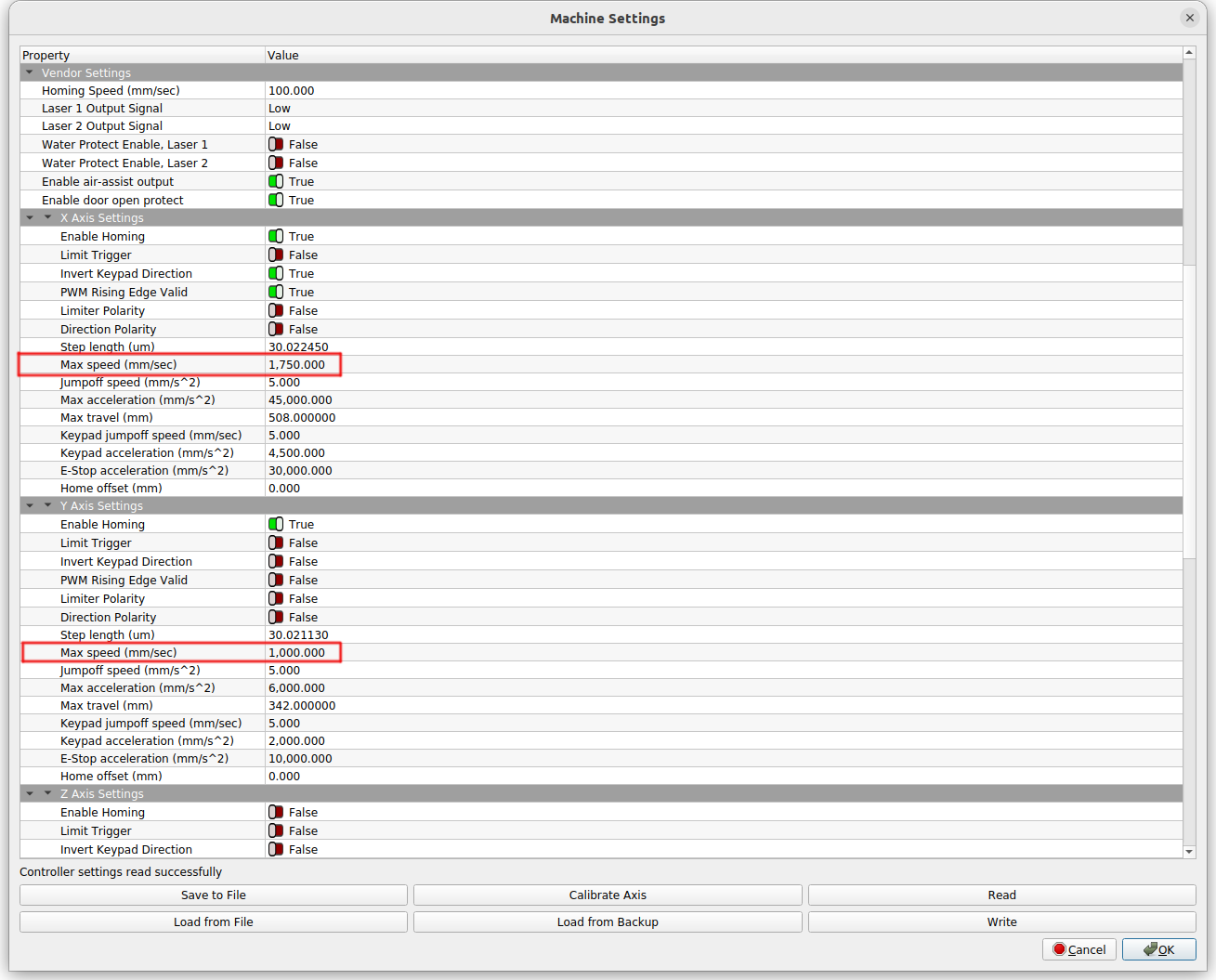
The controller is the part that enforces speed limits. If yours has a Ruida controller, the hard max is defined in the vendor settings, but in practice most of these machines will run reliably up to around 300–400 mm/s for engraving. For cutting, the limit is set more by power and material than by the mechanics, though I’d suggest not exceeding 90mm/s.
There isn’t a hidden model number you can search against — what you have is a “generic 50 W blue/white 5030-style CO₂ laser.” If you’re trying to compare with others online, that’s the most useful search term.
Probably mm/m, not mm/s.. 5000mm/s is 5 meters a second. I don’t know of any gantry type engravers that can run that fast.
I have a fast machine and it won’t run that fast. There is also an issue with how fast the tube/lps can respond. If you have a glass tube, that’s the limiting factor.
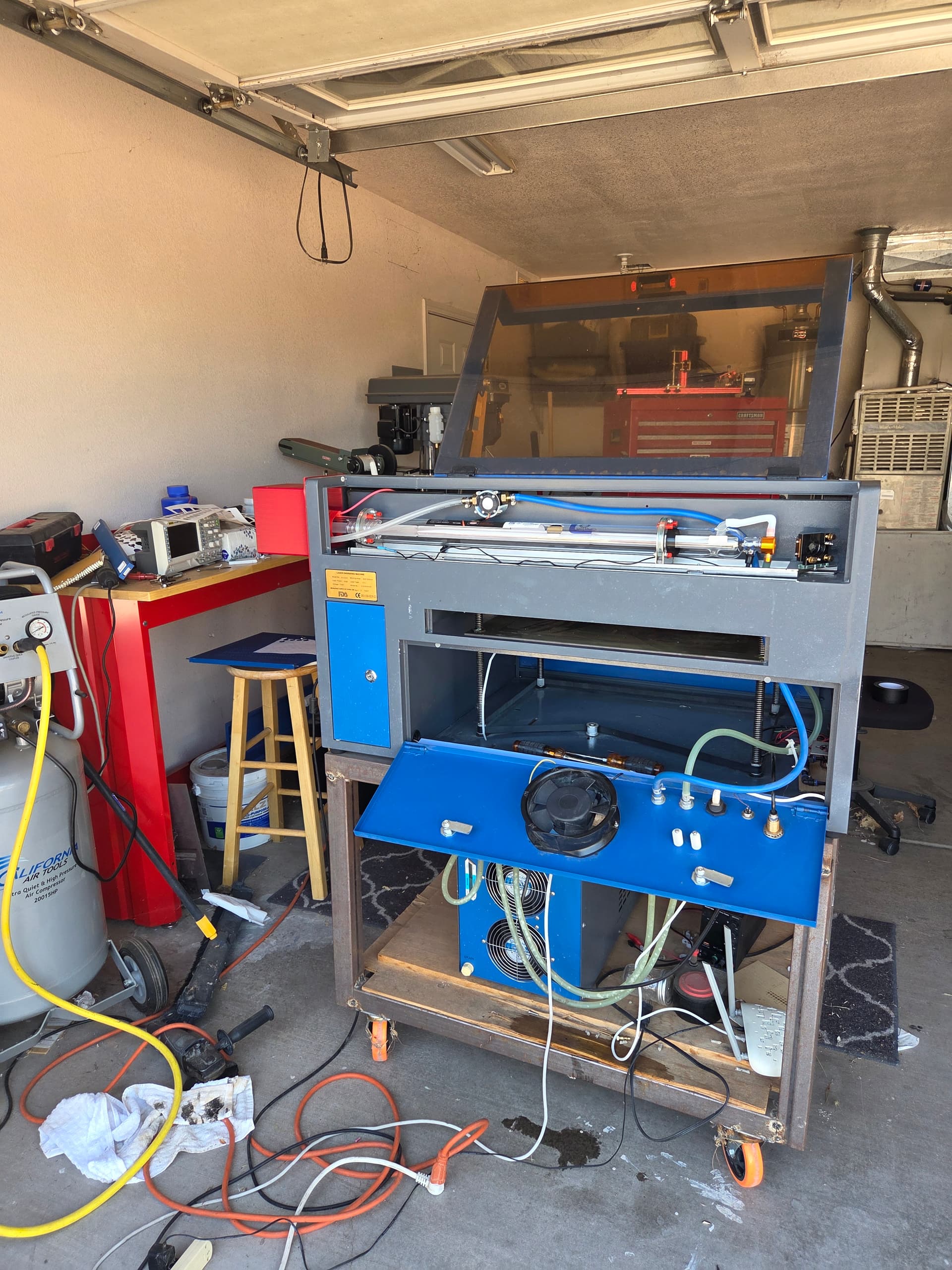
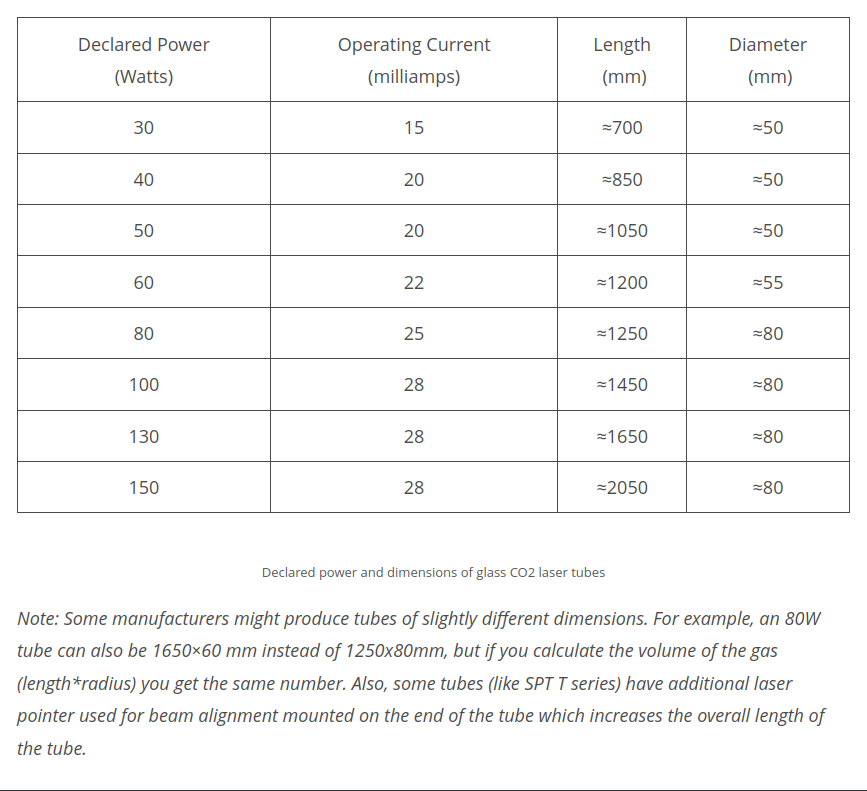
This is mine with a real 50W tube (1000mm in length), note the orange tube cover/extension. My machine was supposedly 50W but it was an 880mm tube, put out 43W.
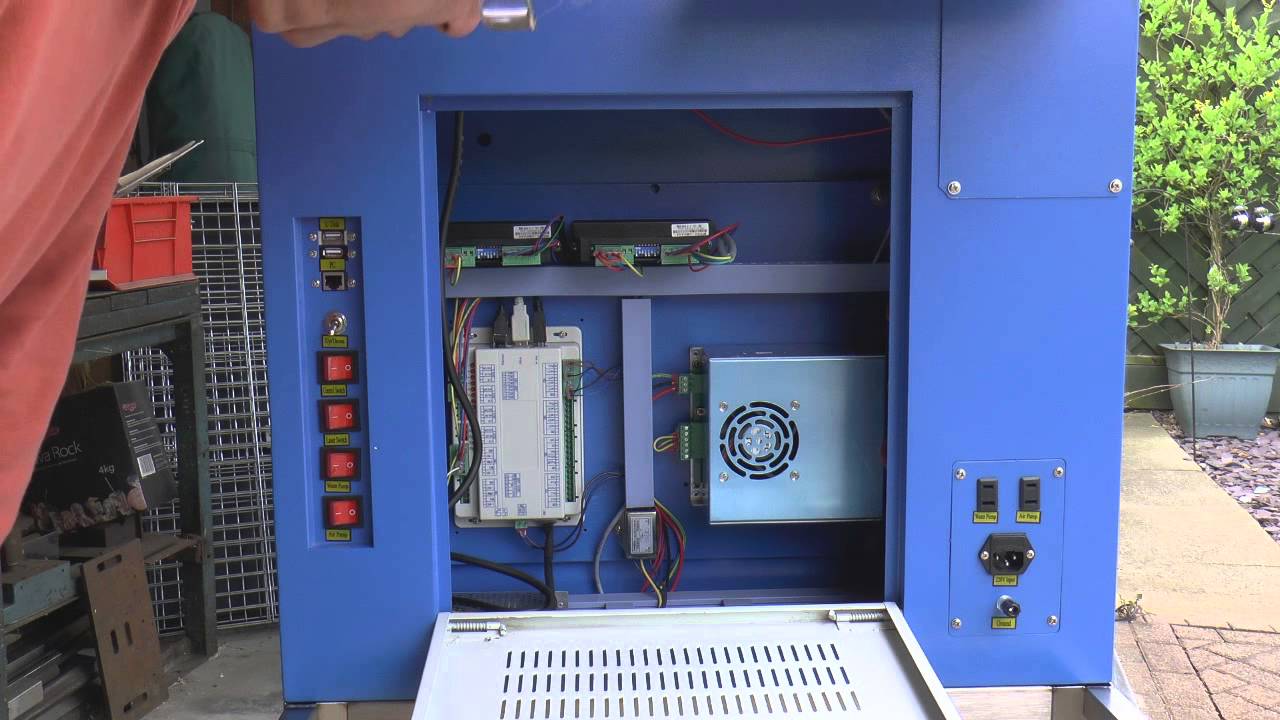
The limits are set here, within the Ruida controller. In the Machine Settings. Don’t use my values, you machine can’t keep up. Most of the time these are around 500 or 600mm/s. This limits your speed.
sorry for my delayed responses. My internet has been down for 3 days.
Mine is a glass tube. I heard even when it says 50w it my not be. I have not looked at any data on the tube.
In one of my [Laser tool} items I saw that my laser is OmTeh Polar. can’t seem to bump into it again.
This answered my speed question. x = 500, y = 400
Power I try to keep max at 80%
Sorry for the delaid response I lost my internet for 3 days.
This helped give me a much better understanding. So I tried 200 then 300 at 15% and 30% respectively 1 and 2 passes each setting.. I don’t black. i do get darker, but it digs into the wood almost half the 3mm birch ply I am using.
Struggling to get black wording, or shading without digging a hole. I’ll keep watching and practicing, learning.