Hello all, I am probably missing something obvious but it has me scratching my head. Any quick pointers appreciated. After 30+ years with Windows I have 1100+ fonts and variants installed, and used to appreciate the right-click filter option in the Font selection to show only Truetype or SHX fonts. Now with v2.1.02 The fonts dropdown shows every one of my 1100 fonts, and when I right-click and select Font Management, I can see how to filter in this window according to the options given. However this filter isn’t passed to the dropdown list, nor can I select a font for use from within the Font Management window. I can filter and select a font, but it just highlights in the window and doesn’t get selected for use. If I filter and select say “Times New Roman” in this window, I still have to go back to the font selection drop down and scroll through all the fonts to find and select Times New Roman there. What obvious step am I missing?
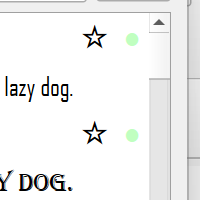
The font manager window lets you choose favorites or remove fonts you never use, by clicking the star or green circle next to a font:
If you’re looking for a specific font, you can type the name in the font name box here (or part of the name):
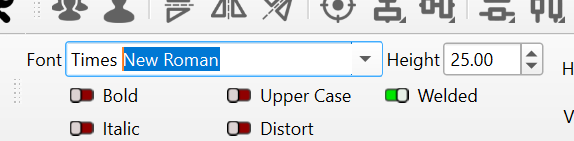
If you don’t have any options when right-clicking the above, you likely don’t have any SHX fonts set up on this computer.
We’ve only ever had the ability to show & hide SHX and TrueType. It sounds like you have all TrueType fonts installed. SHX fonts are not normal windows fonts, but special single-line fonts used in CAD applications.
Thanks for the response - yes, I have a mix of Windows and (too many)SHX fonts. Actually the functionality I miss is just the ability to show/hide either type in the font list - used to be able to do this from a drop down menu when right clicking in the font selection bar. If this has been removed completely, I’ll stop looking  (but I’ll request the return of the functionality!). Thanks again for the quick reply!
I learned that SHX fonts aren’t “installed” - they just sit in a folder and software (like Lighburn) can find them there. So I’ll move most of them out of that folder and just re-introduce the half-dozen or so I’m actually likely to use! This will make the entire unfiltered font list much easier to navigate…
I think this is now handled by the font filtering menu, by clicking on the green circle (shown fonts) to add them to the hidden list.
You can then click the “hidden” fonts on the left side and selectively un-hide them again.