Framing Contour Problem

Searched, but couldn’t find the exact problem.

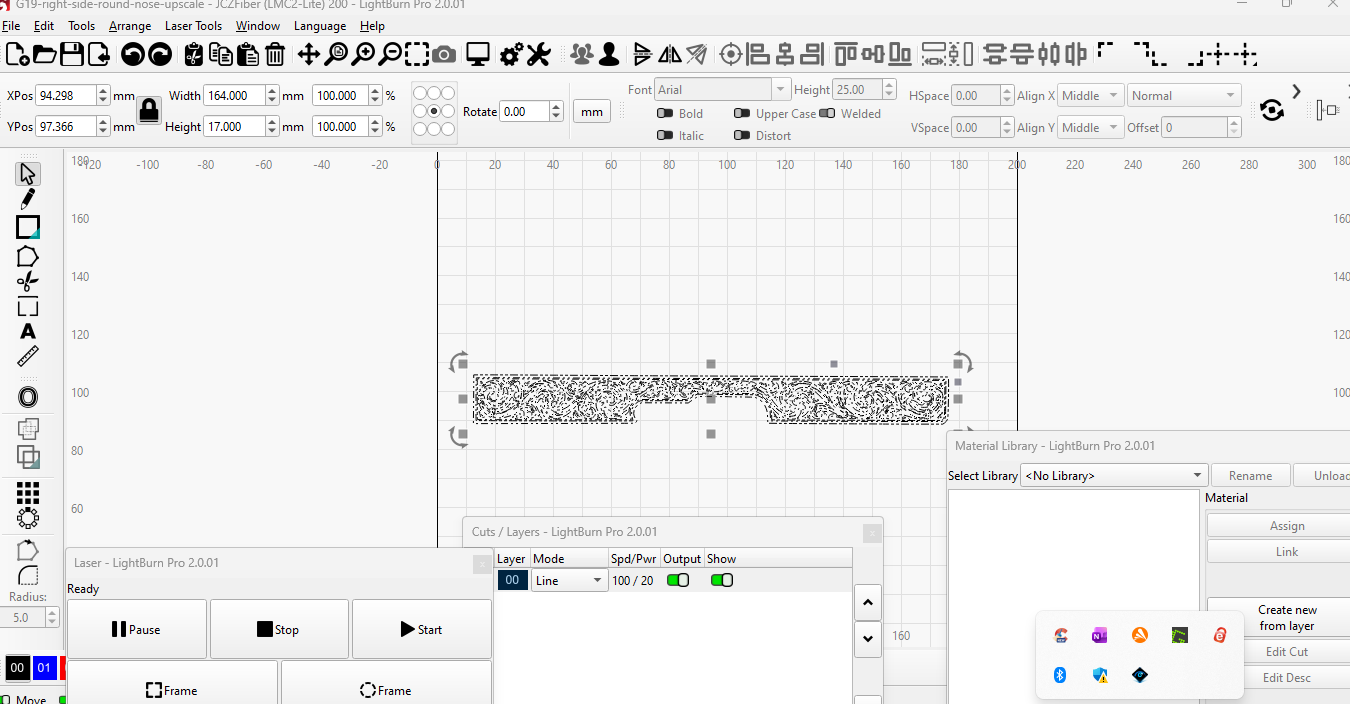
This has occurred several times but somehow manages to eventually fix itself. I framed a design on contour and it worked right, outlining the design, cutouts and all. I made some minor adjustments to the design and now when I hit frame/contour, I get the dancing squigglies and get the framing back.

Someone suggested turning off ‘Enable Blanking’ but when I checked, it was off and greyed out.

I know there’s a simple fix, but I can’t figure it out.

Appreciate any help.

Boy, screen shots would really make answering your question a LOT easier.

Work space

Preview page

Cuts/layers window

We can’t read you mind, so help us out a little, m’kay?

1 Like

Tried to upload a video of the framing but it wouldn’t let me.

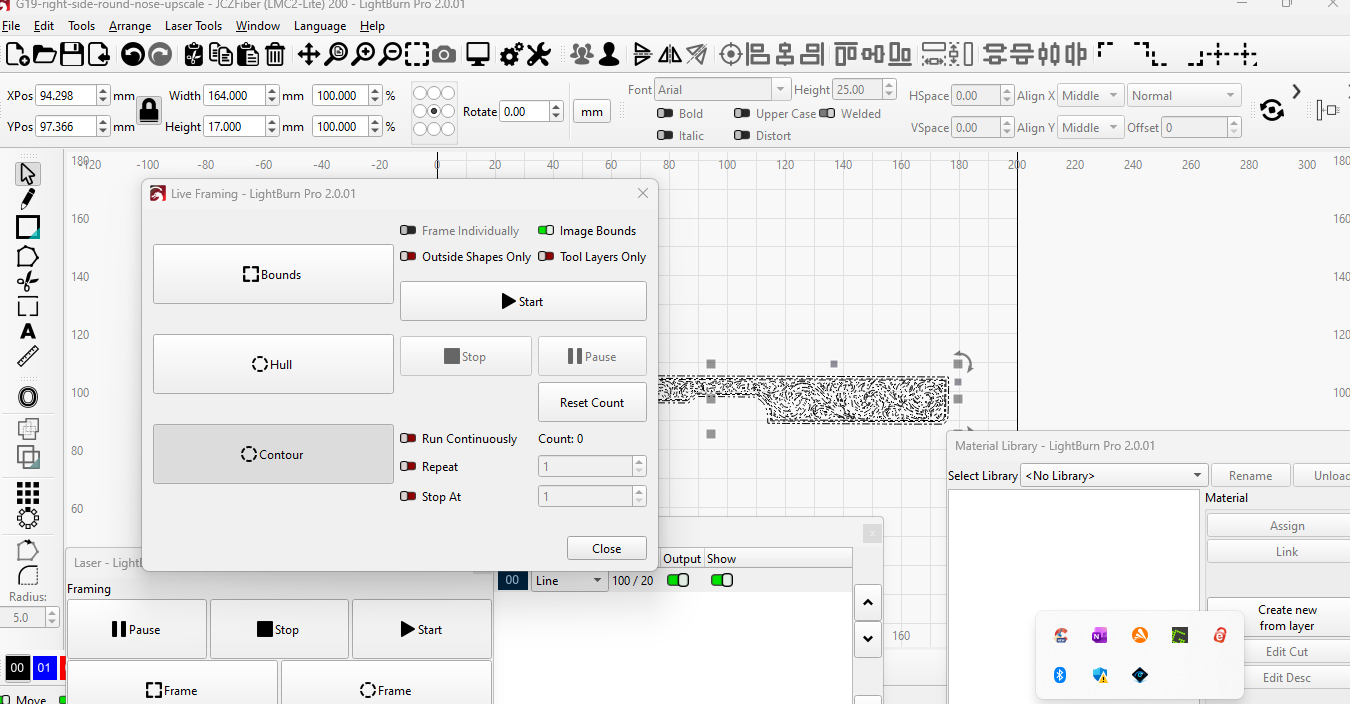
I’m assuming you don’t need each individual shape within your design framed, and those are the dancing squigglies you’re describing.

If that’s the case, try enabling Outside Shapes Only or using the Hull framing option.

You can find a lot more information on Galvo Framing options here:

1 Like

I read that several times, didn’t help.

The ‘outside shapes only’ did the trick but I know I tried that before. Oh well.

Thanks.

“Hull” is the shape that would result from snapping a rubber band around your project.

“Contour” will follow each shape exactly, so unless you have “outside shapes only” enabled, it’s going to follow every single shape in your file, which will take a while.
1 Like