Framing is not working

Hi all,

I’m having trouble framing my work. I’ve never had this problem before, it always worked now its not. Homing works great (left corner), my work space is 380x380.
When i go to frame my work, it moves 1mm and stops. I get this message:

<Idle|MPos:-377.000,-377.000,-3.000|Bf:35,253|FS:0,0>

ok

<Idle|MPos:-377.000,-377.000,-3.000|Bf:35,253|FS:0,0>

ok

Starting stream

ALARM:3

Reset while in motion. Grbl cannot guarantee position. Lost steps are likely. Re-homing is highly recommended.

On or near line 1:

Grbl 1.1h [‘$’ for help]

On or near line 1:

[MSG:‘$H’|‘$X’ to unlock]

On or near line 1:

Stream completed in 0:00

Please help me in the most simplest words possible and with pictures or videos, I am a visual learner and brand new at this stuff. I had no idea what I was buying when I bought it. I gotta learn this thing.

FoxAlien Masuter Pro with a 20 W laser.

I typed $$ to get my settings and it was only giving me a few/these below:
$$

$0=10

$1=255

$2=0

$3=0

$4=0

<Idle|MPos:-377.000,-377.000,-3.000|Bf:35,254|FS:0,0>

ok

<Idle|MPos:-377.000,-377.000,-3.000|Bf:35,253|FS:0,0|WCO:-336.363,-300.800,-45.917>

ok

<Idle|MPos:-377.000,-377.000,-3.000|Bf:35,253|FS:0,0|Ov:100,100,100>

ok

Starting stream

ALARM:3

Reset while in motion. Grbl cannot guarantee position. Lost steps are likely. Re-homing is highly recommended.

On or near line 1:

Stream completed in 0:00

Grbl 1.1h [‘$’ for help]

[MSG:‘$H’|‘$X’ to unlock]

[MSG:Caution: Unlocked]

ok

I kept entering $$ and finally it gave me all of them:
$$

$0=10

$1=255

$2=0

$3=0

$4=0

$5=0

$6=0

$10=3

$11=0.010

$12=0.002

$13=0

$20=1

$21=1

$22=1

$23=3

$24=25.000

$25=1000.000

$26=250

$27=3.000

$30=10000

$31=0

$32=1

$100=80.000

$101=80.000

$102=1600.000

$110=2000.000

$111=2000.000

$112=500.000

$120=300.000

$121=300.000

$122=30.000

$130=380.000

$131=380.000

$132=50.000
ok
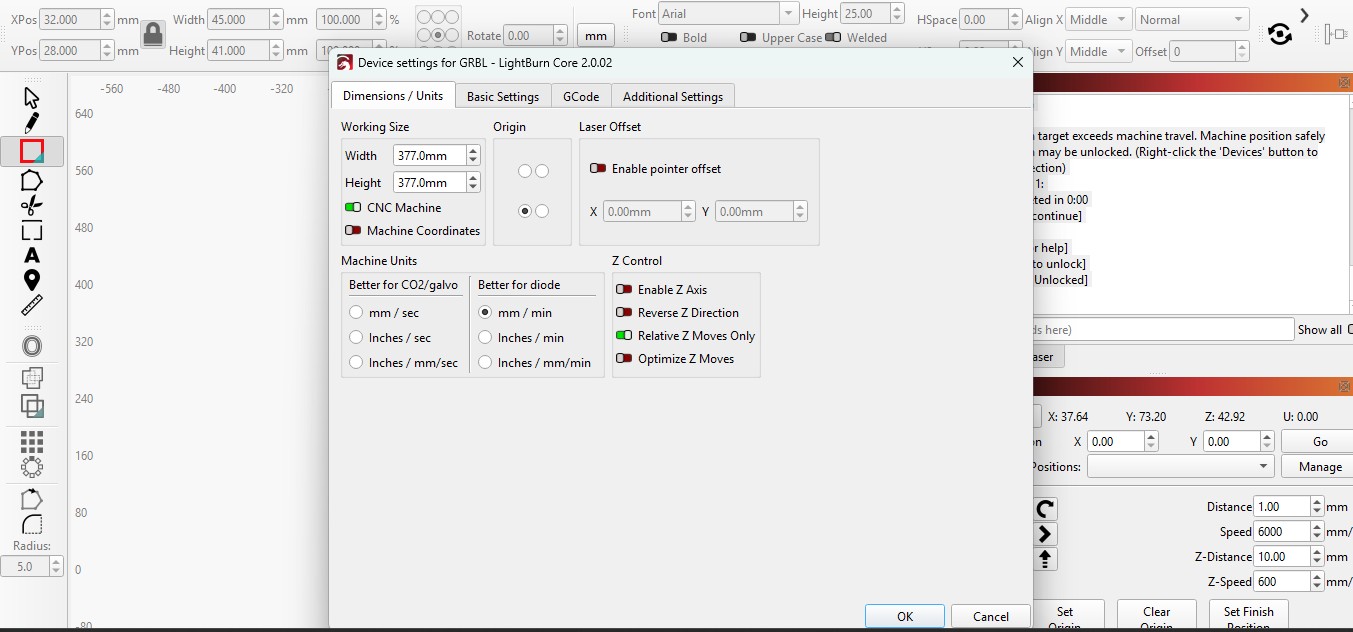
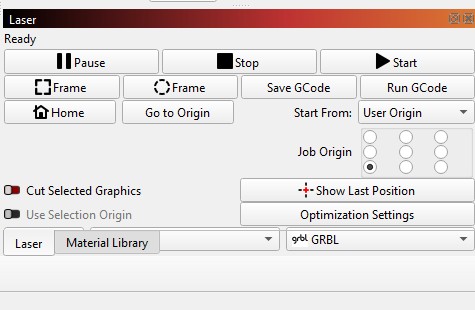
It’s a cnc mechanic s as it seems. Make sure to enable cnc mode in device settings or use current position as start mode.

Hi, Thank you, I restarted light burn after changing device settings to cnc but still not working.

This is what I’m getting:

<Idle|MPos:-374.000,-374.000,-3.000|Bf:35,253|FS:0,0>

ok

Starting stream

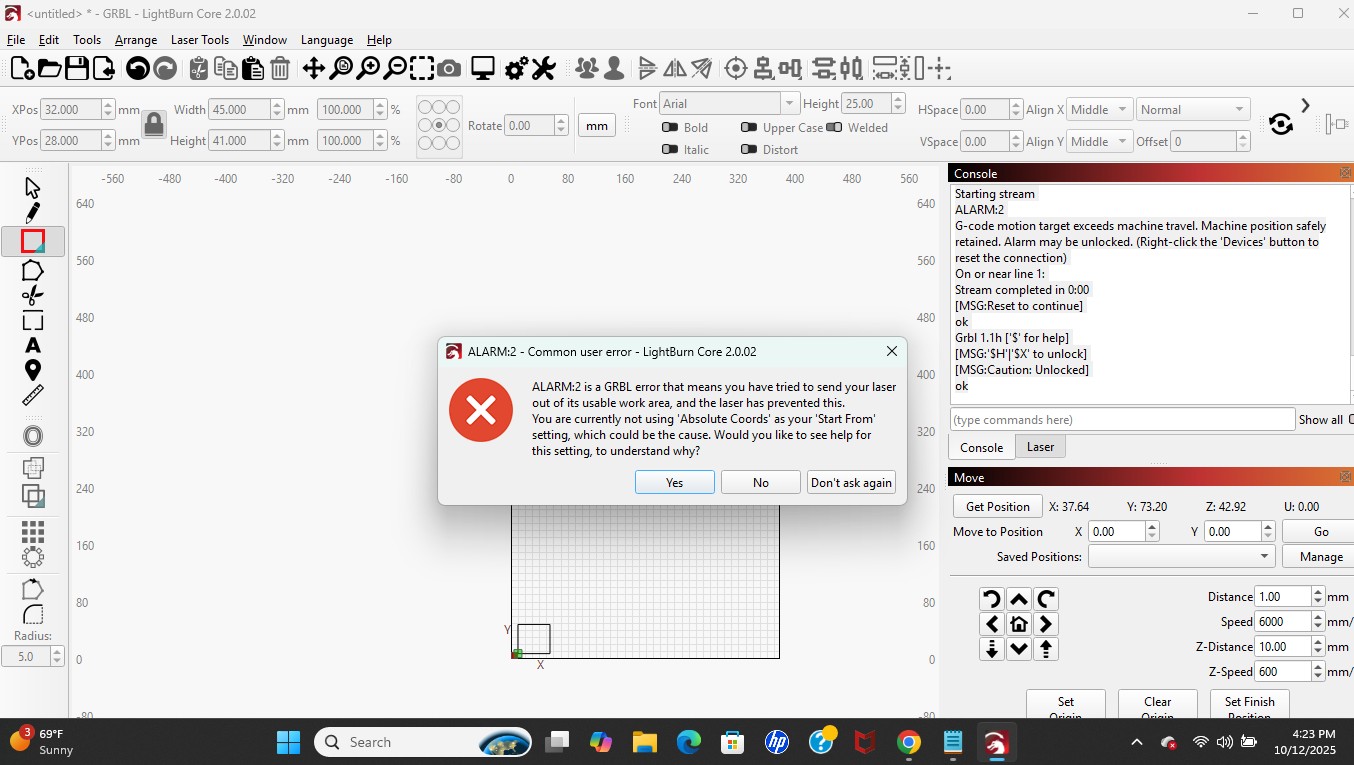
ALARM:2

G-code motion target exceeds machine travel. Machine position safely retained. Alarm may be unlocked. (Right-click the ‘Devices’ button to reset the connection)

On or near line 1:

Stream completed in 0:00

[MSG:Reset to continue]

ok

Grbl 1.1h [‘$’ for help]

[MSG:‘$H’|‘$X’ to unlock]

[MSG:Caution: Unlocked]

ok

I’m going to try to use user origin and current position.

So I tried to use current position but I got this message.

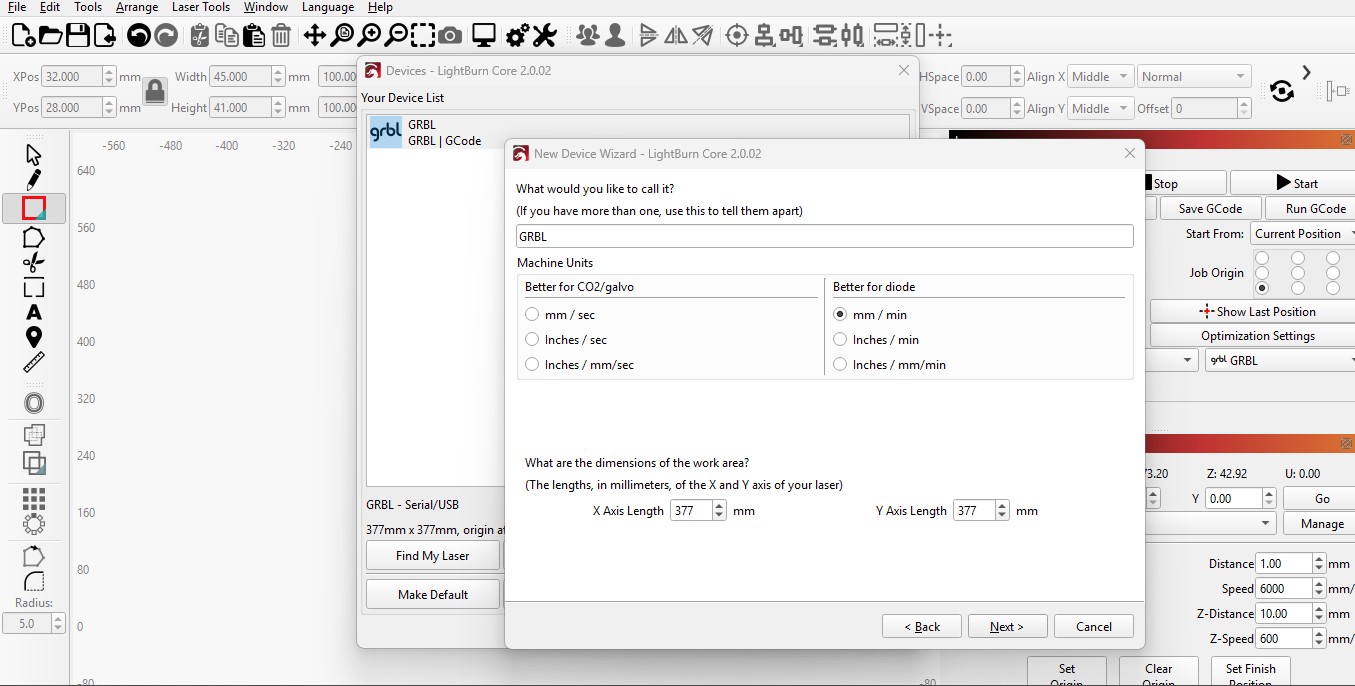
I changed my work area in
-$$ to 377x377
-device settings to 377x377
-Laser > devices > grbl > edit > grbl > next > serial/usb > dimension of work area (made sure to be 377 x 377)


Ok I got it working under current position after removing cnc machine setting

1 Like

although it worked from homed position 0,0, I tried moving laser to different spot to retest laser burn settings and it moved all the way to the right corner

Enter $# in the Console window and paste it in a reply.

$#

[G54:-336.363,-300.800,-45.917]

[G55:0.000,0.000,0.000]

[G56:0.000,0.000,0.000]

[G57:0.000,0.000,0.000]

[G58:0.000,0.000,0.000]

[G59:0.000,0.000,0.000]

[G28:0.000,0.000,0.000]

[G30:0.000,0.000,0.000]

[G92:0.000,0.000,0.000]

[TLO:0.000]

[PRB:0.000,0.000,0.000:0]

ok

Enter G54 x0 y0 z0 in the Console window. then Home the machine and use Absolute Coords.

The G54 command selects that coordinate system, offsets and all, without change.

You want one of:

  • G10 L2 P0 X0 Y0 Z0
  • G10 L20 P0 X0 Y0 Z0

I think the L2 version forcibly resets the Home position to zero (or the given coordinate), while the L20 version requires the laser head to be in the Home position first, but I’m not crisp on those details.

I thought you could set any of the G54-G59 work offsets by including values, and without values it was a selector.

I always wondered about the L2-L20 difference. Google says you are right…

The main difference is that G10 L2 directly sets the work coordinate offset to specific values, while G10 L20 sets the work coordinate offset so that the current machine position becomes the new origin for the specified coordinate system

This topic was automatically closed 30 days after the last reply. New replies are no longer allowed.