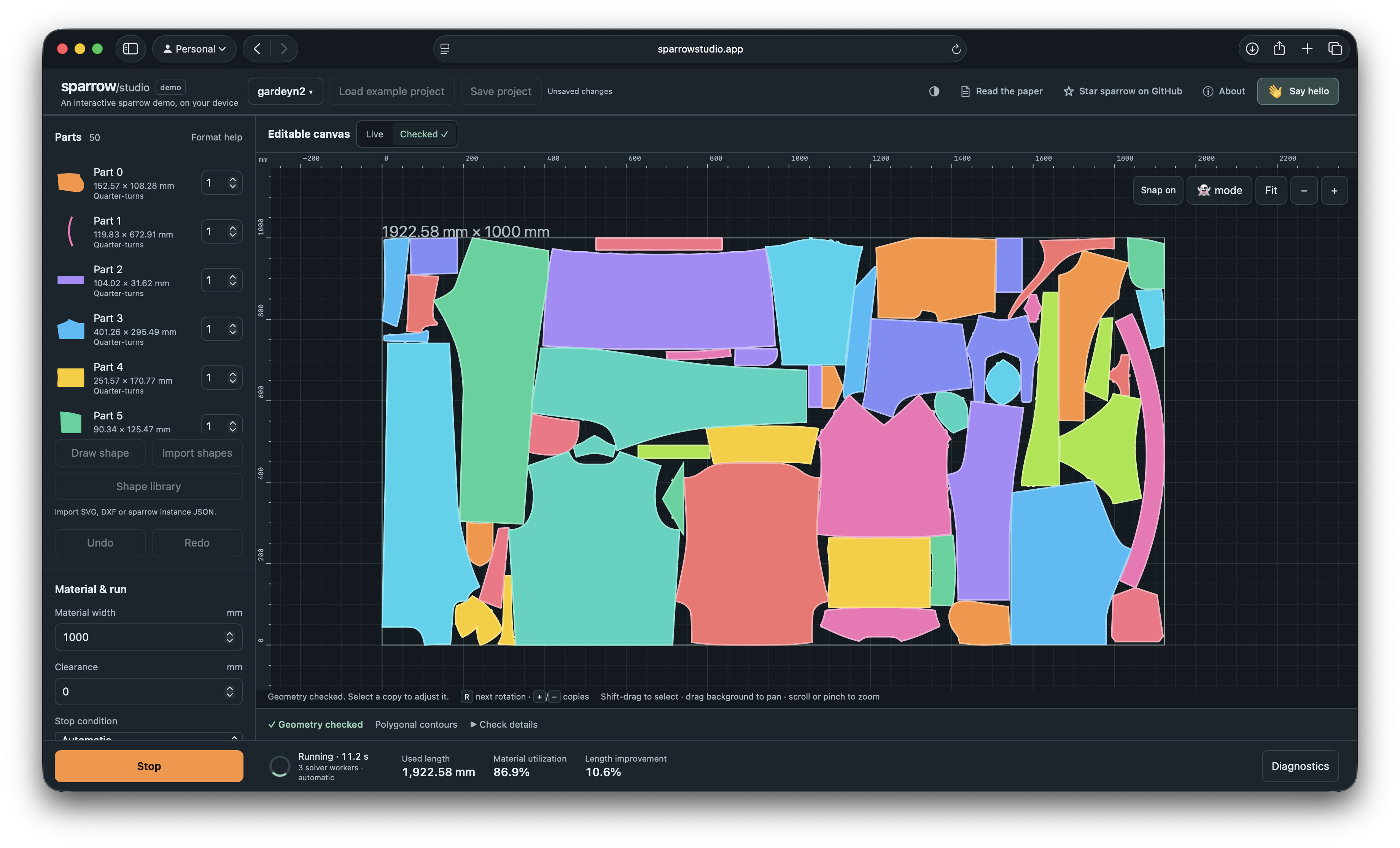
I built sparrow/studio, a free, open-source nesting tool. I thought it might be useful to people here preparing laser-cutting layouts.
You can import SVG or DXF outlines, set quantities, material width, allowed rotations and spacing between parts, then watch the nesting algorithm work. You can also adjust the layout by hand and export it as SVG or DXF to bring into LightBurn.
Everything runs locally in your browser. No installation, no account, and your drawings aren’t uploaded anywhere.
I’d love to hear how it handles your parts, especially any SVG/DXF import issues or things that make the workflow awkward with LightBurn. There are built-in examples if you just want to give it a quick try.
I’m using a diode laser and what’s often more important than absolute material optimization is shared cut optimization. I spend most of my prep time finding a combination of maximizing the cut area while minimizing the number of cuts. For highly tessellated cuts, this can be a significant time saver (hours).
It would be interesting to build optimizations around cut minimization.
With the advent of AI we’re seeing so many new tools being built + discussed that we feel the need to collect them to a category. How long did this take you to build?
The algorithm behind this is a product of my PhD, and took me about 3 years to develop.
That includes both the collision detection engine (jagua-rs) and the search algorithm on top (sparrow).
It genuinely redefines the academic and open-source state of the art, and should produce wonderful solutions for your input too.
Please give it a try!
The demo application (sparrow/studio), was built on top over the past few weeks (with a lot of help from AI).
It mainly serves as a way for ordinary people to quickly experience sparrow without installing anything.
The demo applictation is far from perfect, and frankly I don’t think I have the experience to build a fully fledged user-application.
But I do have a PhD in combinatorial optimization, and a bunch of experience in writing high-performance & robust code.
I welcome PR’s on sparrow/studio that improve its usability.
@JeroenGar This is really interesting timing. We just launched MillMage v0.9 which now includes a new and improved nesting engine… your nesting engine.
We’ve hunted around for a good nesting solution for years and were really impressed by yours. The engineer ( @girish ) that integrated it into our system was able to do some really cool things with it and we were all very impressed by the performance and the solutions it comes up with.
Not sure if you use LightBurn or MillMage but we are more than happy to provide you with licenses until the end of time
I don’t need a fat stack of green, sparrow was originally funded by a research grant from the Belgian Government. The base algorithm is MIT Licensed.
What would be nice however, is some acknowledgement of what the “True nesting” module is using behind the scenes (on the webpage and in the product for example).
I’ve continued development and support for sparrow and jagua-rs since, recently increasing performance by up to 50%.
So I certainly welcome donations on sparrow’s github page.
And if you’re ever need of additional features on top of sparrow, hit me up on LinkedIn.
I can do it much much better than any AI tool
@JeroenGar First of all, my sincerest apologies for the lack of attribution in the software. It was not intentional, but instead got lost in the many many things we had to do to get this release out. I’ve fixed this immediately and we’ve pushed out a MillMage v0.9.01 patch release which includes it (we also had an installer bug I that needed fixing).
I’m also working with our docs team to get the attribution updated on there as well.
I’ve also set up a recurring donation on GitHub for you.
I know @girish had a few feature wishes for Sparrow so I will discuss with him and reach out soon. I’m sure we can make it worthwhile for all of us.
True Nest is Pro only … nooooooooooooooo - surely not?? #seriouslydisappointing.
Core has always been Pro minus Galvos and DSPs, right? Why the change? What else is coming down the line like this?
Honestly hobbyists need this just as much as Pros.
So basically, export to SVG, import to Sparrow (which I understand is being used algorithm-wise?), export svg , back to LB and import svg. No man, c’mon.
Honestly I love LB - one of my absolute faves but this is a bit of a kick in the proverbials.
An important note: True Nest is the first LightBurn design/layout feature that is limited to Pro licenses only. We made that choice because premium features like True Nest are really hard to write, and the only way we can develop features like this and still keep the lights on is to charge a bit more. We also recognize that not all users need it, so rather than raise prices across the board, we chose to make it Pro-only as the fairest option.
If you’re a Core user, upgrade to Pro if you think True Nest will help you work faster and save money on material.
I’m biased, but can absolutely confirm on this, after cutting a couple of boxes with expensive plywood:
It shouldn’t take more than a few sheets-worth of savings to pay for itself.
If you do this once in a while, you do not need to invest in the Pro features. If you are doing this everyday, you are likely earning a living with the laser and likely a Pro type of user. This can be true even if all you have are diode machines.
I figured Core had pretty much reached a feature limit (I have only diodes) and felt I would be left behind from features I could use, so now I am a Pro user. And I am not a Pro type user, but I thought it was necessary. You get to decide if you need all the bells and whistles.
@JeroenGar I’d like to integrate sparrow into the nesting features I’m planning for TopoStack.
Do you have any guidelines or recommendations on how you would like to be attributed? Typically, I put everything on the /attribution page, but I feel your algorithm’s involvement in the nesting feature will be substantial enough that an on-page reference/link during the nesting process would be appropriate.
@loidolt Cool application & project! I guess I just like for users of your tool, that are determined enough, to be able to figure out what nesting engine is used behind the scenes.
I’ll leave it completely up to you to decide what that looks like.
Thanks! Likewise, your algorithm is very impressive. It will result in substantial material savings for people making layered maps.
Sounds great. I’ll do a bit better than just showing it to determined users. Once the feature goes live, I’ll circle back and let you know so you can review.
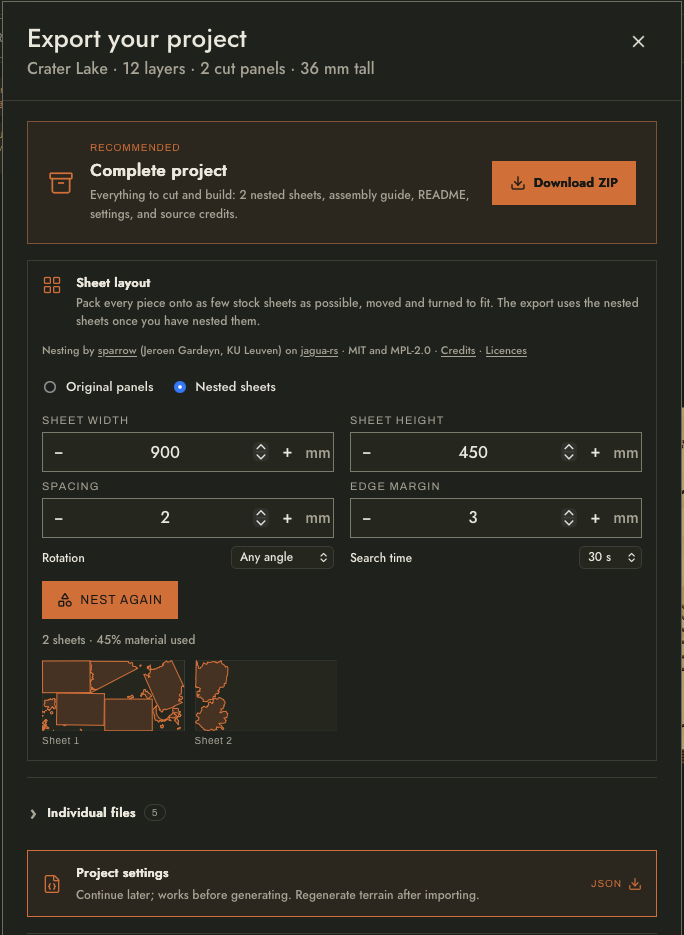
@JeroenGar My initial implementation of sparrow is live on TopoStack in version 0.6.0. It can be found when exporting a project, where users can choose a few basic parameters and nest before exporting in the “Sheet Layout” section. Let me know what you think and if the attribution line meets your requirements and/or preferences.
Thank you this looks really good I’ll give it a try it would have been a big help a few weeks ago but I’m sure I’ll have many more projects that will benefit from a good nesting program.