OK, it finally uploaded, see if this works… GOEHLER.lbrn - Google Drive
Again, THANKS for the help!!!
OK, it finally uploaded, see if this works… GOEHLER.lbrn - Google Drive
Again, THANKS for the help!!!
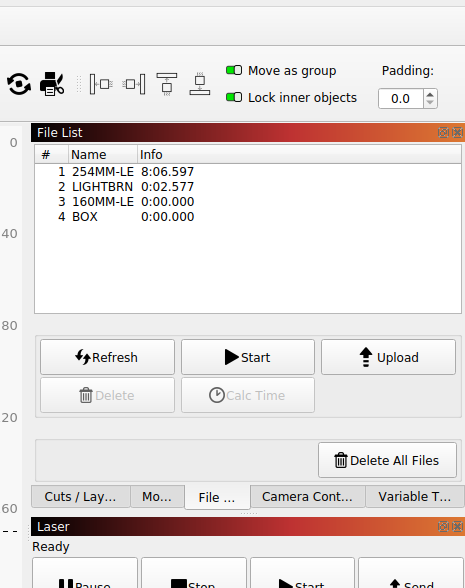
There is a file window, that has to be enabled… I’ve had to delete one file at a time when it got full… They do strange things when they have a limited memory…
Fix that first, then try your job again…
If you do the math you’ll find you are probably outrunning the lps at those kinds of speeds…
What are you Ruida acceleration and maximum speed values…
If your speed limit within the Ruida is 350mm/s, that’s your speed limit, no matter what you ask for on/in the layer.

It has been doing that for weeks… LOL i have had no problems… IDK
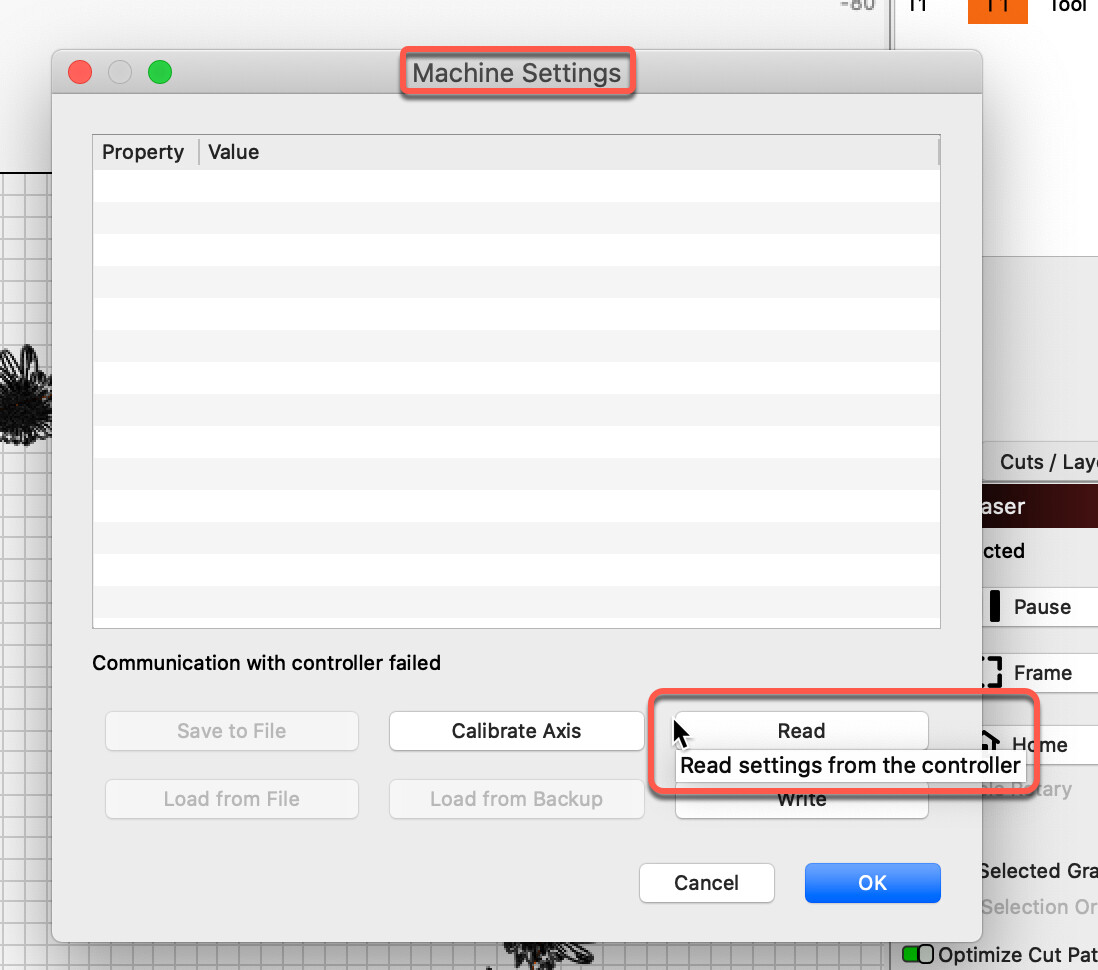
I got into the file screen, and it says coms error and does not give me file list…
OK, how do i get there, I SWEAR i have looked, and most of the info i found, does not work on my controller…
The machine isn’t talking to the controller… which is a problem…
Many people run these and find it isn’t doing what they think it’s doing…
These are speed limit’s so you can run 700mm/s all you want, but if the Ruida is set for 350mm/s that’s all you’re going to get…
You won’t know until you can read the controller…
Is there any reason you are not using Ethernet?
USB s**ks, I lasted less then a week before I dumped it for Ethernet…
I don’t want to give them MORE money for upgrades…
Do you know what factory reset does… i have not changed anything…will it dump the file folder?
A factory reset will cause all of the vendor data to be lost…
If you have saved the configuration you can reload it…
You vendor didn’t build the controller… so some of it is vendor specific …
In other words you should have to do this… don’t do it if you haven’t saved the configuration when using the machine settings.
UUGGHH… I’m so …
I HAVE SO MUCH TO BURN…
What would you do?
I’d go for selecting each file and attempting to delete it… if it doesn’t work on one, move to the next file. If you can’t remove or delete them, you might have to reset the controller… but it’s probably worth some time to try and delete them and avoid a controller reset.
Have you also tried to delete them via the machine console?
If it works or not, I’d suggest you get the pc to read the controller… that will allow you save the current configuration to a file and to reset the controller. You can then read the file and write it to the controller restoring all the vendor data.
It needs to connect…
If you reset it without the information, it could be down a long while…
Hi, I would not do that. This will return the Ruida Controller to before it was installed into the OMTech. When OMTech buys these control systems, they need to change the “factory” (being Ruida) settings to those for your particular machine. Reset will take the configuration all the way back, and that is not what you ever want to do. First, you will want to have a backup (even paper) of the current configuration, prior to adjustment. You can request this from OMTech directly, as they are the ones that built this system setup.
Given the current difficulties you are experiencing with communicating with your laser using software, I would not use for this task. I would use the HMI (human to machine interface) panel on the front of your laser to navigate the menus to delete the files stored on the controller. For now, this will remove the possibilities that software is part of the problem.
Once the files have been cleared from the controller itself, try to connect via LightBurn again and start your testing once more.
Once connected, you can try to read the controller by using ‘Edit’ → ‘Machine Settings’.
Please update, do you still receive this “coms error”? If so, show us what this looks like.
I am not understanding this statement. Who is “them” and what “upgrades” are you referencing?
I might check the USB connection points, all of them. From starting with a confirmed good cable, to checking the connection on the computer, the USB port on the outside of the laser, and where that USB connects to the inside component in the cabinet of the laser. All can and do fail.
As @jkwilborn suggests, if the controller has an Ethernet port, I would look to using your network to connect the computer to the laser as it is a far more robust way to connect.
Where do i do that? Also, i am on a MAC…
I’ll try to delete some…
HEY HEY, i am doing all of this on the laser, on the controller. Nothing in LB…
Is that my problem?
The Rudia controller is what is acting up… it will not show me the file list.
I am REALLY dumb and have struggled with all this… LOL
I do not want to buy the wireless addon for the machine, i sit right next to it… literally 24" away. Why not use the USB?
Is that the machine info?
I’m SOOO lost… LOL
I would ensure I had the most recent FTDI driver for your OS. You can find it here:
https://ftdichip.com/drivers/vcp-drivers/
While I understand the frustration, please keep in mind this is an all-ages site. I have edited your post for language.
Well, if you cannot work with just the HMI and no external software tool, yes. Sounds like you may have issues with the hardware. I would reach out to OMTech directly and explain what you have encountered.
They are at OS10.3 i’m at 13.4.1… Should it matter?
Where is this in LB?
Yep… the basic operation of these is very simple… the nuts and bolts of it can be very technical…
If you have a router nearby you can plug the Ruida Ethernet in there…
If you do well with IP addressing you can plug it in the machine directly… but you have to configure that port by itself specifically… Do you have a separate Ethernet connection available?
The most simple way it to plug it in to your existing lan configuration…
Before the Lightburn Bridge was here, I used a $12 wifi bridge from Amazon to access it wirelessly.

I answer below, but you have a bigger issue. Nothing you do on the computer side will address what you have identified with the controller hardware. Please let us know how that investigation progresses. 
It should be ok, but do note…it is beta. The best is to use Ethernet.
Mac OS X10.15 and macOS 11/12 - This is a Beta driver release and the installer should be run from the Applications folder on your machine