I’m part of the team behind MapForge Desktop, a paid, independent Windows and macOS app for designing custom map artwork for laser projects.
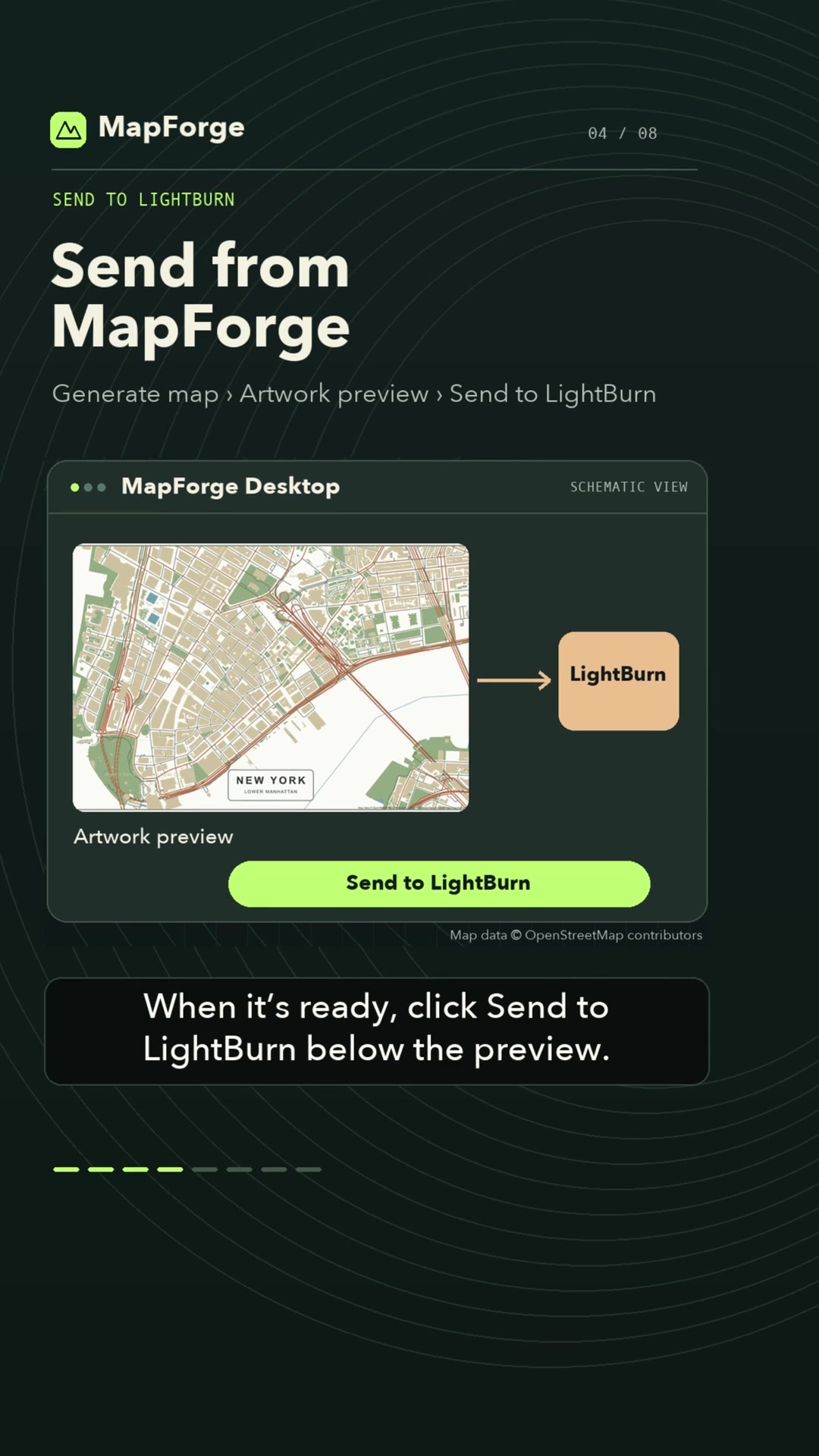
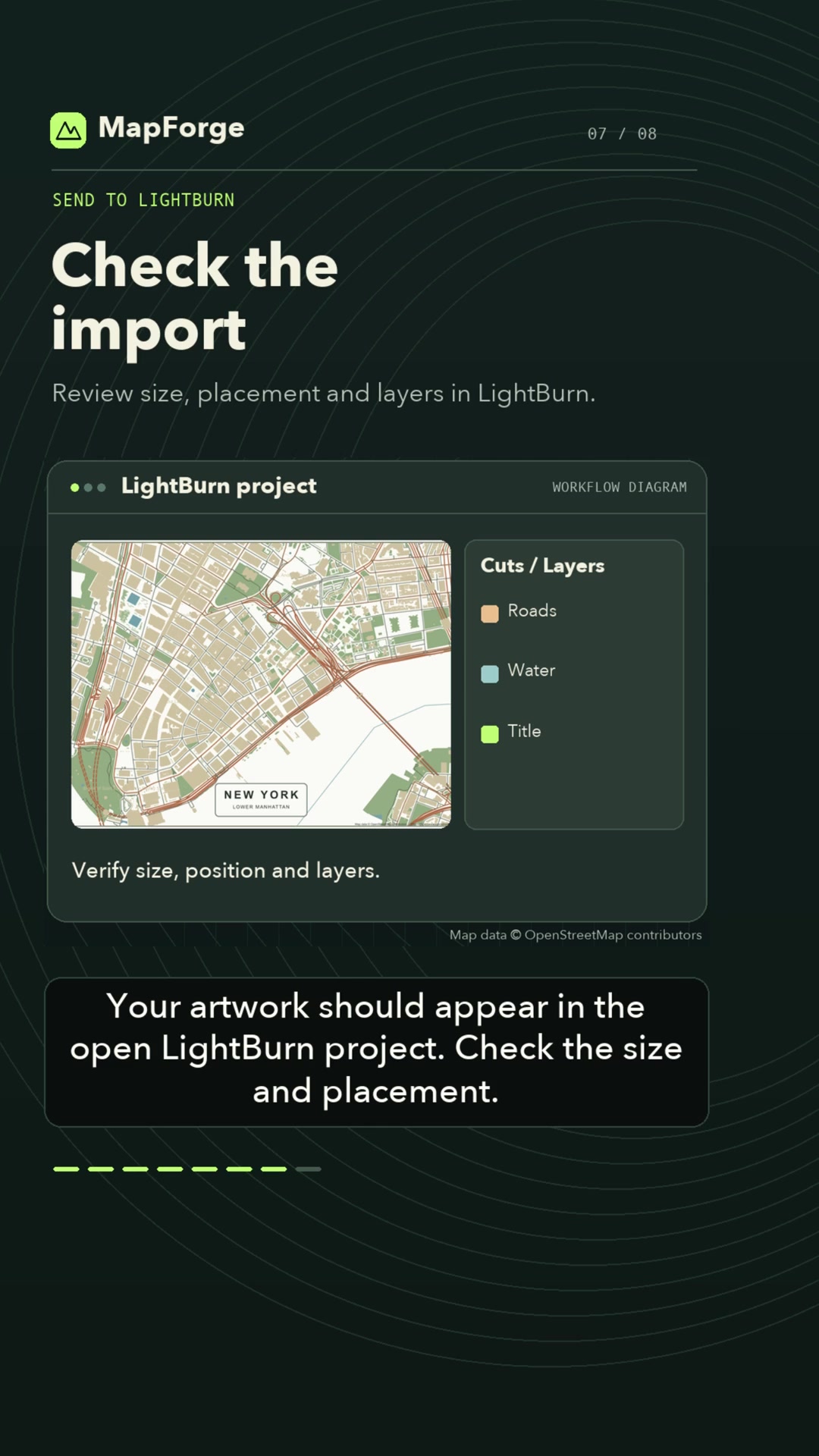
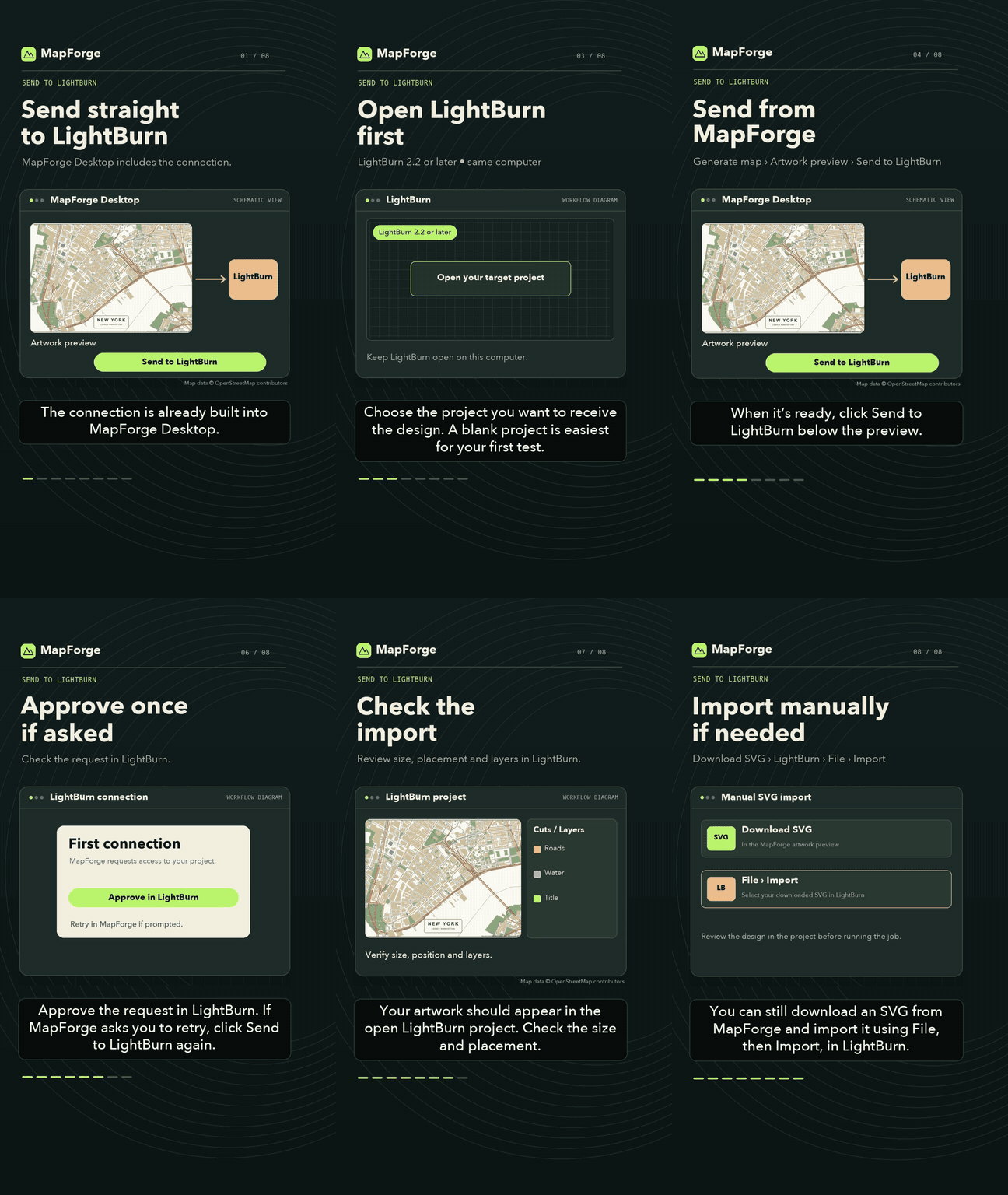
Here’s the workflow with an example street map. Choose a place, adjust the map details and check the preview. With LightBurn 2.2 or later open on the same computer, use Send to LightBurn to bring the artwork into your project. Check the size, placement and layers in LightBurn before running a job. You can also export an SVG and import it manually.
The workflow illustrations and the 45-second silent animation below show the handoff to LightBurn and the import check.
If you already engrave street maps for customers or gifts, what takes the most time before you can run the job? I’d be interested to hear where this workflow would help and where it could be clearer.
Data and privacy. Activation sends your licence key and an app-generated installation ID to the MapForge licensing service to bind the licence to one installation. Licence checks send the installation ID and a licence token to verify access. Map searches and requests for the selected map area go to third-party services that provide OpenStreetMap data. Purchases go through The Laser Company webshop, which uses the checkout details to process the order and deliver the licence and downloads. For MapForge privacy questions, contact contact@mapforge.be.
Thanks for asking, Mike. MapForge Desktop is only available with a paid licence. The licence helps support the time we put into developing and maintaining the app.
Could you give us some details about how MapForge works with regard to the data collected, how it is used, and its applicable privacy practices? There doesn’t appear to be any sort of privacy policy or TOS on the website.
Hi Colin, thanks for asking. Here’s what MapForge Desktop sends out and why:
Licence activation and checks. Activation sends the licence key and an app-generated installation ID to the MapForge licensing service to bind the licence to one installation. Subsequent licence checks send the installation ID and a licence token to verify access.
Map searches and data. Map search requests and requests for the selected map area go to third-party services that provide OpenStreetMap data, so the app can find places and retrieve the map features for the design.
Checkout. Purchases are handled through The Laser Company webshop. The checkout details are used to process the order and deliver the licence and downloads.
LightBurn. Send to LightBurn transfers the artwork to LightBurn running on the same computer. You can also export an SVG and import it manually.
I don’t have a verified public link to a MapForge-specific privacy policy or terms to share yet. This reply describes the data flows above. I still need to confirm the provider and retention details before I can give you a complete policy reference. Privacy questions can be sent to contact@mapforge.be.
I looked at it, at 250 euros/year, billed yearly, didn’t do the math for USD. Being retired, this price makes it impossible along with no access to test drive it. If I’m not mistaken, that’s more than Lightburn pro version costs.
No examples of its output on a finished item…?
Even Lightburn allows for you, for free a test drive. Might want to look over your business model.