Geometry drift when attempting to make a reference for a honeycomb dock

Hello everyone,

Before writing here it was attempted to rely on ChatGPT by giving series of diagnostics to the problem but it would seem better to ask some real people.
I’m looking for experienced input on a large-area geometry / referencing issue with an AlgoLaser Alpha MK2 (GRBL-based diode laser). I’ve spent considerable time diagnosing this and would like hear from users who’ve encountered similar behavior.

Machine & setup:
-Machine: AlgoLaser Alpha MK2
-Controller: AlgoLaser MK2 V4.0 (GRBL)
-Software: LightBurn
-Coordinates: Absolute
-Homing: Enabled
-Surface: (lesomal - that would have 4 feet holes for the machine and from there an engraved workspace sized 400x400 square containing all of the measurement grids and said square would be used as a reference for 2 honeycomb docks placed diagonally and also used as feet holes so the machine stays in place).
-Honeycomb used, sometimes removed for diagnostics.

In the beginning ChatGPT talked about soft limit issues as the machine would give occasional error beeps when finding itself in any corner apart from the lower left (origin). So to fix it recommended to put the workspace to 399x399 as the machine has soft limits and the full 400x400 is not actually fully usable and by setting the workspace to said dimension the beeps stopped.

So as shown in the images it is noticeable that when the machine did its full workspace (399x399) engraves at around 20 000 mm/min and 100% power after every run the line would miss by a little so after some time of repeated squares it just became this super thick line and it was not possible to read anymore if it was any better.
After that through different files and runs diagonals were drawn and also a cross trying to get ti the exact center of the workspace but if the lines were drawn individually they would very visibly miss their expected position (case with the line going on the X axis that was placed in the center of the LightBurn coordinate system missed by going almost 1cm upwards on the Y axis.

So afterwards, working with smaller squares of sizes 375x375, 350x350, 250x250, 150x150 at 10 000 mm/min and 80% power the lines overlapped perfectly every time. Only that now the previously drawn diagonals did not match all the angles of the squares. And it occurred that after manually measuring all of these “squares” they actually went +1mm on the Y axis.

After placing some masking tape over the lesomal sheet to have visible markings after an attempt at slightly tightening a Y axis belt that seemed a little looser all the squares overlapped perfectly also in bigger sizes, only that now through the masking tape it was seen that the lines do not overlap even if the same dimension was specified and to top it all of after a couple of perfect runs one of the squares was cut shy of aprox 3mm along the Y axis.

During one full area run the machine stopped and the LightBurn console reported:
ALF:118
ALH: AlgoLaser MK2 V4.0
ALM: GENERAL

What is trying to be achieved is:
-A repeatable, preserved physical reference between LightBurn, the machine and the honeycomb
-Large jobs
-Pull-out / reinsert workflows (ex. more compelx color fill + engrave pieces)
-Ideally using a mechanically sound constraint method not repeated manual alignment

The problem seems mechanical so it may be due to belts, gantry, uneven frame that needs to be tightened, over-constraining feet holes…

Thanks in advance for your time and let it be known that not many physical steps of tightening and such were made as it is unknown if the problem is as simple as tightening bolts, belts, gantry and such or it has a more complex solution to it.
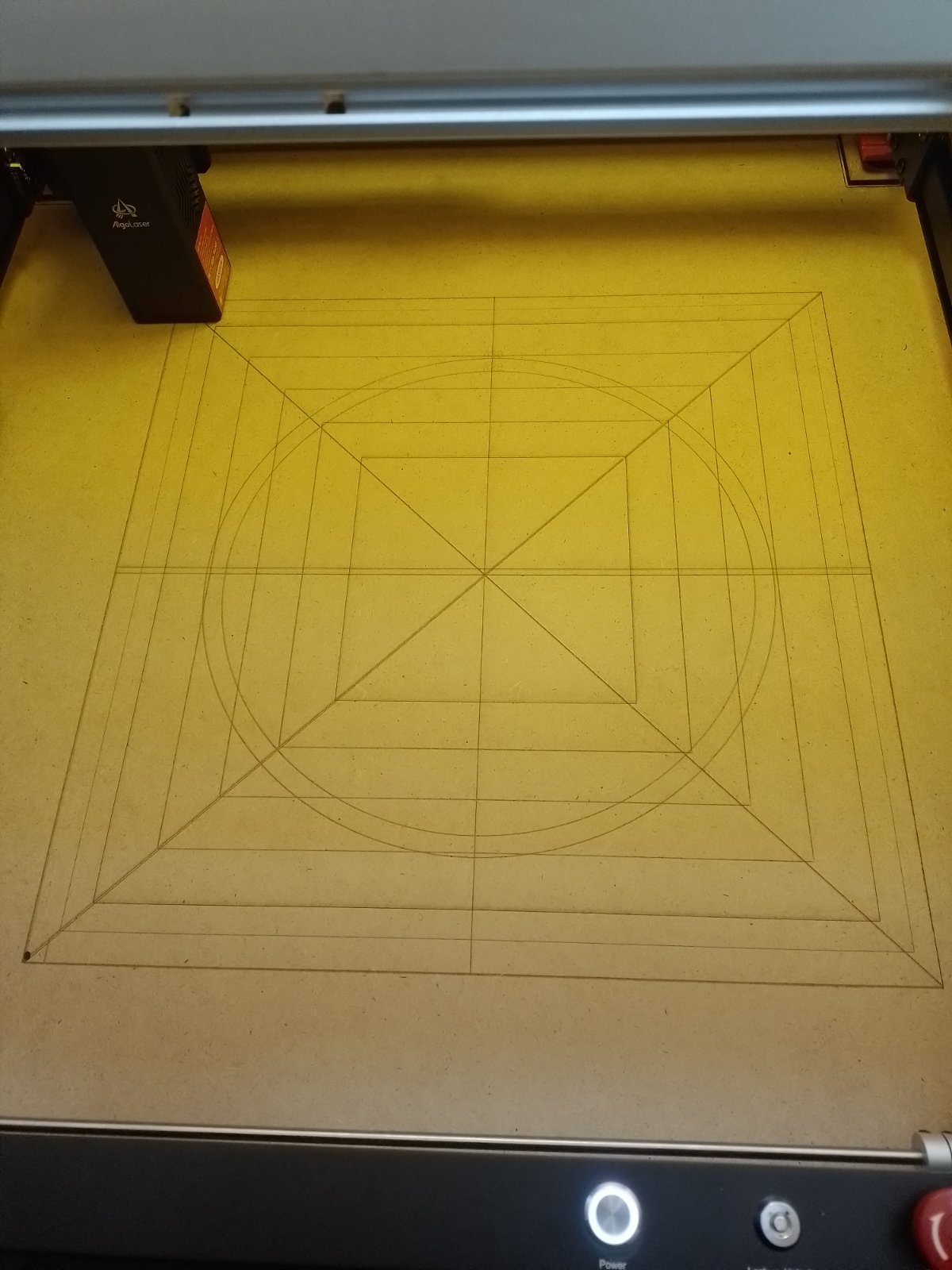

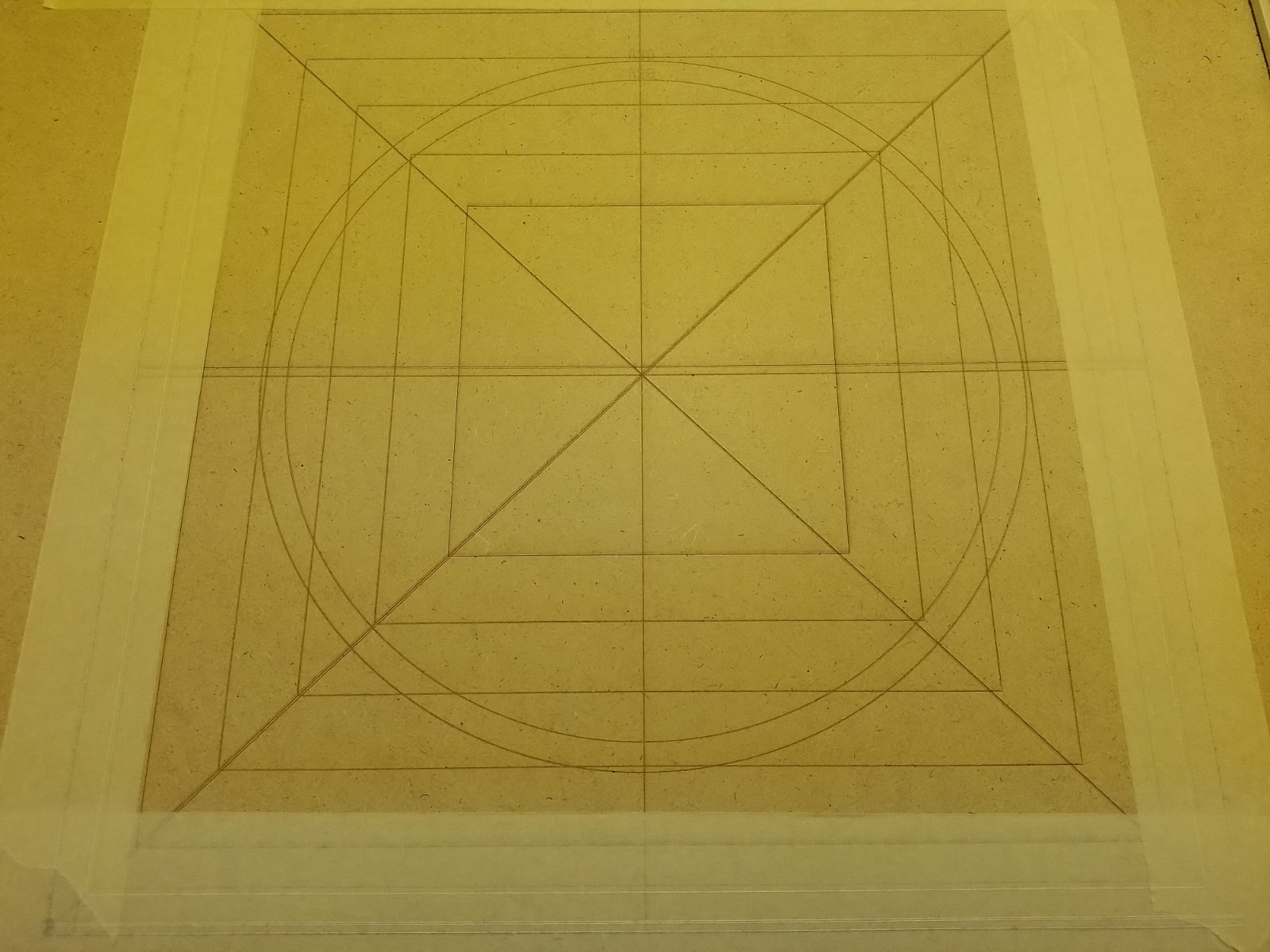
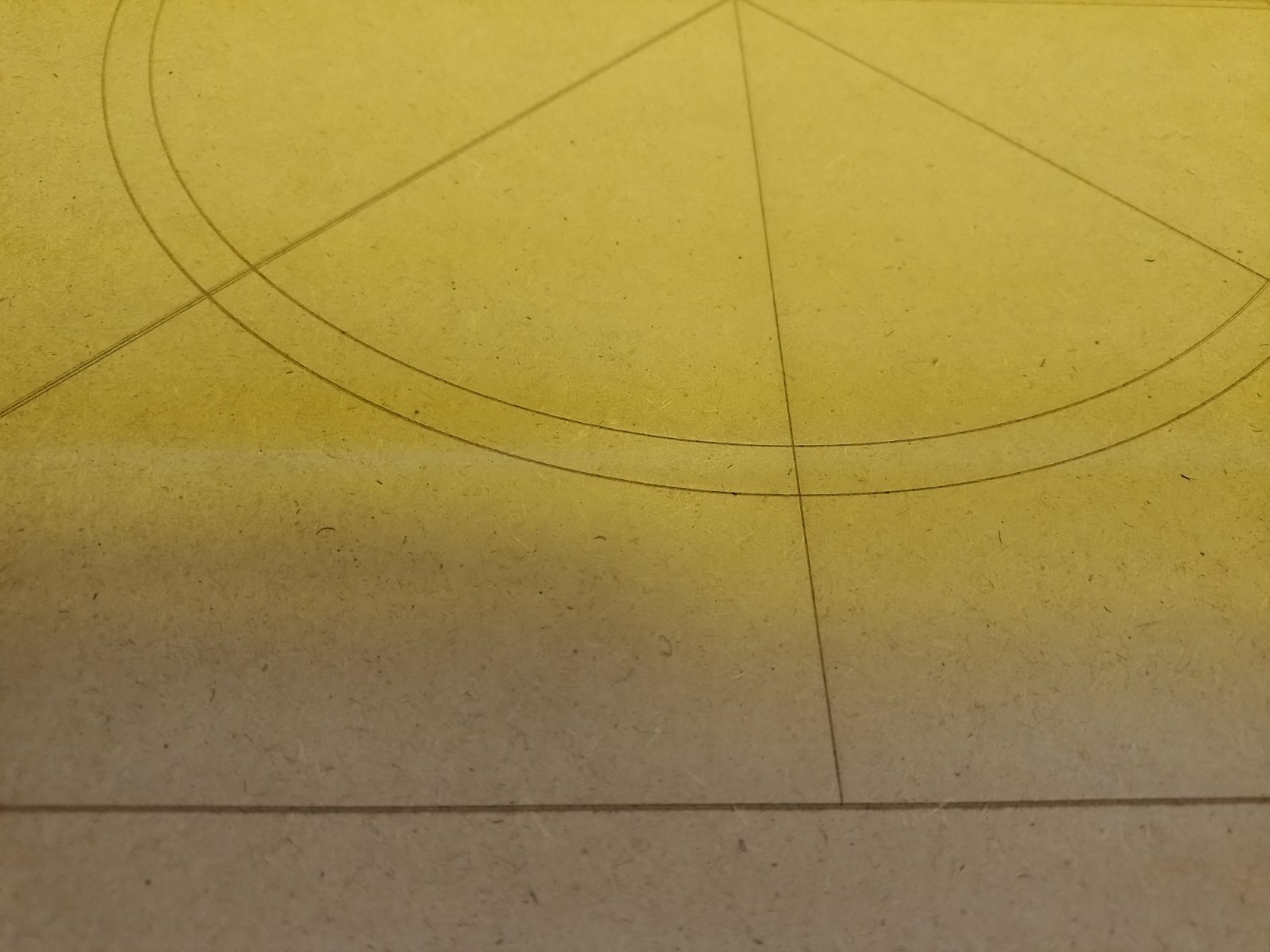
I’m sure ChatGPT provided the most logical string of words to answer your query - but AI has a tendency to hallucinate. So I’m glad you came to the right place.

Fundamentally, the precision and accuracy of a diode machine that is belt driven is going to be driven by the homing reliability, belt tension fluctuation, and axis estep calibration. That along with general mechanical sound-ness.

If your firmware is set to a work area of 400x400, getting ‘out of bounds’ errors when running to the extents of the work area isn’t surprising.

Often the mechanical system of a laser can move more than 400x400, but will home to the limit switch corner, then perform a home offset of ~5mm to clear the switch. If your switch/limit bump isn’t consistent, you will see some drift with each time the laser zero references the switches.

So before diving into a calibration and setup rabbit hole that will take as many hours as your are willing to give it, I’d recommend asking yourself what is your true tolerance for repeatability on the machine?

In machining circles, we call this chasing zeroes. If your hardware isn’t mechanically tip top, you can get good results, but it comes at the expense of time. So before we go further, I’d ask you to do a gut check and set a realistic expectation for a $1000 laser.

1 Like

Honestly if it is at the expense of making a solid setup once and not having to worry about it anymore, it would surely be worth it as it gives a chance for workflows that do not rely on constant framing that is pretty hard to get right on its own in that way offering batch jobs through jigs. Correct if wrong but it does not seem as demanding for any machine as pretty much the whole point is to get 1:1 alignment with LightBurn and the Honeycomb. Overall this type of behaviour seems somewhat unusual for the machine. Obviously there is all the needed space for opinions and tips as to how to at least get close to the goal of having repeatable workflows or being able to place the same piece multiple times in the workspace through different phases of the job without loosing precision while working on said pieces.

Thanks again for the very fast response!

OK, so I would start with checking that your machine can home consistently.

Home the machine, then run a circle in a known location. Center and corners perhaps?

Do this 3 times, and see how they line up in each quadrant. Is the drift in one axis, or both axis?

The one horizontal line that is off axis in the photos you attached is interesting - I wonder if you had some belt slippage, or a loose drive pulley on the Y axis. How far apart are those two lines? 5mm?

1 Like

So the space between the two lines is about 4mm and note that the line was drawn in a separate file that contained only the line itself differently from the file in which it contained the full rectangle and the vertical, horizontal and diagonal lines. In short if all the geometry is not done in the same file or same run/pass it wont align. As for the noted offsets, slips and errors they happen mostly on the Y axis but sometimes there are some X axis slips or irregularities (maybe they are caused by the Y axis slips?)

Can you confirm that you are using Absolute Coordinates? Coordinates and Job Origin - LightBurn Documentation

If you were using User Origin or Current Location, a change in position is very possible.

1 Like

Yes, LightBurn and all of it’s files are set to Absoulte Coordinates.

Show us your cuts/layers screenshot. Maximum speed equals poor results for most people.

Is the laser secure on the work table? If the laser frame can move any amount, it will not help your consistency.

Is the work table square and secure? If the table wobbles any amount it will effect the consistency.

Edit… first thing to do is stop running the machine at maximum speed. 20,000 mm/m is obscenely fast. The torque needed overcome the inertia and allow for acceleration and deceleration makes your project unfeasible.

1 Like

As for the files with the circles, diagonals, vertical, horizontal and full workspace square they were done at the 20k speed and that did seem to challenge the machine itself for such a high area. As for the smaller squares they were done at 10k speed and the results appeared significantly better apart from the offset from the Y axis adding the +1mm and when doing the testing on masking tape it did not overlap with those same rectangles drawn on the sheet and it did give a sudden -3mm when drawing over the masking tape so it seems as there is surely something wrong at the Y axis combined with the foul settings. When testing also small text writings on smaller areas it did not miss the text even after multiple runs. The machine is in an enclosure and the sheet is pushed up to a corner of the enclosure, as for the stability of the workspace it is generally stable but the sudden movements may have contributed to some slight wobble.

In case could write back these days after checking all the belts, pulleys, frame and gantry and check if it gives the same results going at a slower speed.

Thank you all for the replies!

1 Like

So, update after checking the frame tightness, the X and Y pulleys and doing a check on the Y belts and significantly tightening the X belts the machine was started up. So after this the machine was controlled via its touchscreen OS, at first all the movements seemed pretty solid until the machine was moved from a postive X coordinate to go -50 and the machine instead of stopping at 0 it started grinding and the screen gave an X coordinate of -47 possibly implying a GRBL issue. After homing the laser and making it do just some normal circling movements without exceeding values or testing suddenly a little ring fell out from under the X belt which was later established it came from the pulley. After trying to move the machine head after the ring fell out the machine simply grinded and did not want to move and after shutdown it was not possible to move it manually. So as the X pulley was removed and the ring was reinstalled the machine was set up again. Before making any movement through the machines OS it was reset to factory settings hope to fix the probable controller issue. Post restart the head was moved around and it all looked smooth as well as it hitting its limiter levers at a very smooth pace and also when ordered to go from X 10 to do a -50 it cleanly went back to 0. Right before attempting again to do the full workspace rectangle to see if the mechanical/controller issues were fixed the ring fell out again. So now from the shown image what would be a good way to stop the ring from falling out as when it is turned upside down it seems that the belt pushes it out and its internal circumference being the exact size of the screw head it falls out. Gluing the two rings and the dented does not seem like a good idea, could adding another small washer keep it from falling out?


Those pulleys never come as a 2-part item. That one is defective and must be replaced.

Okay so the pulley has been replaced, all the belts tightened and machine factory reset so after drawing the full workspace test square a couple of times all the sides match except the lower one on the Y axis that misses by around a mm each time. At this point it might seem controller/software related? Also during this same session of square runs a slightly smaller square was made and it has done ok. After finishing a job that required raisers and moving some things around the machine was replaced with the original feet in the same position with the small feet holes. After running the small square it hit all the side except again the lower one, and after starting the full workspace one as the machine first moves from X:0 to X:399 and then comes back firing the laser to X:0 during this session it would always stop at X:0 and emit an error beep and the lightburn console would display: ALF 122.
So even if jobs should not be done too close to the border as it could trigger a soft limit in the overscan move are these misses on the X:0 - x:399 line normal and could there still be some underlying errors or problems related to the controller/machine?


Here is a related image

If you look at the GCode output, you will see X400.000, not X399.000, in the code. It is not Lightburn or the controller. What you are reporting is an error of 0.25% of full travel. I am betting that is well within the design specifications of the machine. It could also be a measurement error. You said smaller squares measure fine, so I would not think it needs any more adjustment..

Go make some stuff. :grin:

Yeah the 399x399 reduction was made when the squares that were dimensioned 400x400 would cause soft limit issues and would LB display Idle MPos 399.640. So would there be any need to adjust or set back to 400x400 the declared workspace area in LB?

Thanks a lot for the help!

I am surprised you can get 399 on a 400 frame. I would even reduce it to 390 to allow for overscan of images. I doubt you would even notice the reduction. My 400x400 machine has GRBL max travel set to X385 and Y390. I do not like the sound of the module banging into the frame.

Welcome! This is what this Forum is designed for.