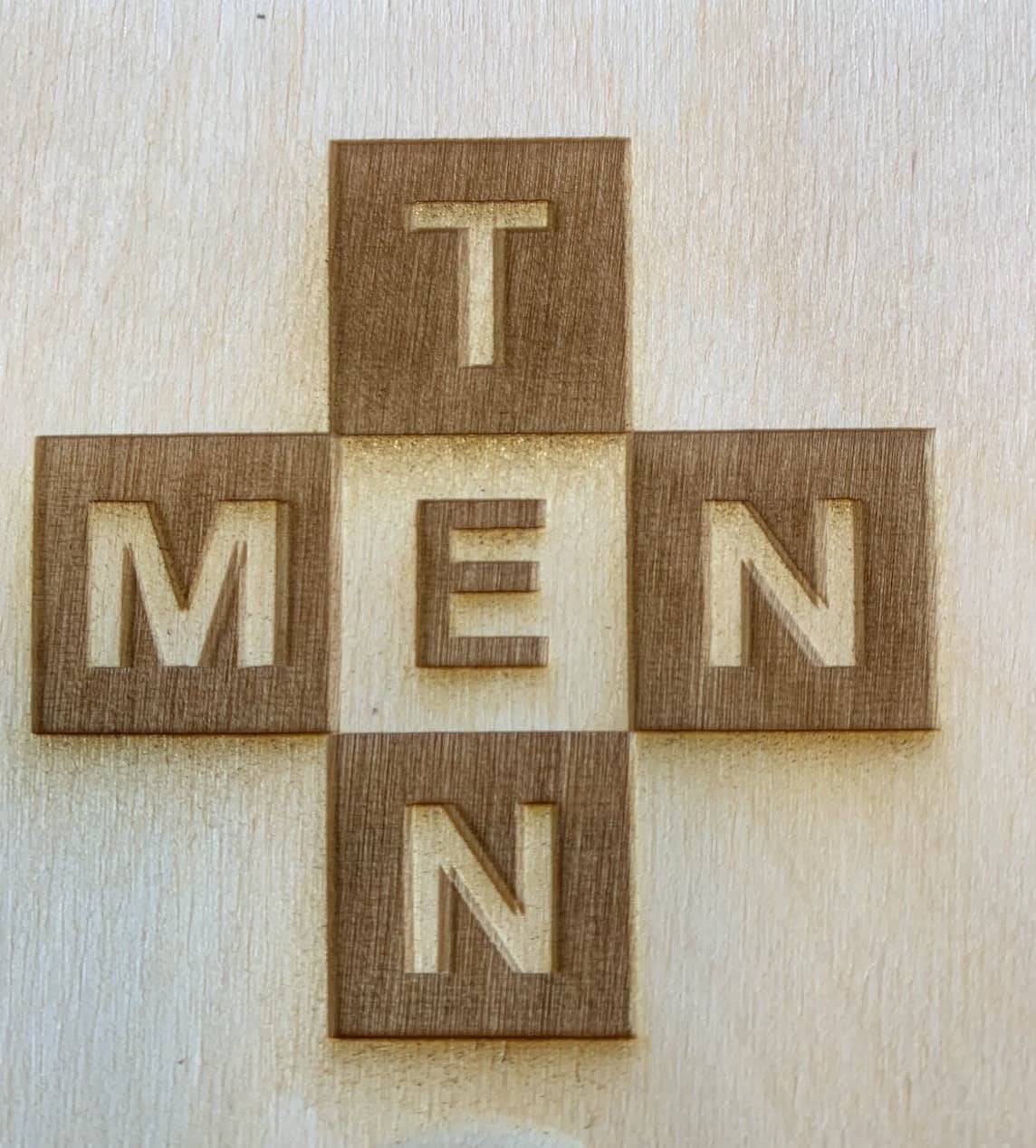
I have a Ruida wood engraving laser.
When I was engraving a logo, the letters appeared ghostly, not engraved properly. You can see it clearly on the letter “N,” which looks like it has a border.
What could be the reason?
I have a Ruida wood engraving laser.
When I was engraving a logo, the letters appeared ghostly, not engraved properly. You can see it clearly on the letter “N,” which looks like it has a border.
What could be the reason?
This is likely caused by a scanning offset. First do a mechanical check to eliminate any mechanical backlash in the system, specifically on the X-axis.
If that doesn’t resolve it then use the “Scanning offset adjustment” in Edit->Device Settings to eliminate this.
Scanning Offset Adjustment - LightBurn Documentation (lightburnsoftware.com)
+1 to Bernainlb…
Thank you. I have managed to align the line on the left. However, it seems like the odd lines are a little bit longer, which is still creating a ghost effect where they end.
Any suggestions how to it? I was unable to find this in the forum.
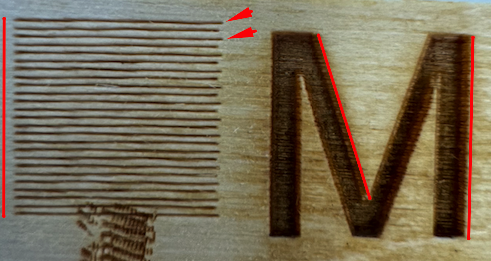
This is rarelly the case on Co2’s but can’t hurt testing
Double click the layer, disable Bi-Directional engraving
Temporarily disable the offsets on Edit- Device settings
Do the ghosting get better or worse?
If better, you have - ALSO - some mechanical issues to contend with, maybe a loose belt or similar.
This topic was automatically closed 30 days after the last reply. New replies are no longer allowed.