Check the Console window. You may have to turn on Show All.
Okay… Got it to show
When I set the X,Y to 10,10 and Click on Go To XY
The code sent was G1 X-10Y-10
but the head didn’t move there
Even when I manually enter that GCode it only goes to 0,0
That should have spit out an alarm.
Home the machine.
In the Console Window, enter G90
Then enter G1 X10 Y10
Tell us what it does.
The space between the X10 and Y10 makes the difference. It works!
This is the code that the Go To sends
code sent was G1 X-10Y-10
That is different than G1 X10 Y10
When a job ia running the codes sent are like G1 X25.123 Y10.015
Apparently my machine is more sensitive than others.
Thank you so much.
Looking forward to the fix.
That might be something the Custom GCode can fix, maybe.
I would need help with “Custom GCode” method. Please
Mark
Read through this so you will have an idea what the concept is about. You may spot a key word that relates to your G1 output issue. If you have an idea of what to try, or need more help, come back and post your question. We (the Mind Hive) will be here.
It you have identified the issue, so that is a good start.
So far I have not found anything that would remotely help in reformatting the code to send without reformating the regular GRBL.
Again I would say that it is sending the wrong code with negative numbers which my machine is unable to interpret.
I still thing this is a bug.
If you would please check your machine and see what exactly is the GRBL code that is being sent to your machine when you click on the “Go To” button with any number but zero in the box.
Mark
Here is the sample
Fair enough request. How about you upload your offending .mage file and I will see what it outputs on my system with the steps you describe?
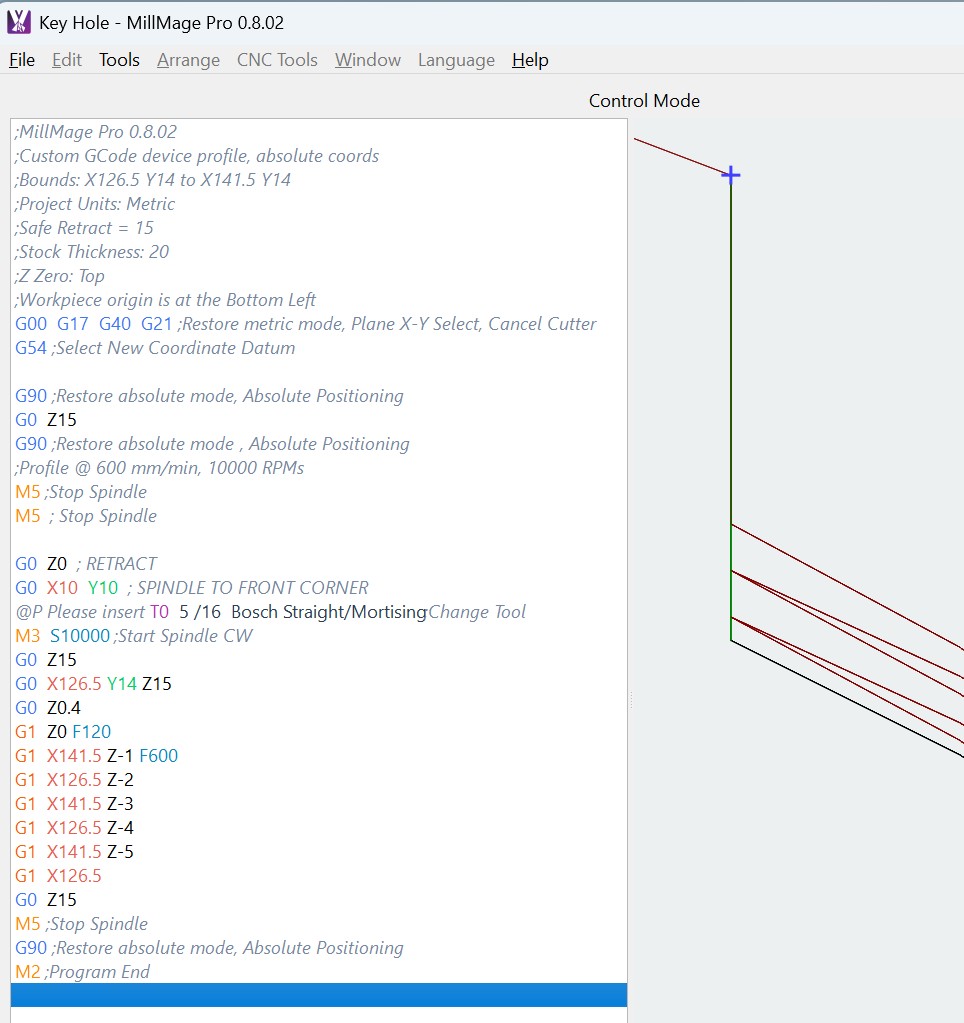
Mike,
I created a blank project with the workspace set the same as the systme space. I set the X value equal to 30 and clicked on “Go To X” and this is the resulting GRBL that was sent to the machine. I got this from the console.
<Idle|MPos:0.000,0.000,15.000|FS:0,0|Ov:100,100,100>
Starting stream
G21*;Restore metric mode*
G54
G90*;Restore absolute mode*
G1 X0F6000
Stream completed in 0:00
?
Hopefully this will help.
Mark
Thank you for the response. The projects run fine on my machine too.
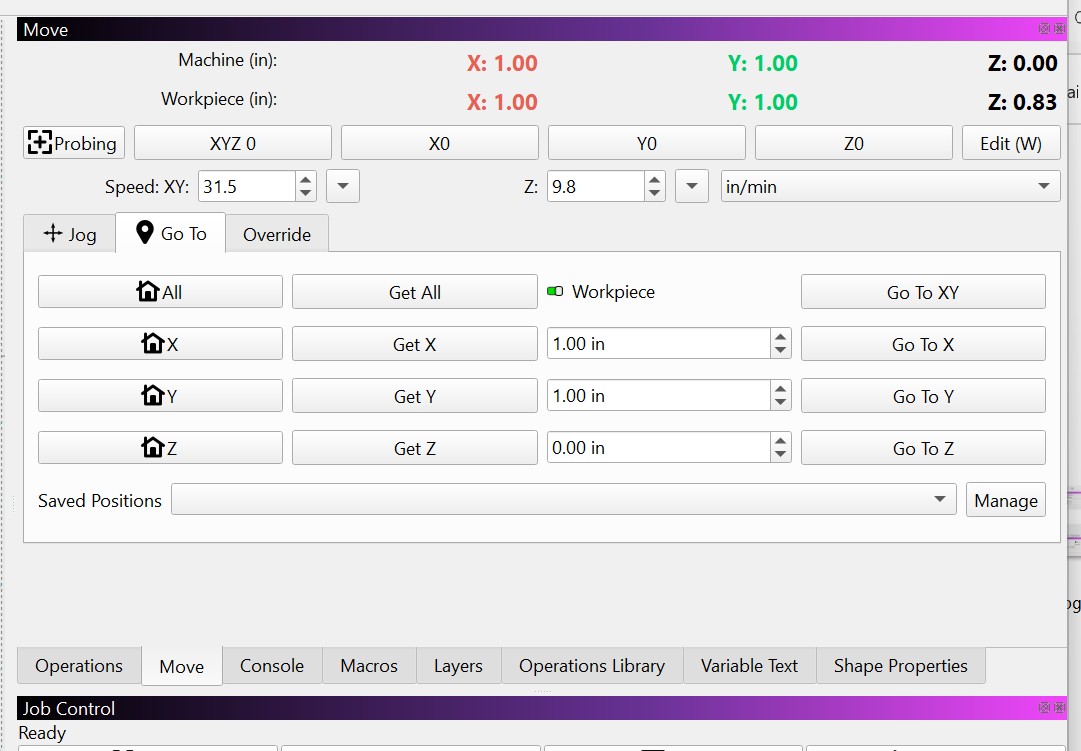
The problem is on the Move panel…
The “Go To” buttons are not working.
Yes, I know. Testing now…
This is the Go To 1" in X&Y…
Waiting for connection…
Project loaded in 1 milliseconds
Waiting for connection…
Grbl 1.1f [‘$’ for help]
ok
[VER:1.1f.20170801:]
[OPT:VZHTL,15,128]
Target buffer size found
ok
[G54:0.000,0.000,-21.000]
[G55:0.000,0.000,0.000]
[G56:0.000,0.000,0.000]
[G57:0.000,0.000,0.000]
[G58:0.000,0.000,0.000]
[G59:0.000,0.000,0.000]
[G28:0.000,0.000,0.000]
[G30:0.000,0.000,0.000]
[G92:0.000,0.000,0.000]
[TLO:0.000]
[PRB:0.000,0.000,0.000:0]
ok
?<Idle|MPos:0.000,0.000,0.000|FS:0,0>
ok
?<Idle|MPos:0.000,0.000,0.000|FS:0,0>
Starting stream
0,0>
Stream completed in 0:00
?<Idle|MPos:25.400,25.400,0.000|FS:0,0|Ov:100,100,100>
?
<Idle|MPos:25.400,25.400,0.000|FS:0,0>
?
<Idle|MPos:25.400,25.400,0.000|FS:0,0>
?
<Idle|MPos:25.400,25.400,0.000|FS:0,0>
?
<Idle|MPos:25.400,25.400,0.000|FS:0,0>
?
<Idle|MPos:25.400,25.400,0.000|FS:0,0>
?
<Idle|MPos:25.400,25.400,0.000|FS:0,0>
?
<Idle|MPos:25.400,25.400,0.000|FS:0,0>
?
<Idle|MPos:25.400,25.400,0.000|FS:0,0>
?
<Idle|MPos:25.400,25.400,0.000|FS:0,0|WCO:0.000,0.000,-21.000>
?
<Idle|MPos:25.400,25.400,0.000|FS:0,0|Ov:100,100,100>
?
<Idle|MPos:25.400,25.400,0.000|FS:0,0>
$H
ok
?
<Idle|MPos:0.000,0.000,0.000|FS:0,0>
?
<Idle|MPos:0.000,0.000,0.000|FS:0,0>
Starting stream
G21*;Restore metric mode*
G54
G90*;Restore absolute mode*
G1 X25.4Y25.4F800
Stream completed in 0:00
?
<Run|MPos:5.030,5.030,0.000|FS:800,0>
?
<Run|MPos:9.608,9.608,0.000|FS:800,0>
?
<Run|MPos:14.476,14.476,0.000|FS:800,0>
?
<Run|MPos:19.289,19.289,0.000|FS:800,0>
?
<Run|MPos:23.868,23.868,0.000|FS:800,0>
?
<Idle|MPos:25.400,25.400,0.000|FS:0,0|WCO:0.000,0.000,-21.000>
?
<Idle|MPos:25.400,25.400,0.000|FS:0,0|Ov:100,100,100>
?
<Idle|MPos:25.400,25.400,0.000|FS:0,0>
?
<Idle|MPos:25.400,25.400,0.000|FS:0,0>
?
<Idle|MPos:25.400,25.400,0.000|FS:0,0>
?
<Idle|MPos:25.400,25.400,0.000|FS:0,0>
?
<Idle|MPos:25.400,25.400,0.000|FS:0,0>
?
<Idle|MPos:25.400,25.400,0.000|FS:0,0>
?
<Idle|MPos:25.400,25.400,0.000|FS:0,0>
?
<Idle|MPos:25.400,25.400,0.000|FS:0,0>
?
<Idle|MPos:25.400,25.400,0.000|FS:0,0|WCO:0.000,0.000,-21.000>
?<Idle|MPos:25.400,25.400,0.000|FS:0,0>
Just so you know, you can enter commands in the Console window one at a time for testing. It is possible the GCode output may not match the manual commands, depending on the flavor of GRBL device selected. I expect just plain GRBL would be correct for your machine.
When I enter GCode in the console I get the correct response. It’s just the buttons.
The values zero out before sending to the machine.
Mark
Thank you for the console readout. I understand it.
Last question?
What version are you testing on?