I am new to the laser world and I got a 20W G2. I am having trouble figuring out the settings to engrave on a brass coin. I have successfully marked on the coin but I am using a depth map and would like to engrave. I have searched and searched and have found some stuff for the 50W but nothing on the 20. Does anyone have the 20 that has successfully done this and if so can you help share your settings. I bought a material library but those parameters seem to not be very good. Thank you!
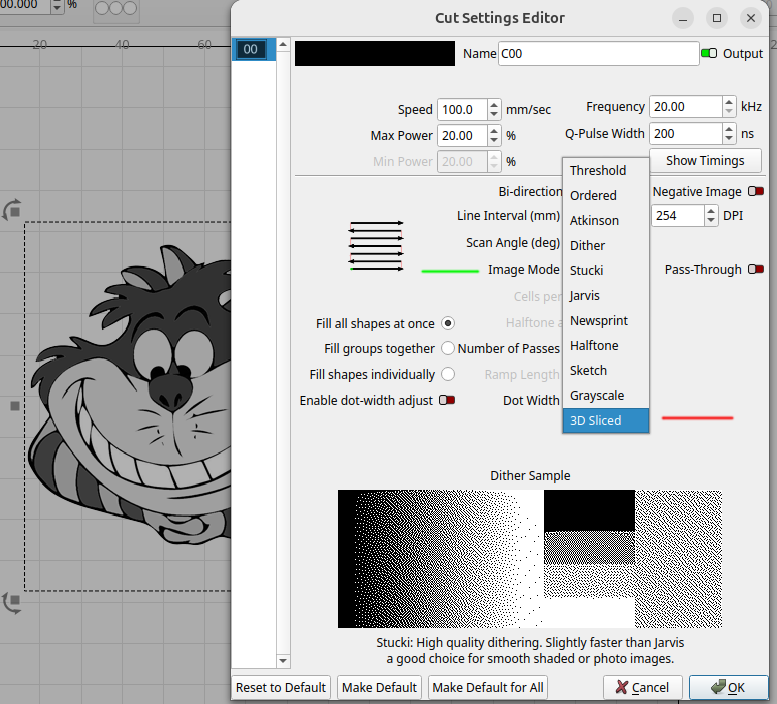
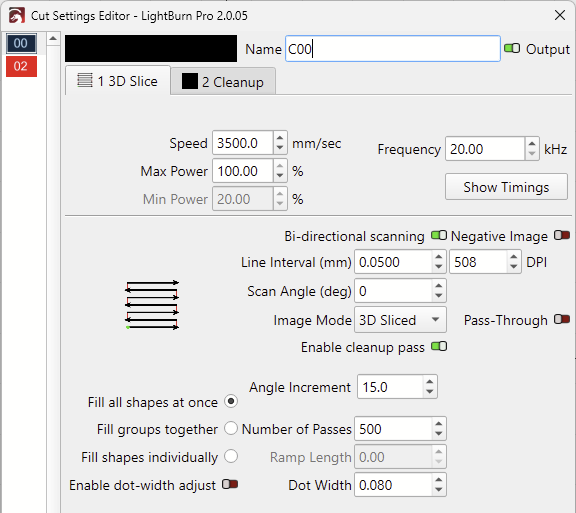
Normally you use the 3D Sliced option in the cut/layers for the type of dither or image mode. I know that Lightburn will run the G2 but I think it still reports and uses a grbl type controller. So, I would doubt that 3d sliced would be available with a grbl machine.
In the cut/settings editor, select from the Image Mode (green) pull down the menu and select 3d Sliced (red).
It is likely that you would not see it if you are using grbl and you need the pro version of Lightburn. Having the pro version doesn’t really help if you have a grbl based machine.
I think you need a better understanding of how a fiber laser operates. First off these are pulse machines not continuous wave (CW) like a co2 or visible led.
This will help you pick the correct pulses/S or pulses/mm also known as the frequency. It also helps you pick a pulse width known as the q-pulse. This is how long the fiber will be open to let out energy.
When I do coins I use a lower frequency and a shorter q-pulse to deliver more energy to the material. My JPT manual says 45kHz is where the maximum power exists. Don’t know how your 20W reacts, but I can burn coins up with mine.
Low Frequency for more ablation. Generally, a lower frequency means that the fiber source charges up longer for each pulse, leading to higher power output. (Think of the frequency as the grit of sandpaper)
As Jack pointed out, there is a specific sweet-spot, where the laser emits the most power. But I’m not sure where that is on the Gweike.
You won’t find the Q-Pulse setting on the G2 Pro. It’s a Fiber source with a fixed Pulselength.
I’m happy to share my Material Library. Use it at your own risk!
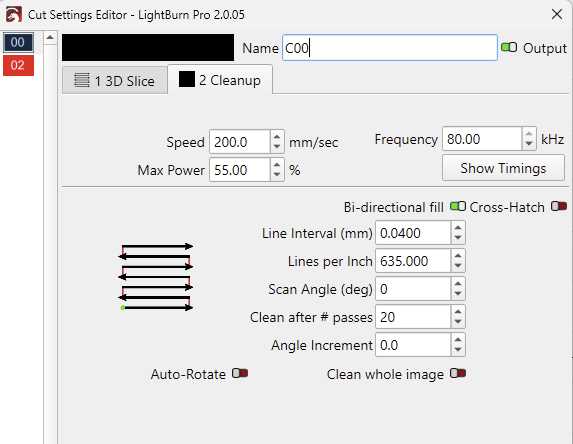
Note: Some of the Cut settings use way more passes than needed. When cutting, I just let the job run until it cuts through. Gweike-G2Pro-30W-150mm-Aa.clb (20.0 KB)
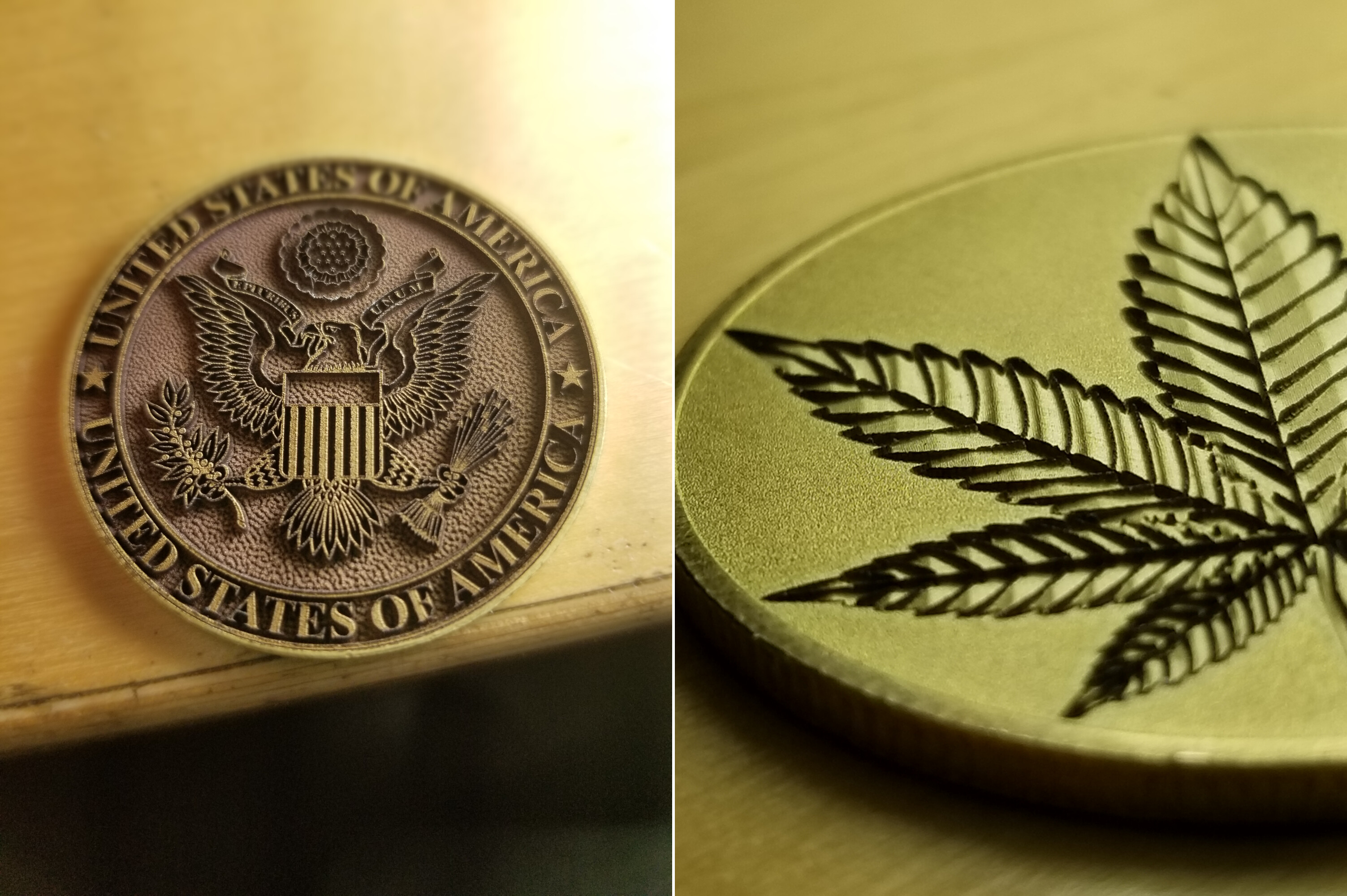
Be prepared for long running jobs (1-3 hours, or more), and make sure you have an adequate exhaust system connected. You don’t want to breathe in the ablated brass particles!
I’m curious to see your results, and happy to help improve them if you can share what you discover!
Thank you so much for all the informations on this post. I’m a beginner and I made my first brass coin yesterday with your advices. It’s not too bad for a start. May I ask you two things ?
@NevetsDK will you agree to share your LightBurn stings library ?
@Aaron.F you said you have the 20W G2 but you shared a library called 30w G2. Wich one is the good one ?
Thank you again guys for your help (sorry for my bad “French people” english ^^)
I actually have the 30W G2 Pro with a 150mm lens. Corrected this in my previous post.
The device profile will work for every G2, even the 50W Max. If you’re using my Material Library, you can adjust the Number of Passes or the Power % accordingly and should get similar results.
I was thinking it wasn’t compatible. I’ll try your library.
I actually try to understand the effect of each setting to know how to manage them. It’s a really nice laser and I’m glad I found people like you to help.
Thanks a lot !
Yes, there are many! But you don’t need to know everything. I recommend reading this docs page as a start and learn about the settings step by step as you go.
Don’t hesitate to ask questions or post pictures of your engravings and the settings used.