You’re probably busy engraving and trying out different things Fiber lasers are fun, aren’t they? 
If you are happy with the Bulge, Skew, and Trapezoid values, leave them as they are.
I’m posting a link to the full Galvo Lens Calibration for completeness.
To fine-tune only the Scale values for more accurate dimensions, you can do the following:
- Engrave a rectangle of 100x100mm (You can use the black paper)
- Open the Device Settings and click on the three dots next to the Galvo 1 “Scale” field:
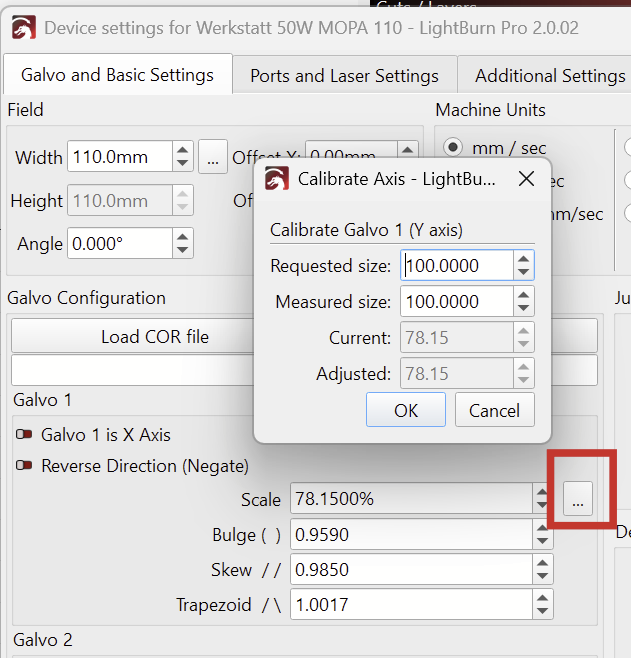
That’s your Y axis when looking at the G2 with the stand on the left side!
- Measure the height (front to back) of the engraved square with calipers or a ruler and enter the value in the “Measured size” field.
- Klick OK and repeat the same for the Galvo 2, X axis.