Hello, I used the Gweike settings for engraving on stainless steel (power, frequency, and speed), but it didn’t engrave on the material at the 211mm distance they recommend. I manually raised the laser by approximately 4mm/5mm and it started engraving on the piece. What settings do I need to change?
Hello Claudio,
Which lens are you using? (150mm, or 250mm? each focal lenght has a different focus height.)
How exactly are you measuring the focal height of the laser? (A picture with the ruler next to the machine would help)
That’s perfect! You can absolutely focus a fiber laser by eye and ear. - Move the Z-axis until the sizzling sound is the loudest. → That’s your focus spot.
See if this post also helps:
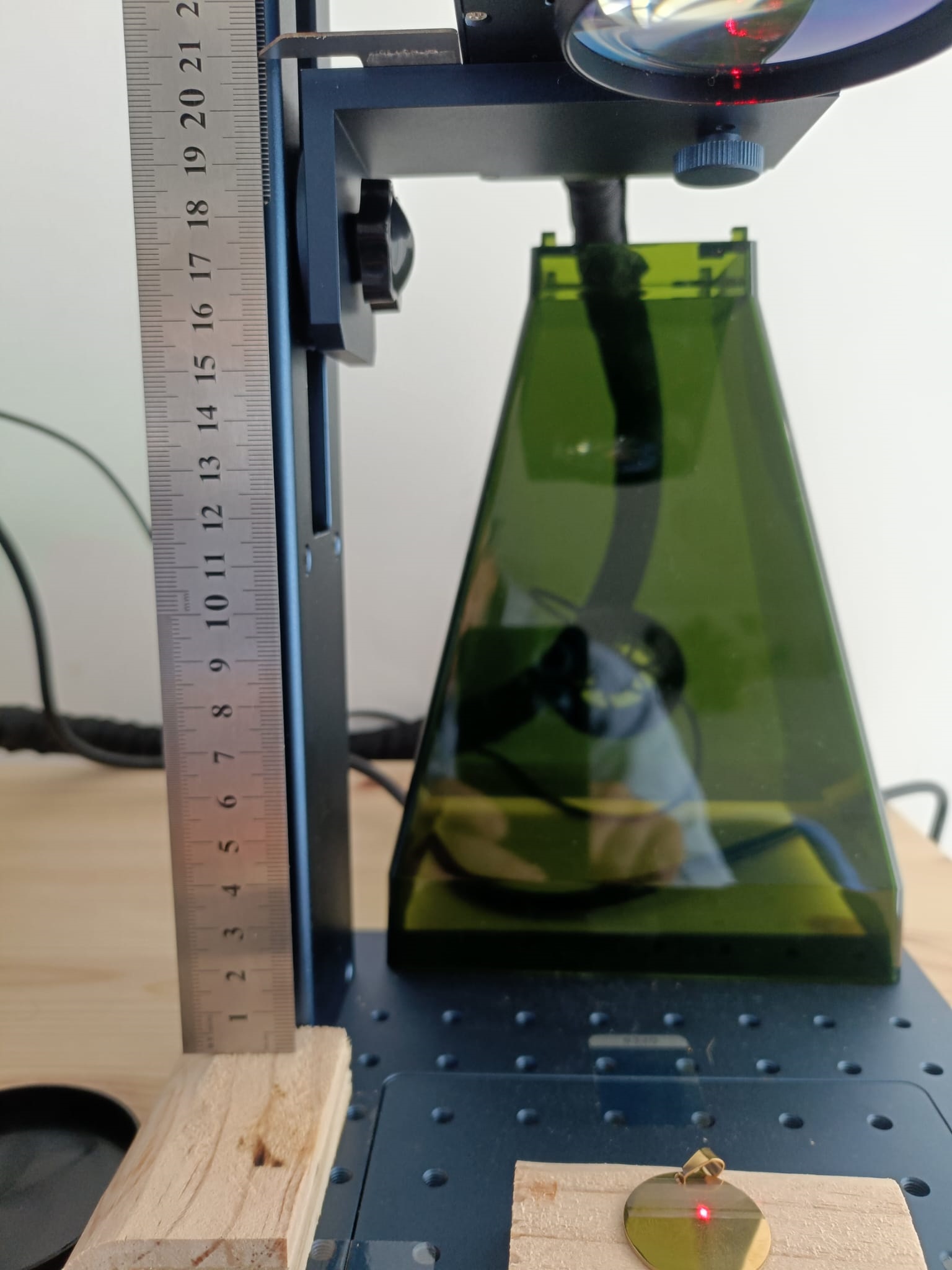
Can help me?
I’m not sure what you need help with exactly.
You said that you found the correct focus height previously.
Use that, even if the info from Gweike is not correct.
In the shared forum post above, I explain how to adjust the red dots so that they can be used to set the focus.
The focal lenght is the distance between the top surface of the material and the middle of the lens. (Not the indication scale of the Z-axis)
Hello,
Initially I used Gweike’s software, and with the focal length they indicated, it worked for recording material.
I engraved it on a sheet of black aluminum foil with the factory settings and it engraved; I didn’t need to raise the lens. It was at the focal length that Gweike recommends.
The issue is the measurement reference. The 211 mm focal distance is measured from the center of the lens to the material, not from the machine frame or ruler position. A few millimeters error is enough to prevent stainless engraving, which matches the 4-5 mm adjustment you found.
Black foil can still mark slightly out of focus, stainless cannot.
Use the height that produces the strongest engraving — that is the correct focus. The software does not affect physical focus.