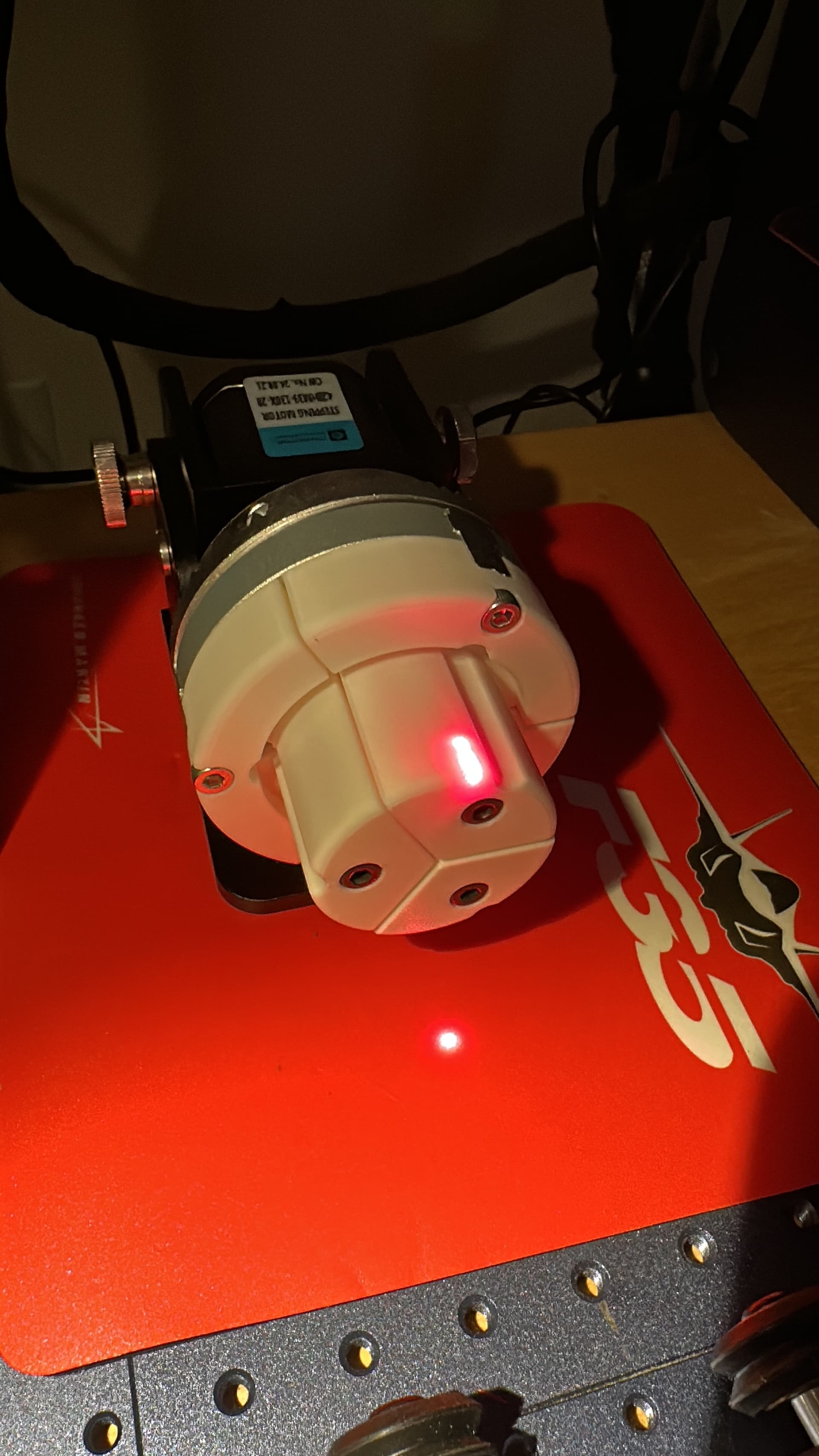
I just enabled the rotary axis (about the Y-Axis; x-axis is rotating) on my Gweike G2 30w Pro. I pressed start without the laser enabled and the z -axis started to move up and down; then it kept on going all the way to the top. I disabled the rotary chuck and the laser worked just fine.
I have the same Gweike G2 Pro and also noticed occasional shifts in the Z-Axis when using the rotary.
LightBurn does not currently support the motorised Z-Axis of any Galvo, and I claim, that the controller didn’t get any command to move the axis from LightBurn. (We do however rely on an external BSL library to talk to these machines, so one aspect is out of our control.)
In my tests, the Z-Axis movements seemed to happen at random, which indicated an electrical issue inside the box itself.
The inductive touch buttons to control the Z-Axis are also not very responsive.
My “solution” to these random moves when using the rotary was simply unplugging the (USB-C) cable that powers the Z-Axis tower.
Update: I heard from Gweike last night and performed more troubleshooting. I placed a mouse pad between the chuck assembly and the tool plate to isolate the chuck electrically from the laser head. In effect, opening up the current loop and removing an electrical noise path. Ran the test again and it the laser head z-axis stopped moving. I asked Gweike if they had a real fix and they do not, other than to isolate the chuck assembly or roller assembly (affected as well) from the tool plate with some film or plastic. I am a bit disappointed with Gweike but it is what it is.
To be clear, this is not a Lightburn software problem it is a Gweike Hardware problem.
I will 3d print an isolater and post where you can find the model. I will also post the location of the 3d printed chuck jaws.
That confirms my assumption and explains, why I only had it happen sometimes (When the Chuck touched the metal plate)
I found the USB-A port to be a curious choice of connector for a stepper motor.
They are using the four pins of the USB plug to connect the motor coils. Bypassing the Ground connection of this USB cable might have a similar effect in avoiding ground loops as your method with the mousemat does.
Your idea to design a 3D printed base will definitely work!
That sounds great! I’d love to see your chuck jaws design