I just downloaded the latest version of millmage and it is so small i cant read or see what it says. Ihave uninstalled and reinstalled and it does the same thing
Can you provide a screenshot of your entire screen so we can see?
This is a bug in the software that’s never been fixed. It is also in LightBurn. It is a screen DPI issue. The work around is to make a change in the shortcut. Right-click on the short cut and click properties. From there, find the compatibility tab. On that, you will need to click “Change high DPI settings”.
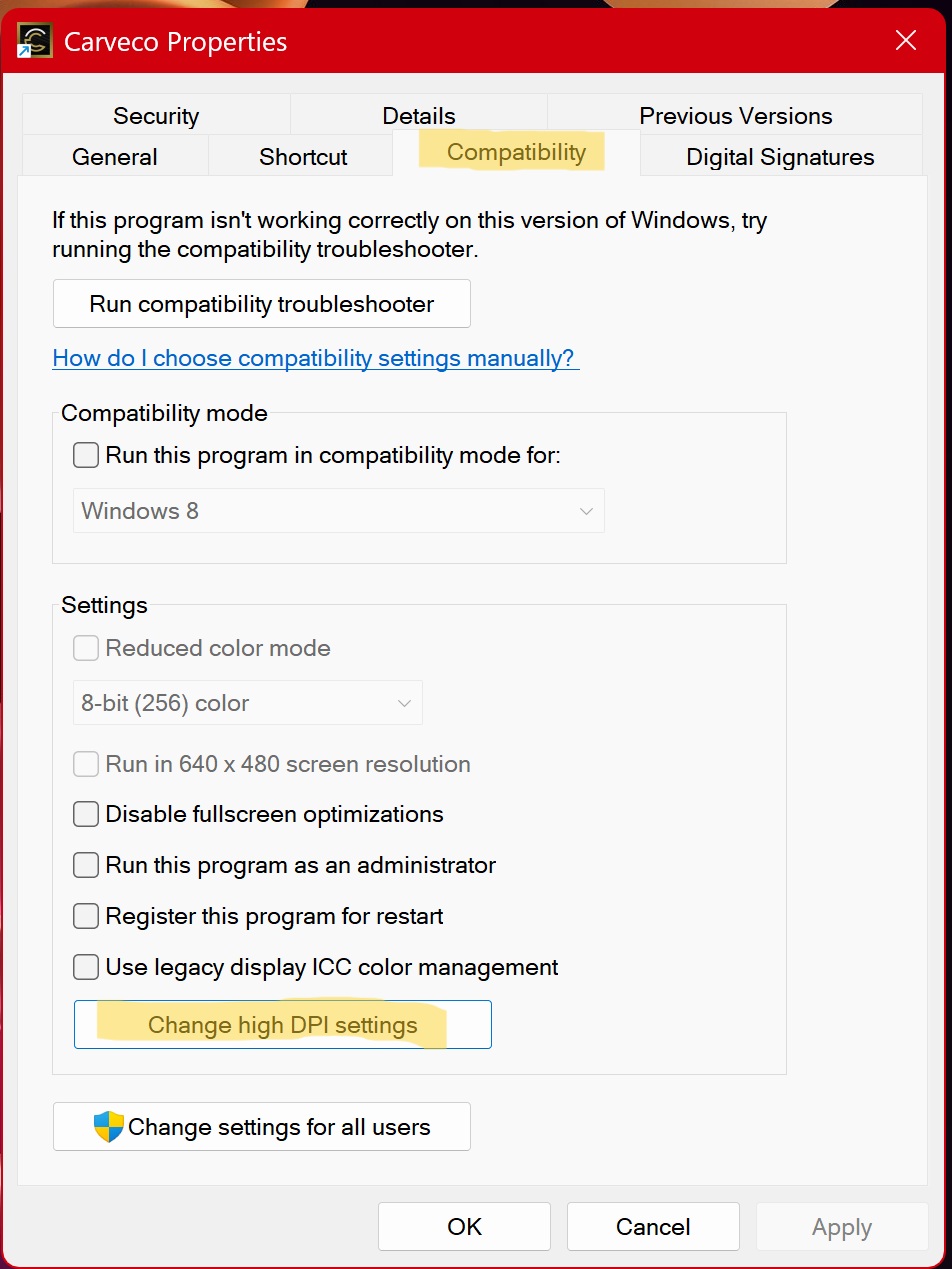
From that dialog box, you want to check the "Override high DPI scaling behavior. And select “System” from the drop down box.
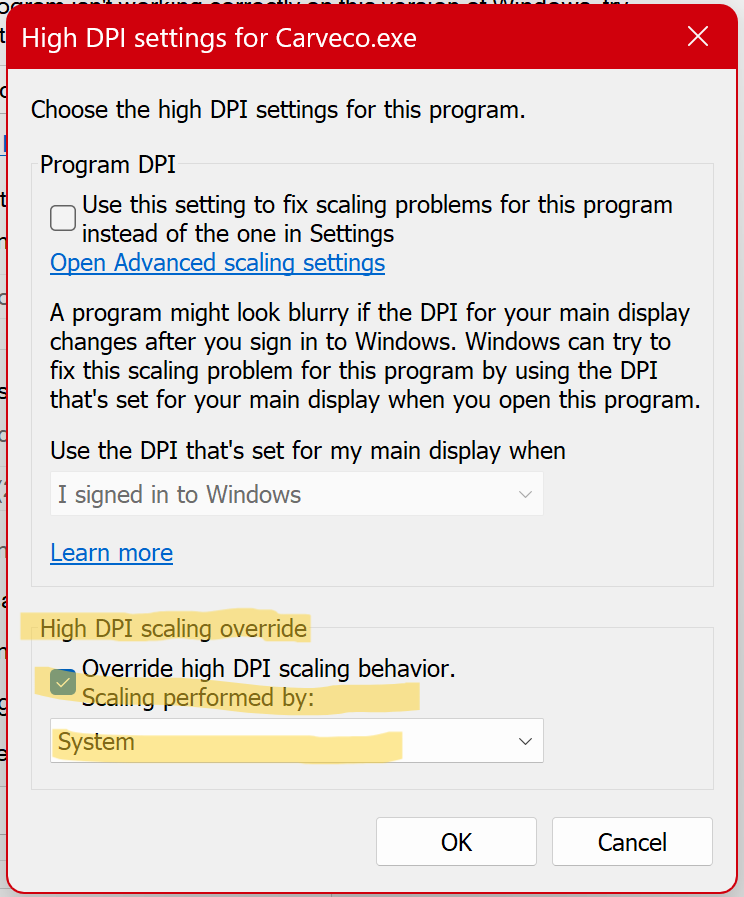
After that, just okay out of all the dialogs. You should now be able to see everything properly.
I really wish they would fix this in the software. It is clearly a bug since you don’t have to do this with all the software on your system. I have had this on multiple laptops from different manufactures.
Okay, so, it looks like this was fixed in both programs. Under settings > display, you can enable “high DPI scaling” which fixes the issue. I am glad to see they have finally fixed it. I’ve been just applying this fix for like 5 years without ever looking at the settings.