TyBang
(Ty Bang)
1
I’m having a strange issue in LightBurn with an OMTech 80W Ruida.
-
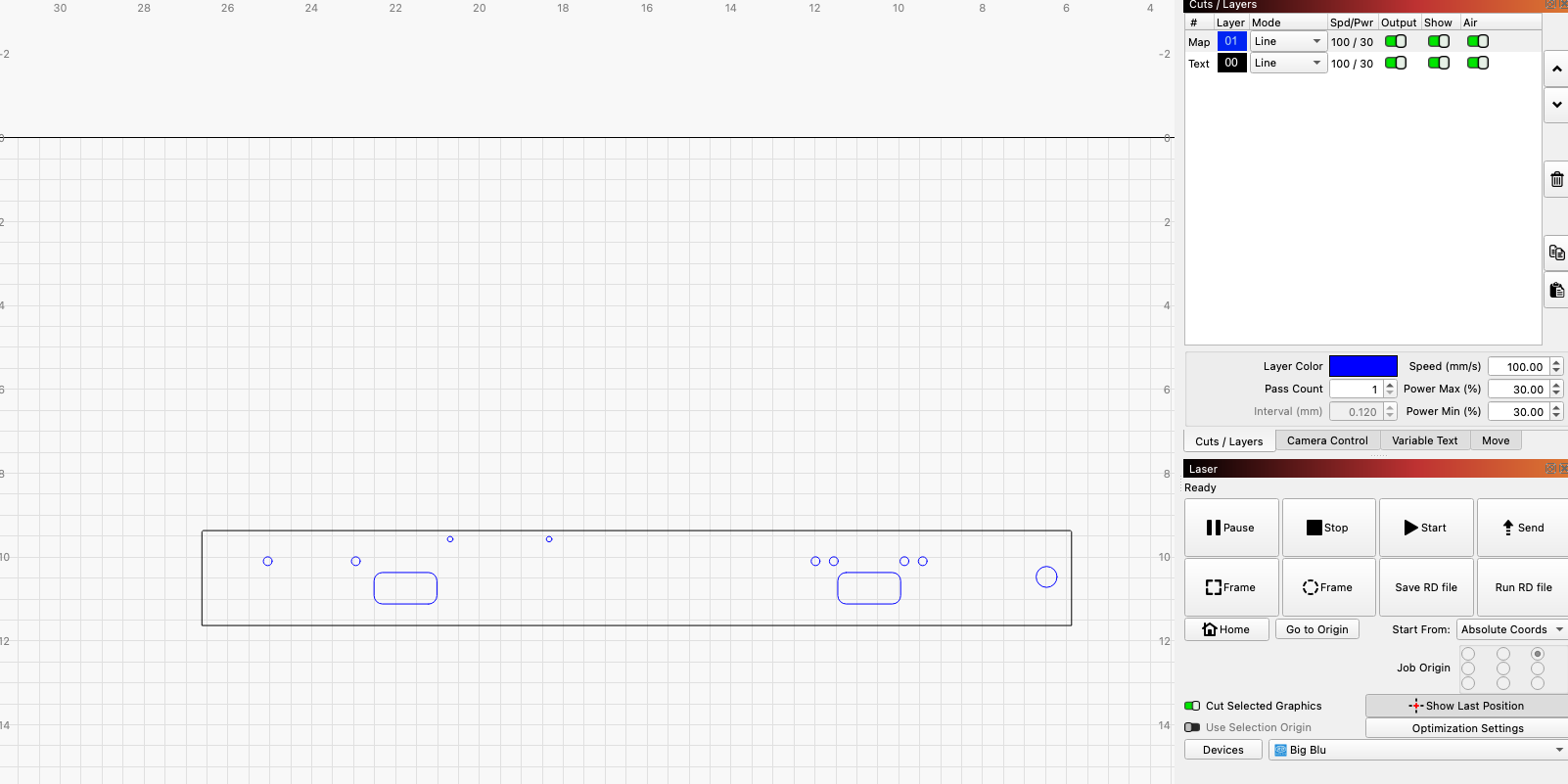
Importing a part via DXF (see screenshot)
-
Outer profile + holes are on the same layer
-
Cut order is correct (holes first, outer last)
Problem:
But:
- If I move the holes to a separate layer and run the exact same job
→ Everything cuts perfectly to size
Same speed/power settings in both cases.
Has anyone seen this behavior where same-layer cuts affect hole size, but splitting layers fixes it? Any ideas?
Thanks! - Ty
bernd.dk
(Bernd )
2
Do you have a value set in kerf setting?
3 Likes
TyBang
(Ty Bang)
3
For the win, random kerf set on that layer, dont remember ever using it. Thank you!
1 Like
bernd.dk
(Bernd )
4
That’s fine, that was it. I’ve been dealing with Kerf a lot, so that’s why it hit me right away. 
2 Likes
NicholasL
(Nicholas Leqeta)
5
Enabling this setting prevents random layer edits from hanging around and messing up the next job:
2 Likes
system
(system)
Closed
7
This topic was automatically closed 30 days after the last reply. New replies are no longer allowed.