Hi everyone, I’m new to the forum and hoping someone can help me out. I’ve been using laser engravers for about 10 years now and have never had a problem like this. I’ve been pulling my hair out for days now.
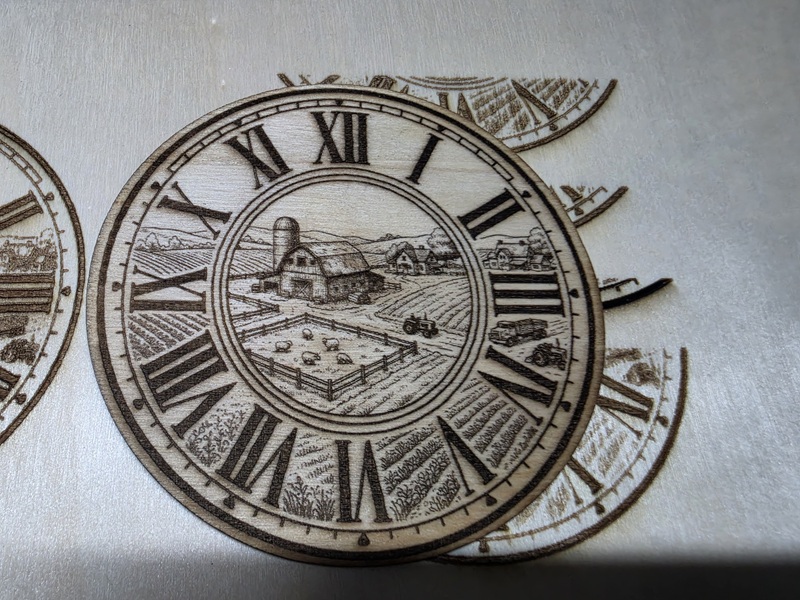
Some background: I was using an Atomstack A5 M50 Pro laser engraver for about 3 or 4 years now with great success. It did everything I wanted it to with absolutely no problems at all. The only problem was that it was very slow for bigger jobs. So last week I “upgraded” to an Atomstack A20 Pro V2 and I’ve had nothing but problems. The A20 does not seem to be able to engrave jpg images at all:
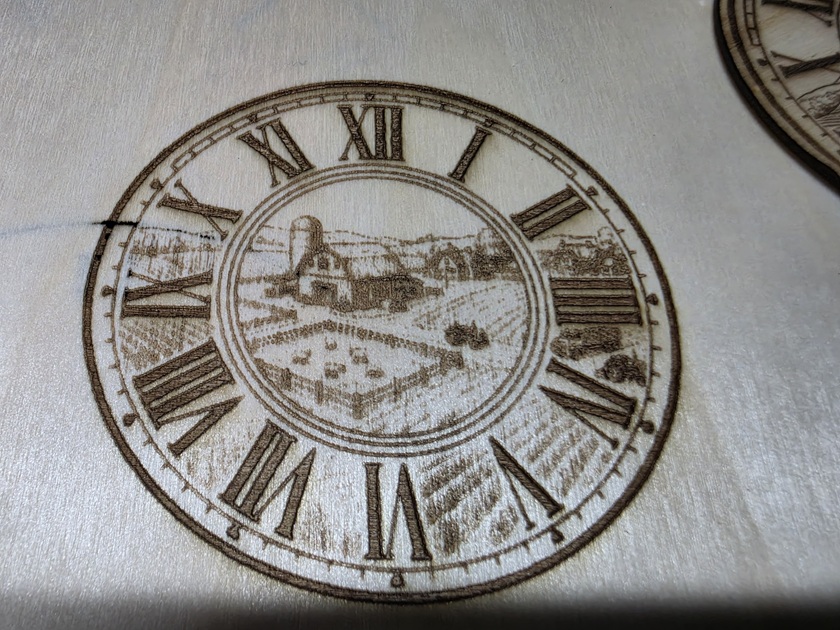
And this the the best result I can get for the same 80mm round jpg image on the A20.
I used Lightburn for both machines. The A5 was set to 70% power, 2500mm/m, 0.1mm line interval, Stucki image mode.
The A20 was set to 85% power, 7000mm/m, 0.1mm line interval, Stucki image mode. However I have tried countless power and speed combos including the settings that Atomstack list on their website. I’ve verified the S-value of both machines, and I’ve run an overscan test that came out perfect. I’ve double and triple checked the focus of the laser, I’ve cleaned the lens, I’ve manually checked the focus and spent countless hours with Claude, Gemini, and ChatGPT trying different settings, checking the laser dot size, and running different tests. Claude came to the conclusion that the A20 is just not capable of engraving fine details, I don’t believe that since the laser dot size of my A20 and A5 are exactly the same.
I’m using the same acer Aspire5 and windows 11 for both machines. I’ve tried Atomstack studio with the exact same results. If I have lightburn trace the image then the A20 will do a much better job of engraving a clear image but it should be able to engrave jpg images with no problem like the A5 can. Maybe someone will have some idea of what’s going on here.
I saw you were going 2.8x faster, with 1,21x power, so I researched these 2 machines. Your dot size is about right (likely closer to 0.12mm) for the 20w machine. But I was stunned to see the same 0.10mm for the 5w diode. They are typically much smaller than that because they do not have to align multiple diodes.
This leaves the mystery of why the difference in output. One thing to understand that a 20w diode is not 4x as powerful as a 5w diode. I have 10w, 20w, and 40w capability. My experience has been that the 20w is 60% more powerful than the 10w, and the 40w is 60% more powerful than the 20w. If you do the math, then the 40w is only 256% (1.60 x 1.60) more powerful than the 10w unit. In other words, 2.56 times more powerful. It has to do with beam(s) alignment.
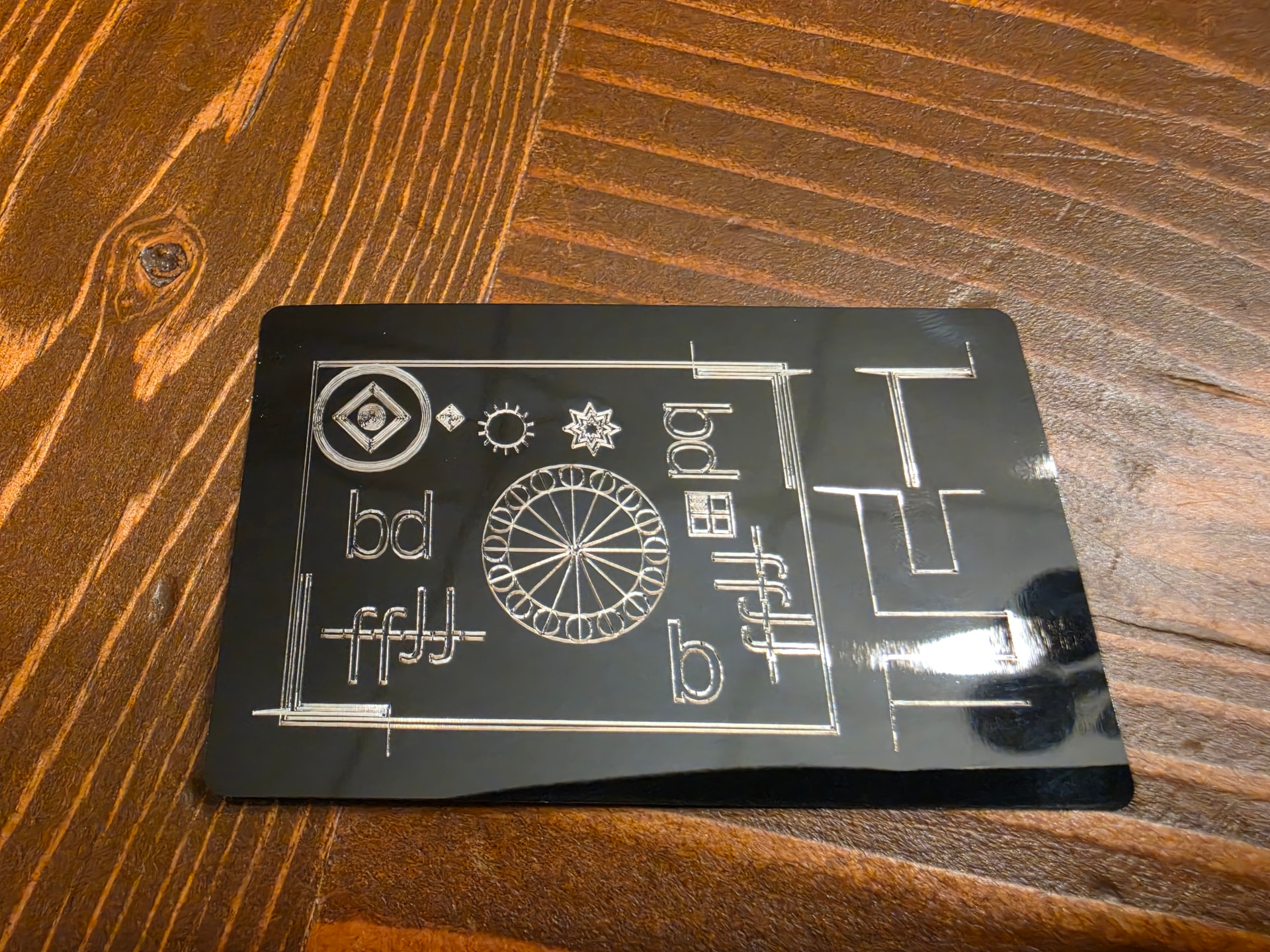
Rather than test on wood, get some anodized aluminum business cards. Those will show the best possible detail your lasers are capable of producing. It will also allow you to do a focus test on that 5w module to get the actual dot size at best focus.
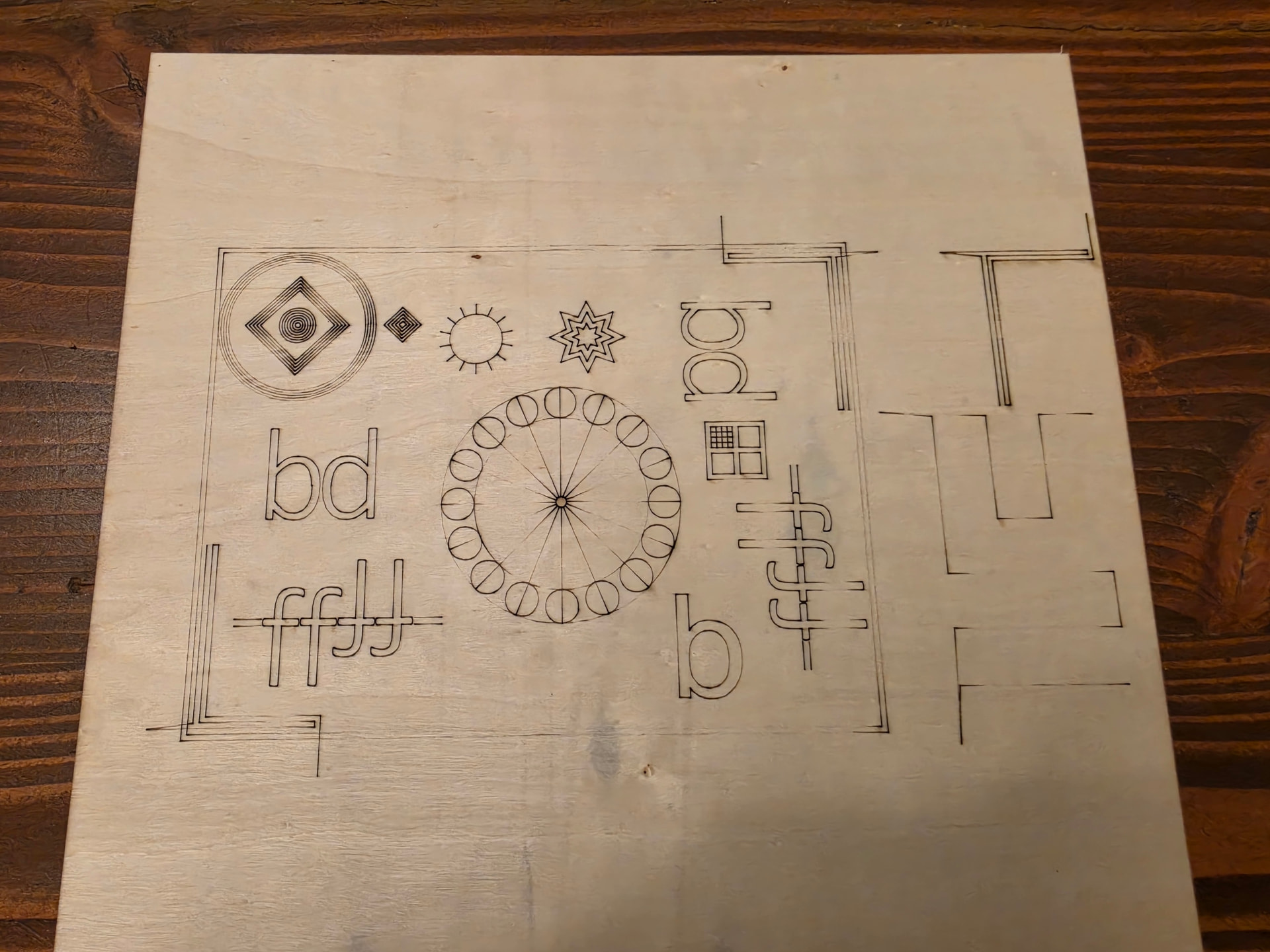
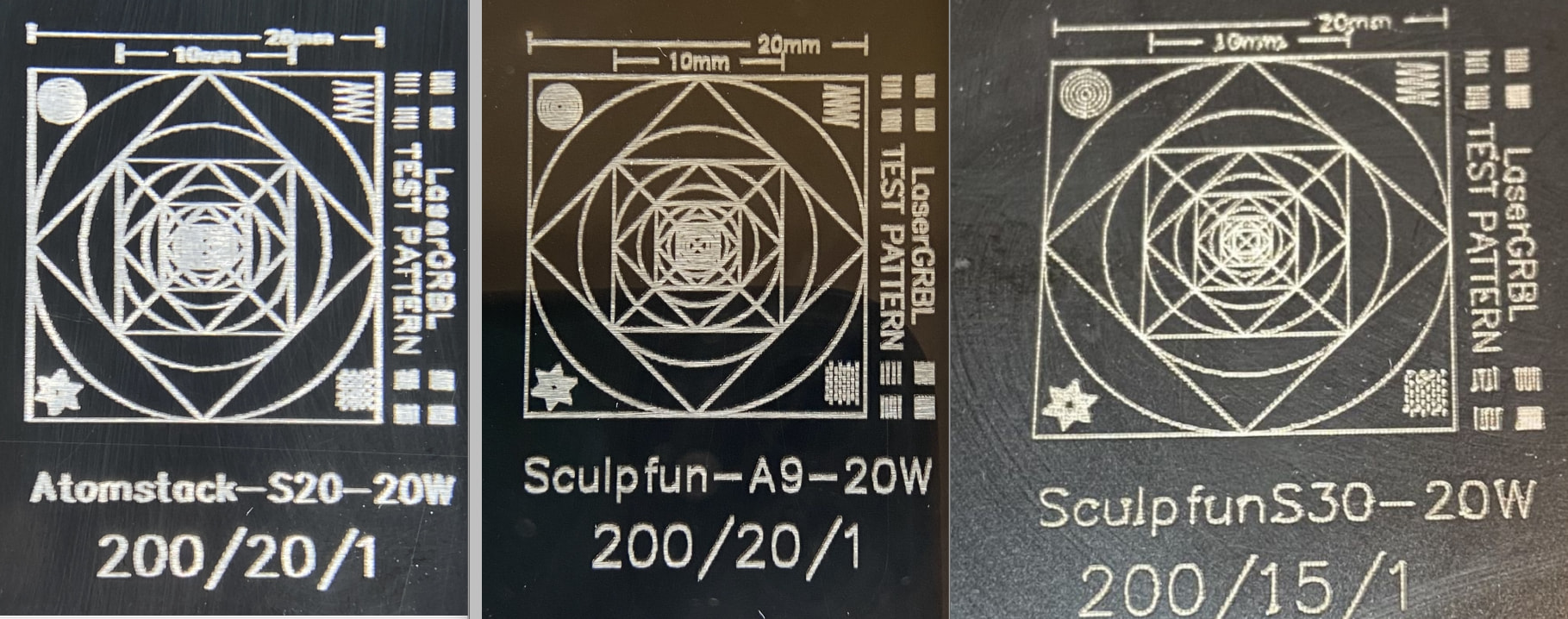
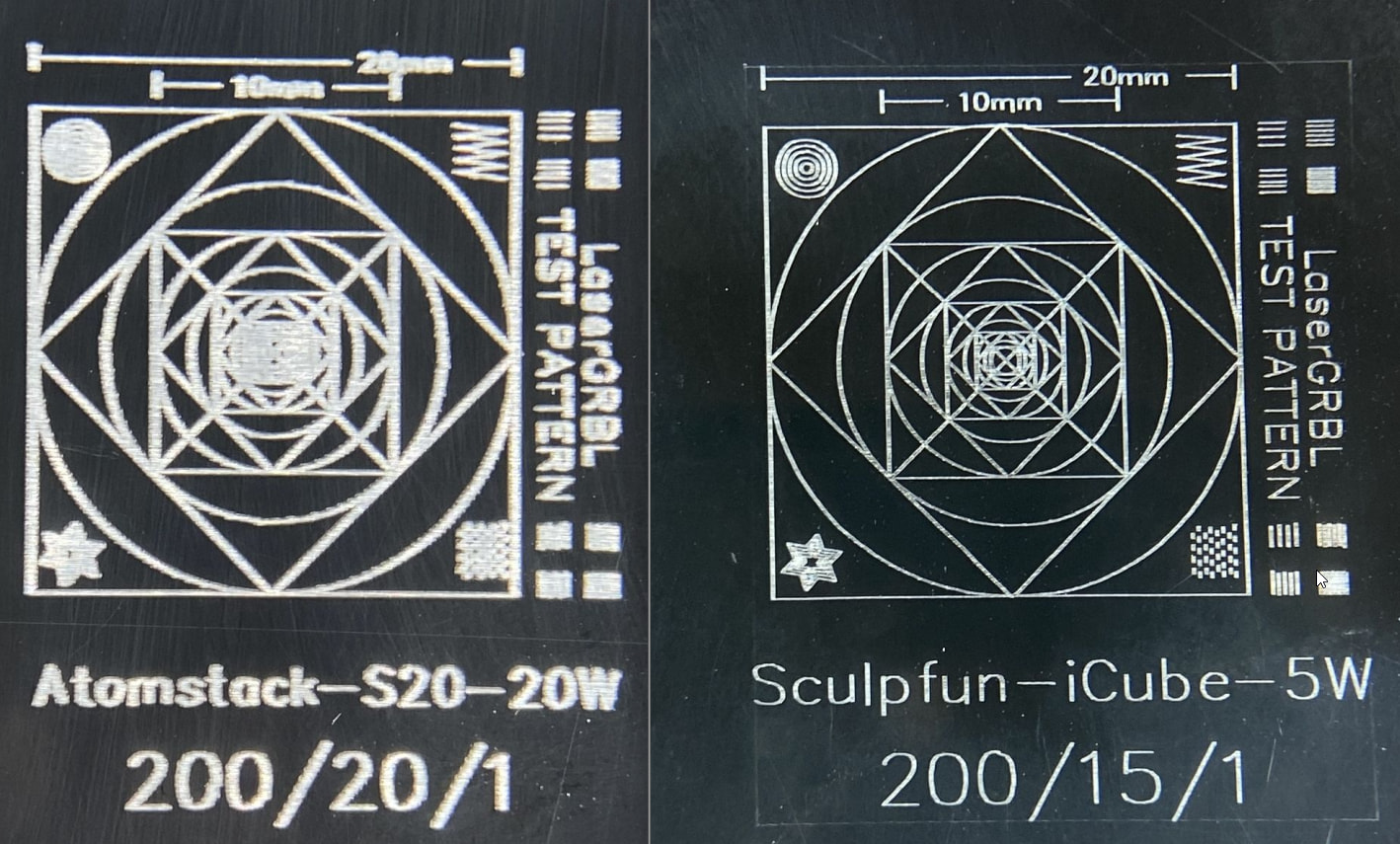
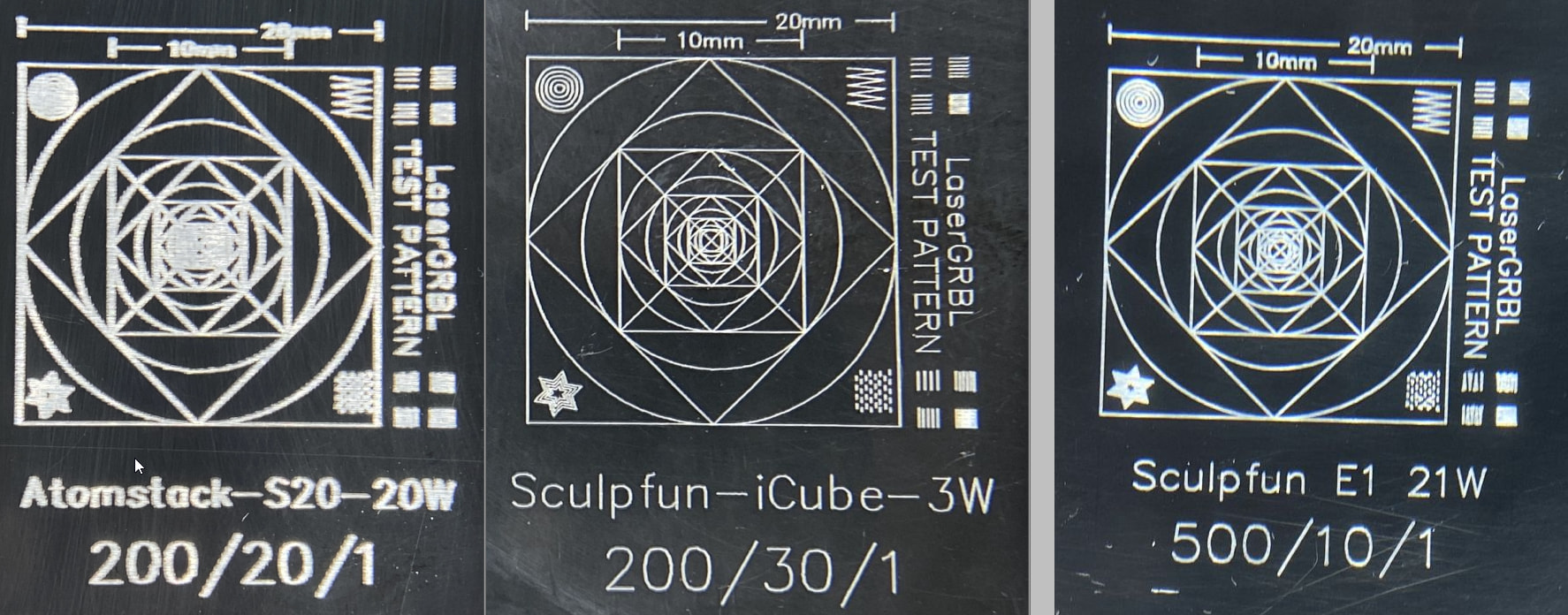
For the new machine, you need to rule out mechanical issues before you try to test for detail. The attached Lightburn file is the one commonly used for testing. Make the pattern as large as you can for the machine, or material, and run it as fast as it can go and leave a mark. Turn off all optimizations and scan compensations before running. Post a snapshot of the result in a Reply.
Have you managed to do a ramp test, or something similar, to determine your focus? The lines, especially on the black card, look much wider than they should be. …is the lens loose or defective?
I think you need to get that under control first to be able to judge those tests afterwards.
I think this looks absolutely like I would have expected. A 20W laser has a much worse in terms of beam size than a 5W module.
Though I usually don’t recommend using AI, it is absolutely right here. Expect the 5W beam to be about 0.08-0.09 mm in diameter; the 20W will be 0.12-0.2 mm. Do not trust what the manufacturers promote. And Atomstack is not known for the best laser modules in general. I can provide some examples:
Additionally, if the spot is as bad as my S20 that I used to have, the effective cutting power is not much better than a 5W module, since the power is distributed to more area.
Also, reduce speed and power by half to get a better line, curve and change of direction, and material removal. I think the machine is struggling at the present settings.
I think the ramp test is the only test I haven’t actually done yet. I have been wondering if maybe the wrong focus block was packaged with the machine, but I can’t find any information on what it should be. I’ll do a ramp test today once I get home from work.
This is what I’m afraid of. If I blow up the clock face to 250mm, then the machine has no problem engraving all of the small details and the engraving looks good. I’ve also noticed when cutting thin basswood, I have to set the A20 to 1000 mm/m and 100% power, that seems super slow for a laser that supposedly has so much power.
Atomstacks suggested settings are also way off for this machine. For basswood they recommend 20000mm/m at 80% power which barely even makes a mark. For mirrored stainless steel they recommend 600 mm/m and 80% power which turns my keychain blanks into blue potato chips. Their suggested settings for the A5 M50 were only off by about maybe 5%. I don’t know what happened here.
I was super impressed with my A5 M50 machine, especially for a machine that cost under $200 which is why I upgraded to the A20 but if this is the best this machine can do, I might have look into returning it.
You’re right, I don’t know why I didn’t notice this. Could this be something I can file a warranty claim for? I’m guessing this is because of the way the diodes are focused internally in the laser module. I’m doubting there is any diy fix for this.
This is because they are not “details” now. You expanded them.
If you see a $100 - $200 difference between two 20w machines, there is a reason. For example, the S30 Pro Max is $150 more than the A20 on Amazon. That is not all profit margin.
There is no fix. If you are not satisfied, replacement is the only option.
Absolutely. One thing is that the mechanics will never ever reach 20,000mm/min even in a vacuum environment, the realistic maximum for all standard mechanic diode lasers is about 10,000-13,000mm/min. The other thing is that nearly all of those machines communicate with 115,200 baud, which leads to a maximum speed of 6,000-8,000mm/min in case of image engravings, because pixels can’t be transferred faster.
Yes, that might be the best option depending on your requirements. I can recommend testing the Sculpfun E1 with 21W, this one has the best spot of a 20W-range-module that I’ve ever seen. It comes close to the 5W league, which is absolutely impressive. It’s more in the $800 range, though. But it freatures a closed housing, camera, CoreXY-mechanics,…
The thing that really sucks is that I got this machine for a really good price. I actually ordered a refurbished A20 Pro V2 from atomstacks website for $199, a week later they sent me an email saying that they didn’t have any refurbished units in stock so they would send me a brand-new machine for the same price.
I’m not totally going to give up yet, I’m going to do that ramp test, keep playing around with my settings, lower my speeds, and see if I can warranty that laser head. Maybe I can get one with a slightly better beam pattern. For now, I guess I’ll have to take my A5 out of storage for small detailed engravings.
Don’t want to claim anything until all tests are done…but, in the first instance we are comparing a 5w to a 20w both attempting the same image. There are going to be major differences and some areas of the 20w image appear reasonably good…if you take into account the high power & speed.
The engraving test’s show something similar.
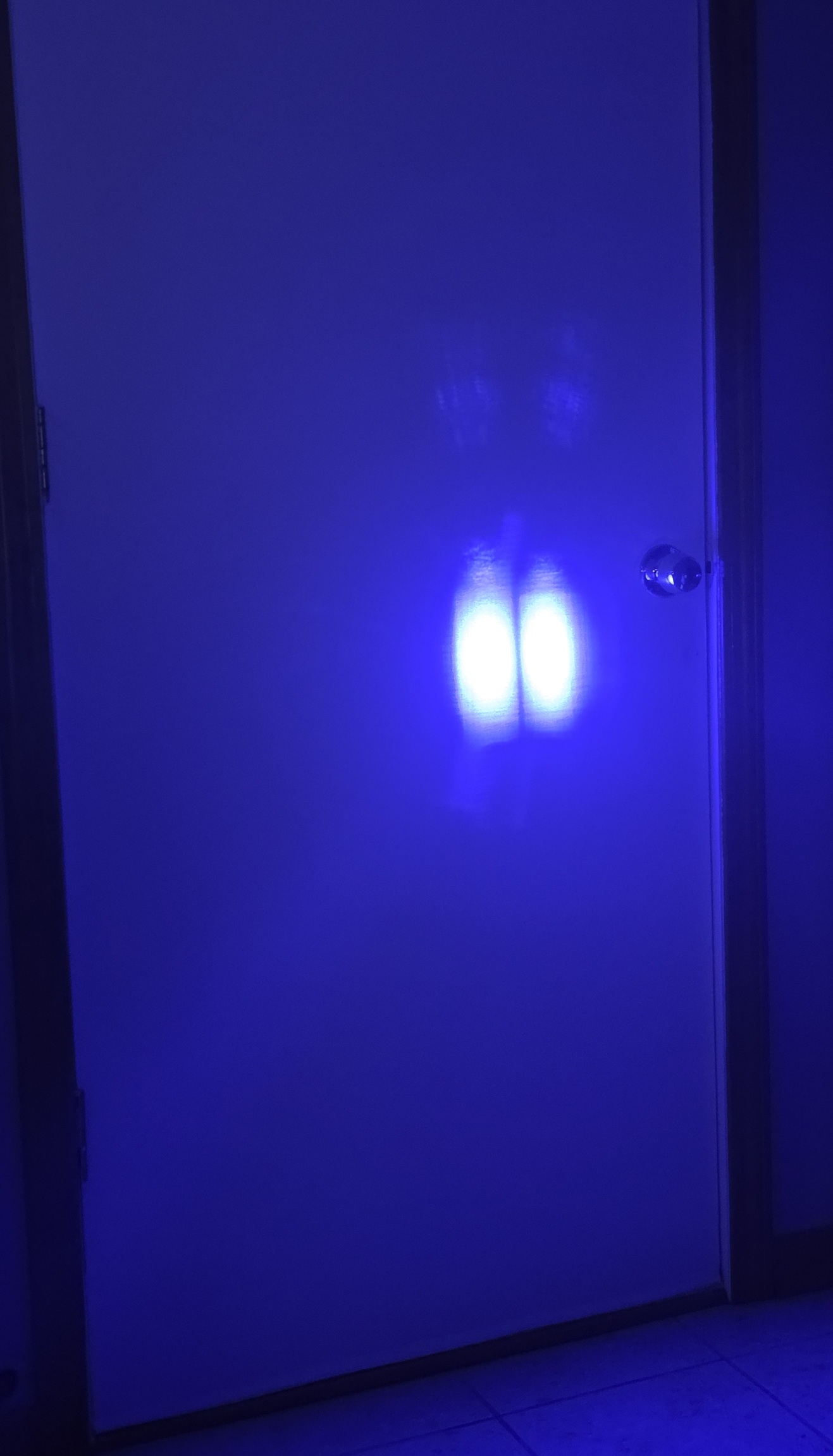
Could you attempt a ‘Wall Test’ to check the diode alignment…Take a pic as proof to show the company if there’s an issue.
Try 3000mm/m at 20% power so overburning doesn’t disguise what the actual engraving line looks like.
Focus height can be judged by the actual dot on some material (black shows it quite well) as well as with the supplied block.
I guess I was just expecting that by turning down the power of the 20w laser I could get the same results of my 5W laser, but I guess that’s not exactly the case. I just look at that engraving and it’s unacceptable to me.
I’m not sure I know what a Wall Test is. I googled “diode laser wall test” but I didn’t get anything helpful back.
It/they looks pretty square and uniform although I was surprised to see two ovals side by side.
I was going to suggest checking the lenses protector incase there was some reflection damage while testing the metal dog tags…but doesn’t look like it.
I don’t have much knowledge on diode arrangements and stacking but if that’s how it’s supposed to look that’s another box ticked on the testing list. I bet the 5w doesn’t look like that though.
I wonder, if you increase the image by the difference in dot (dimension) size between the 5w and 20w, what would the result be. You could crop the image to the tractor area…for example,