I have paw print i have the name in the center over laping how when i go to cut it out do i get the name not to fall out and still be attached to the print
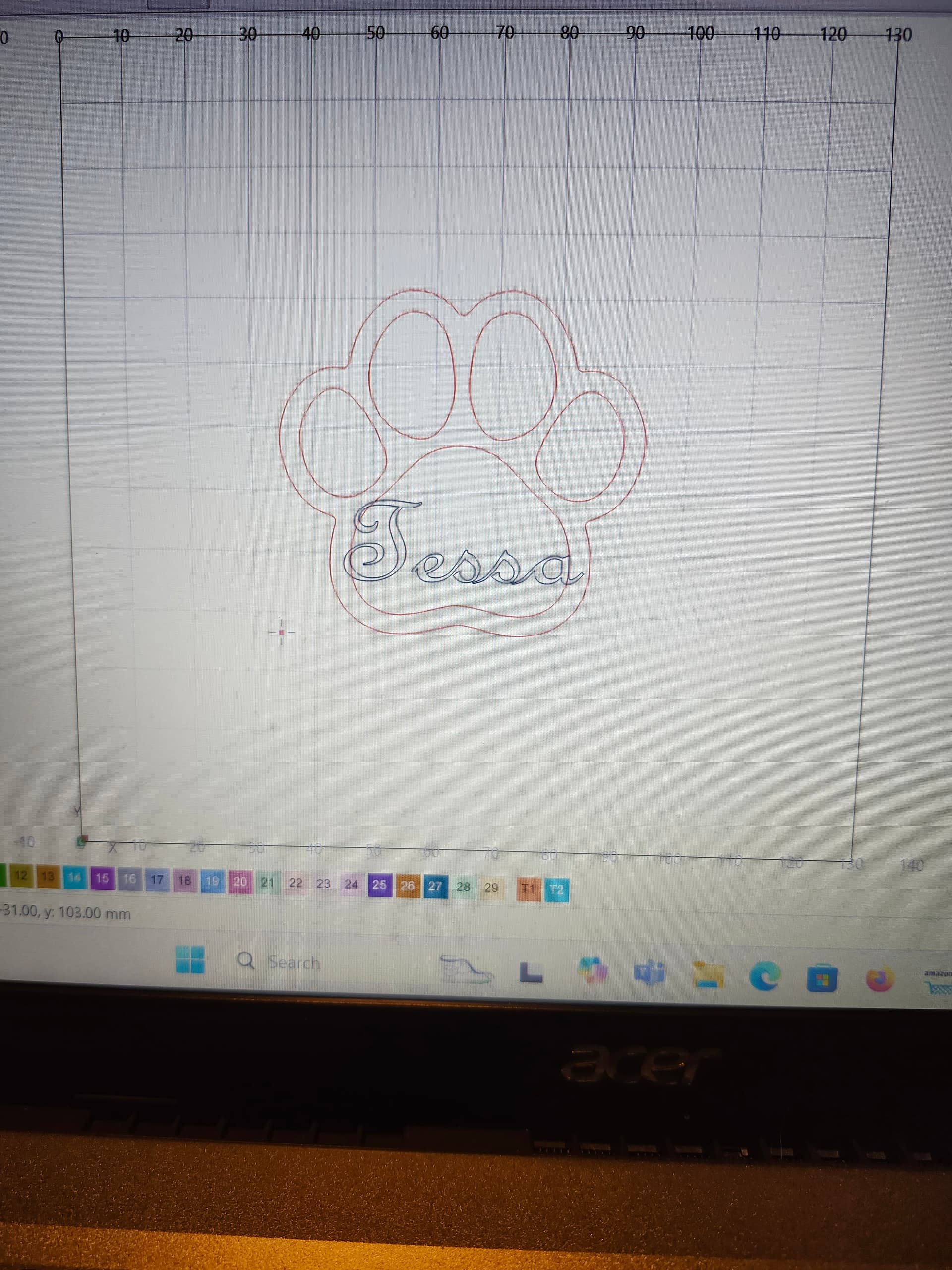
Have a look at this:
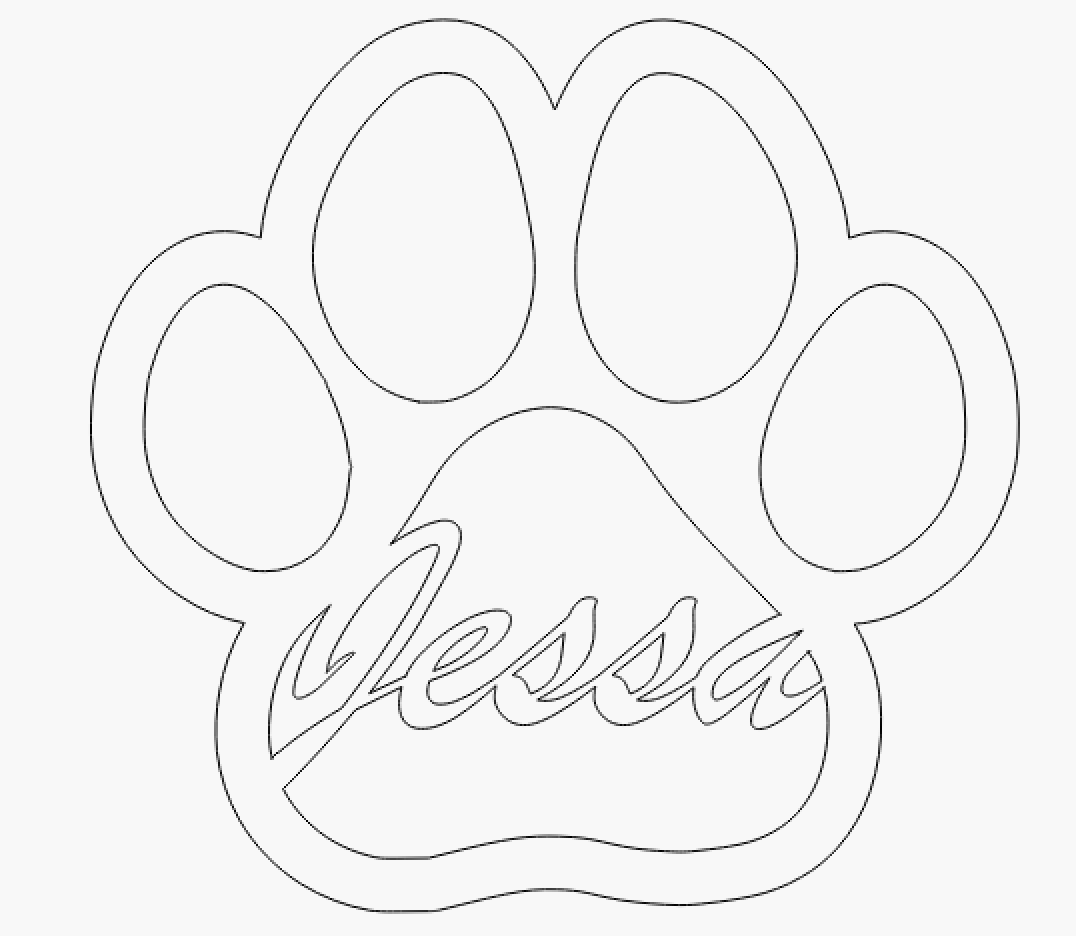
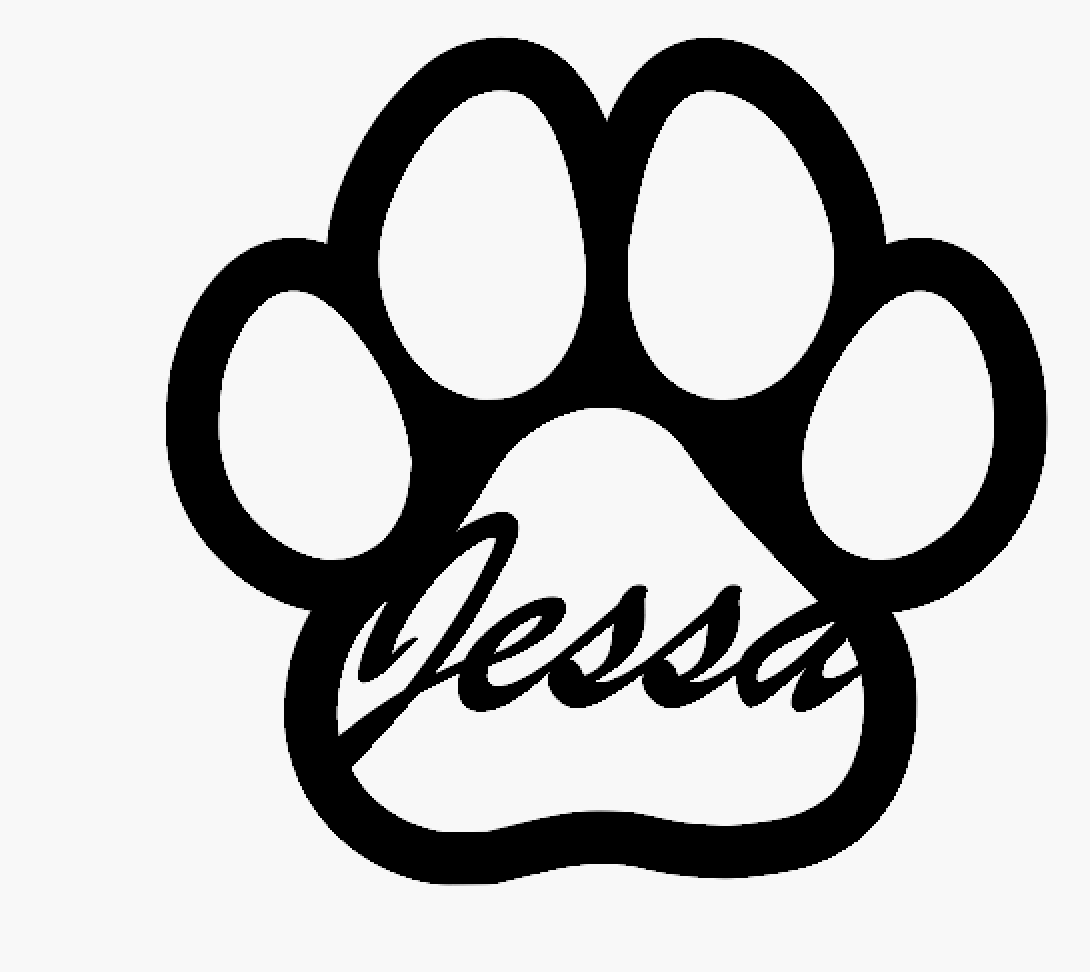
The name and the paw should be on the same layer and the font should be adjusted so that it is consistent, see my example.
PS. In addition to Boolean operations, you can also use scissors to your advantage, I used them for your example.
1 Like
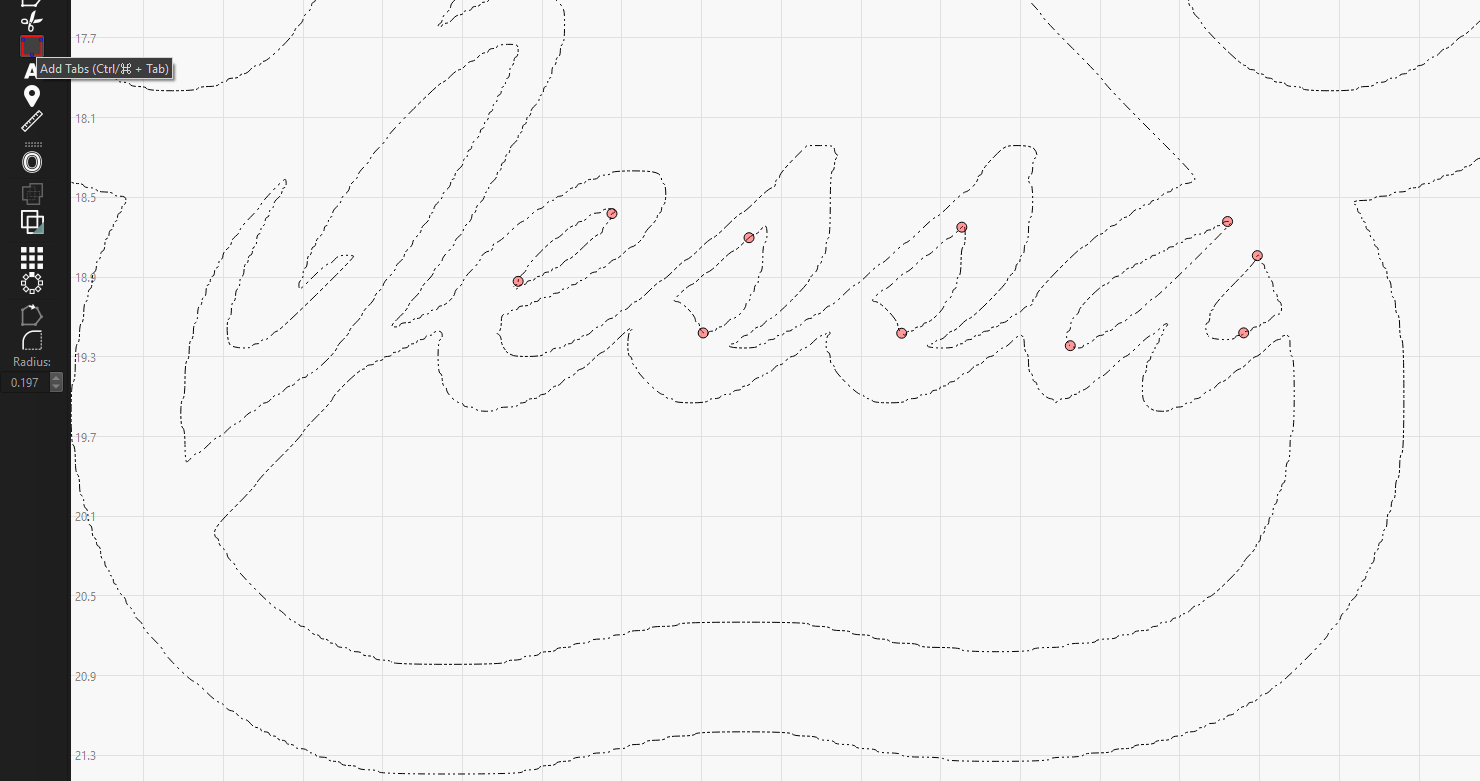
If you’re going to cut this out. Any characters that have floating centers will drop out.
You need to create a bridge from the material to the floating part to prevent it from falling out. All the parts I marked with red will fall out.
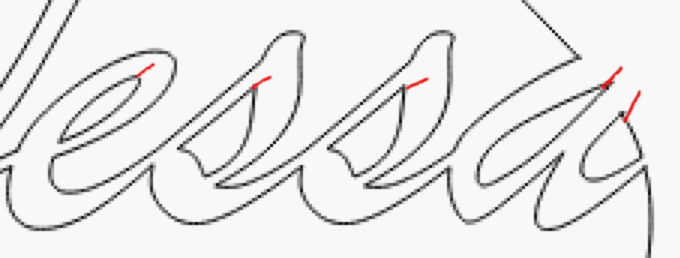
I think this is what you mean, but it’s not very clear to me the issue.

That’s correct, it was also more the principle itself that I quickly drew up.
This topic was automatically closed 30 days after the last reply. New replies are no longer allowed.