it is showing the correct width and height on top of program, and the preview seem to look correct.
Post a screenshot ( no phone pics please) of your entire Lightburn screen with the project loaded and the laser window visible.
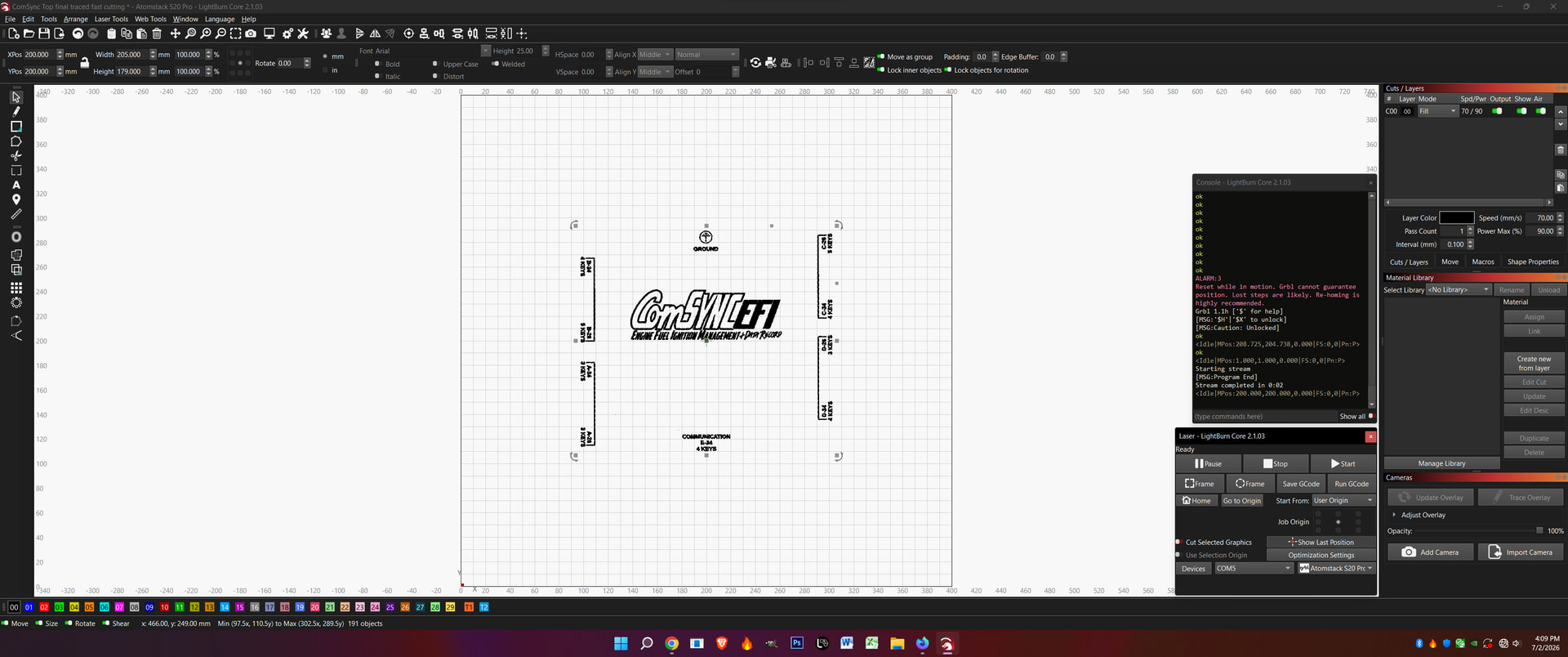
I typically recommend using Absolute coordinates as it is a direct representtion of your work area. You are using user origin with a center origin location. Where did you set your origin to in the Move window, center of your workpiece? Or did you place the laser there without pressing the set origin button?
Do this, Enable cut selected graphics AND use selection origin. Move your laser head, using the move controls, not by hand, to the center of your workpiece and click the set origin button. Then try it.
This video might help you understand origins and positioning.

i dont see a set origin button
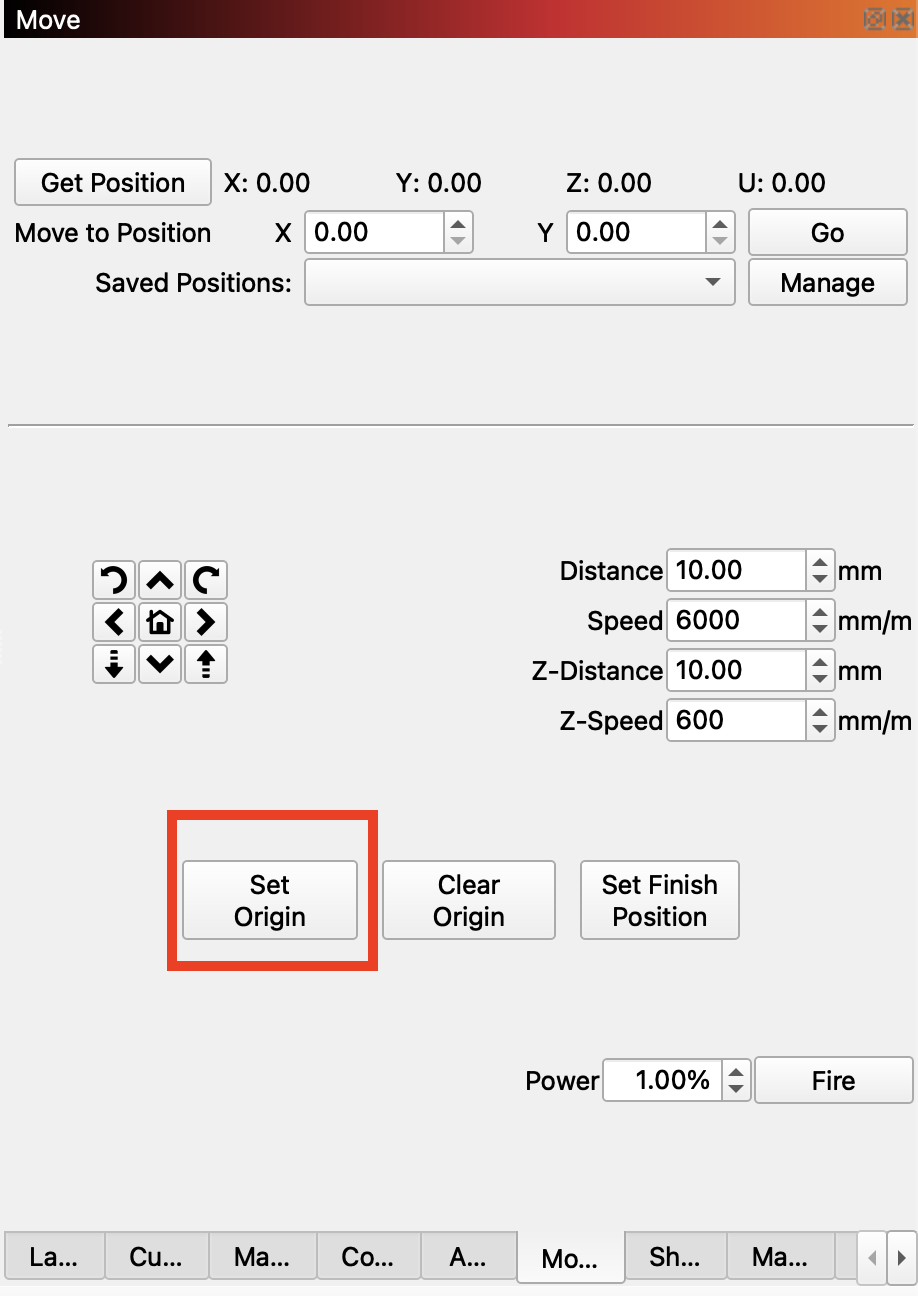
Thanks Tim!, it started in the center so i bet it fixed it.
I noticed if i select offset fill the completion time is less, would you recommend that setting over fill?
No, Offset fill is really only for items like round frames, etc., it gives different results. If you look at the preview window you can see how the lines run. Normal fill is better in most circumstances.
great thanks again