I just updated to 2.1.04 and I can’t find where to enable continuous framing.
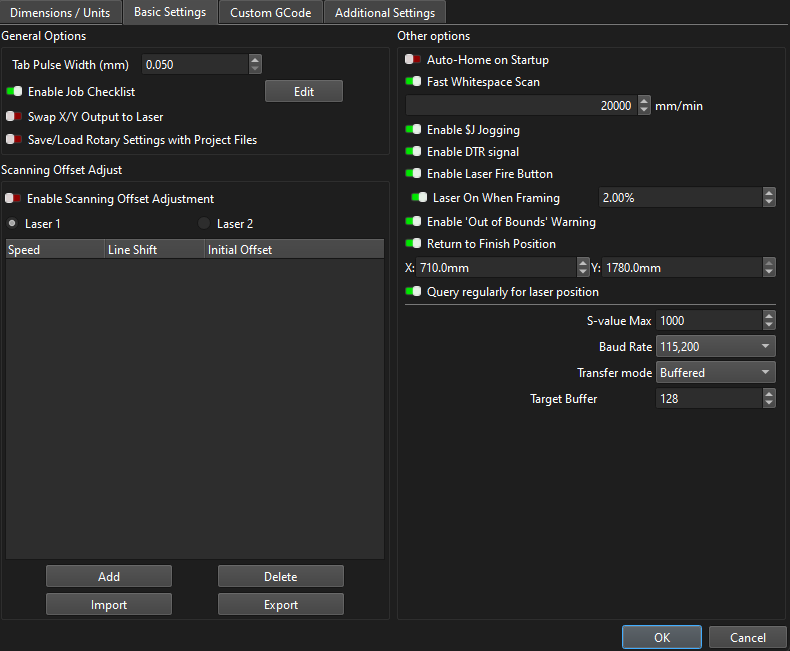
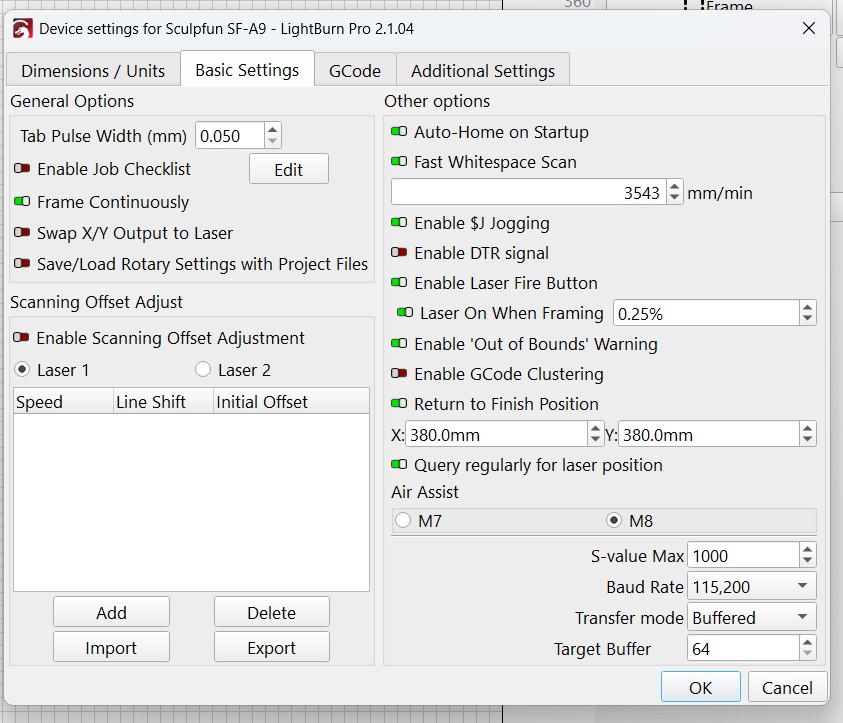
it use to be in Basic Settings under Device Settings
I missed some updates before 2.1.04 so I don’t know when it was moved or if removed completely
Perhaps:
If other things seem different, then:
Different controllers (yours = FluidNC, mine = DLC-32 GRBL) will control what shows in the options.
Did you update anything besides Lightburn? Did you try reinstalling the previous working verson of Lightburn to see if the switch comes back?
Yeah, I thought about that, but Continuous framing shouldn’t be dependent on controller.
I didn’t update any other thing, and previous versions don’t have controller flavor option
Curious to see if this makes a difference.
Who knows what the manufacturers are up to!!? Mine will continous Jog with $J, your might not. Thinking they are all the same will just lead to frustration.
I do not have a FluidNC machine, so I only know what you tell me.
You have to goto Device Settings window.
He is, but strange it does not say that on his version…
I missed the first pic.
Tried installing the last know version with continuous framing (version 1.7.8) but it crashes on startup, version 2.0 just pulled the same device settings
guess I have to get another system to install v1.7 and see
Create a new device from start to see if the options will come up.
Have done that, same result
I have an update on this issue so as to help anyone with same issue.
I got another PC that never had LightBurn installed on it, I installed LightBurn and setup my Laser (Generic GCode with FluidNC Flavor) still couldn’t find the Frame Continuously option and some other options like, Air Assist option (M7 or M8), Enable GCode Clustering.
Then, I created another device, Ruida and all the missing options showed up, and they also showed up with setting up device as just GRBL device
So now I know where the problem is from (thanks to @MikeyH for alluding to it from the start) However, I don’t think these features, at least not the Frame Continuously option should be device dependent or at least be available by default and remove it for devices that don’t support it for whatever reasons which I can’t think of any
So, I will be submitting this as a bug to LightBurn and FluidNC, since I don’t know who is responsible for the Device Flavor settings, options, or features.
As a work around, I you have a FluidNC generic GCode device, don’t setup as a FluidNC Flavor is you want to use these features, set it up as GRBL device - LightBurn/FluidNC should have documented this, which is the more reason I feel it’s a Bug