Hi, I have a problem with cut line optimalization.
I uploaded a file which I created in inkscape and exported as .svg.
From some unknown for me reason, the Lightburn is generating so much GCode to cut curves, so my laser is slowing down from 25 mm/s to even 5mm/s.(annoying and cut time is x3 longer)
I know Lightburn unfortunately can’t send G2 and G3 GCode to controller, it would be perfect solution, the controller will not speed up and slow down every command it gets.
Is there any settings that can reduce the resolution, so there will be less GCode generated → less movements changes → lower cut time?
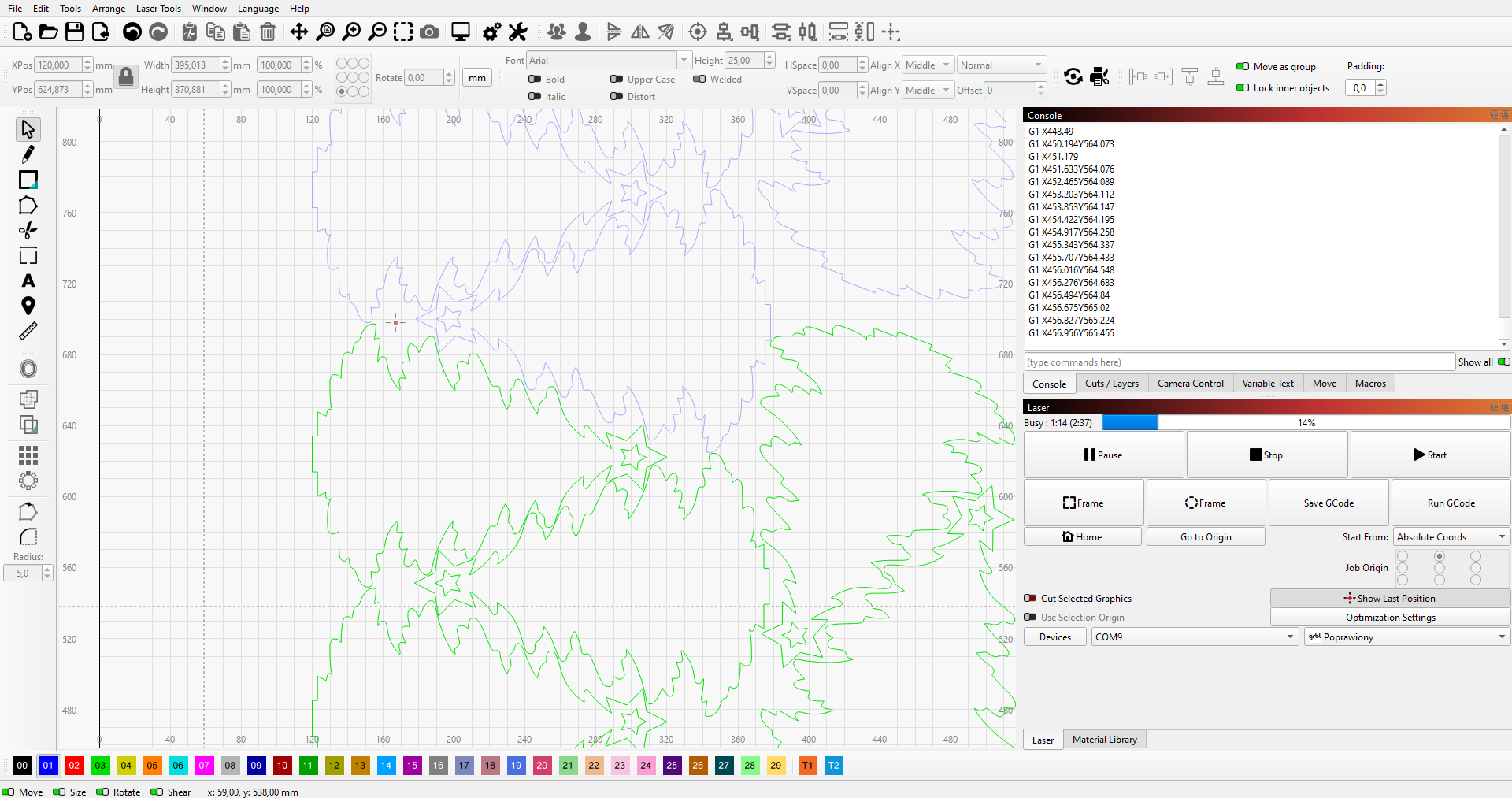
It depends on the file itself, the shapes and the degree of simplification you want/can accept.
Upload the file or a part of the file here so we can play with it, it makes it easier and more realistic to help.
If the basic shape is just the tree outline - it may help to offset the shape outward and then back inward, to smooth out the outline.
Can you set the layer to FILL and show us what it looks like?
Have you deleted duplicate shapes? I have seen on the forum many times that shapes made outside of lightburn will import with hundreds of unneeded duplicates.
Lastly, what are your optimization settings and cuts/layers?
LightBurn (and MillMage) does not support G2 or G3 arc movements, they are instead translated into many G1 linear moves. G2/G3 moves are also usually stepped segments when they are actually output by your CNC machine, but they are done behind the scenes in the control itself. They are simply subroutines that are made to make arcs easier to write by hand.
See Quick G-Code Arc Tutorial [Make G02 & G03 Easy]
As far as I understand, your specific design wouldn’t even benefit from arc movements because there are no real circles.
Which controller and firmware are you using?
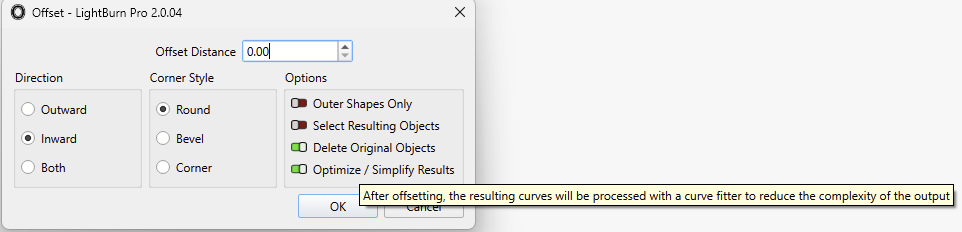
As James mentioned, the Offset Tool Alt + O can be used to simplify the vectors and delete extraneous nodes. You can offset by 0:
If the file has tons of short segments with lots of nodes, LightBurn will generally send at least the endpoints of the lines. If the shape is actual curves, you can change the “Curve Tolerance” value in the main settings (on the Import/Export tab).
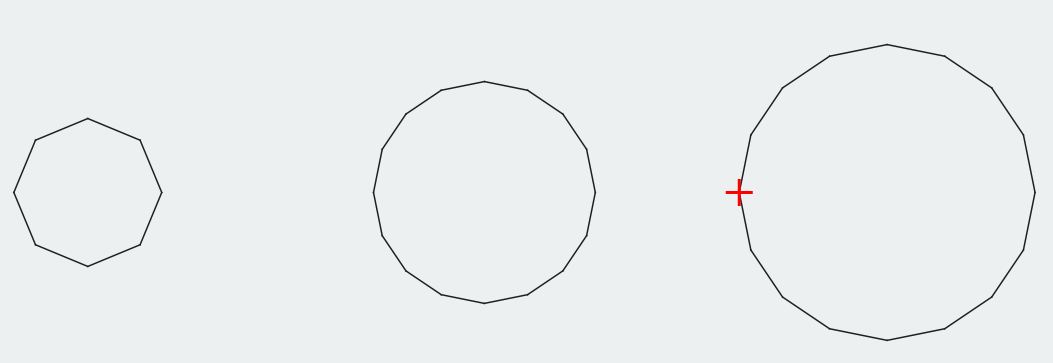
That curve tolerance value directly controls how accurate LightBurn’s curve output is. The default setting of 0.05mm means that if drawing the curve as a straight line is within 0.05mm of the curve, that’s how it will be sent. If it’s further than that, LightBurn subdivides the curve in two and tests each half.
This is three circles - 0.2mm, 0.3mm, and 0.4mm diameter:
If your artwork is mostly line segments, you can use the shape optimizer. Edit > Optimize Selected Shapes, and then either line fit or arc fit them (or both) to reduce the complexity. Without actually seeing how the file shapes are built it’s hard to give specific advice.
Honestly though, I’m very surprised that your laser won’t go 25mm/sec because of the GCode. Are you sure that your acceleration for X&Y are high enough that it’s not just the laser slowing itself down for all the corners? I suspect that’s more likely.
1 Like
This topic was automatically closed 30 days after the last reply. New replies are no longer allowed.