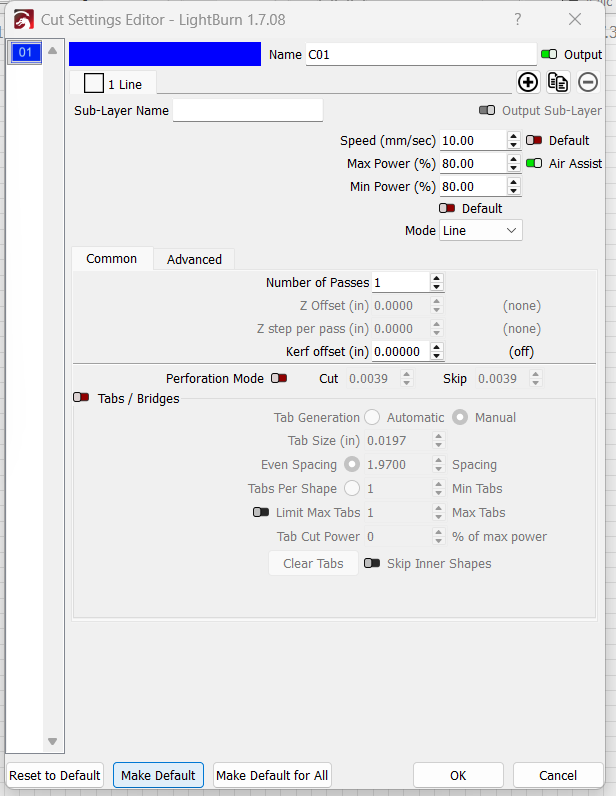
I’m hoping someone can help me save my preset settings in LightBurn for a Laguna EXC laser connected to a Lanovo laptop running Windows 11.
I’ve checked other posts within the forum and they all say to open the Cut Settings Editor for a preset and then click “Make Default” and save; I’ve also seen people say to click the “Default” buttons, and save. However, none of this works. I’m a high school engineering teacher and I would really like to figure out how to save the presets within LightBurn. Any help is appreciated.
I also have a Laguna EX laser running windows 10, and when I save a file using a preset, the preset saves as the default. However, on my Laguna EXC that connects with a Lenovo laptop running windows 11, the presets will not save, not even after opening the Cut Settings Editor for a preset.
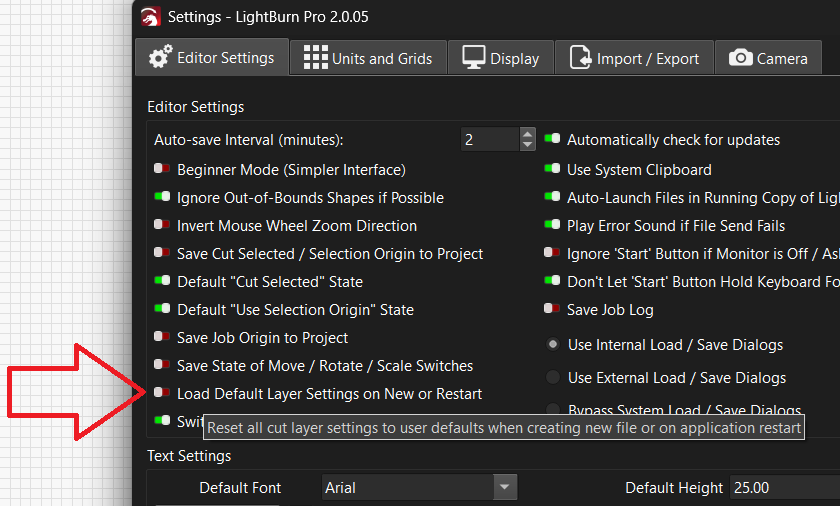
I have Load default layer settings on New or Restart turned On and LB happily loads the two layers I care about with the values I set as defaults during a particular project where that was the only way to get it done:
All the other layers remain set to their Universal Default 100 mm/s and 20% power.
In general, I don’t care what settings the layers have at the start, because all the settings I use are in the Material Library and get assigned to layers as needed.
Sorry, yes that was what I meant… I am having a brain fart day with migraine. More specifically I meant to say If you have not already created your own defaults, this will return your layers to LightBurn’s default settings.
And yes you are still correct that creating a library is best to manage your settings.