Can anyone tell me how to send layers to the back, every time in insert an image it is at the front (on top) and I can’t select any layers below the image!!
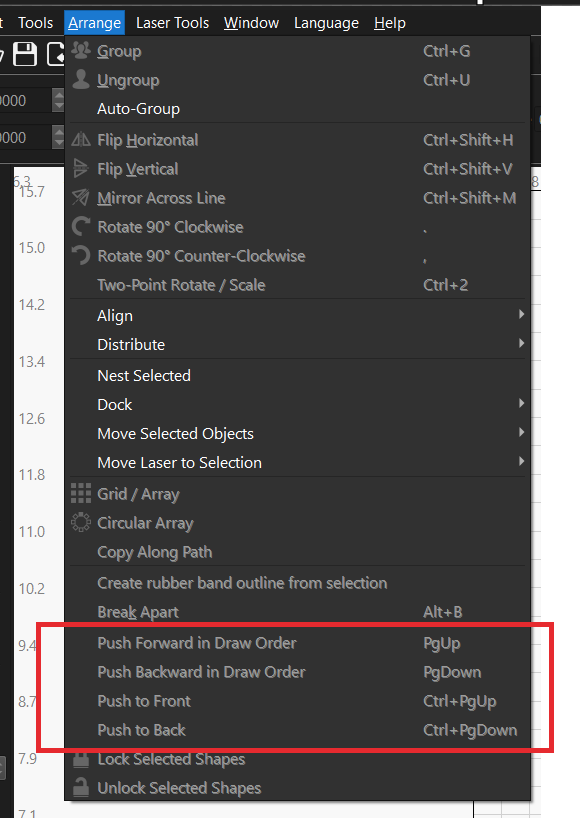
Thanks for the info but that does not seem to work for an image! When I have an image and lines when I try to select the lines always the image is selected!!
You can also arrange the placement in the layers window with the arrow keys on the right side.
When you have a shape on top of an image, you must precisely hit a line from your shape, otherwise you select what you are pointing at - the image.
try placing one of your lines over the image just as a test, it does work.
If you are trying to use an outline to define a shape over top the image you should use “apply mask to image”
If you are trying to avoid selecting it, does the Lock Layer work for you?
Or could you turn off showing the layer?
This topic was automatically closed 30 days after the last reply. New replies are no longer allowed.