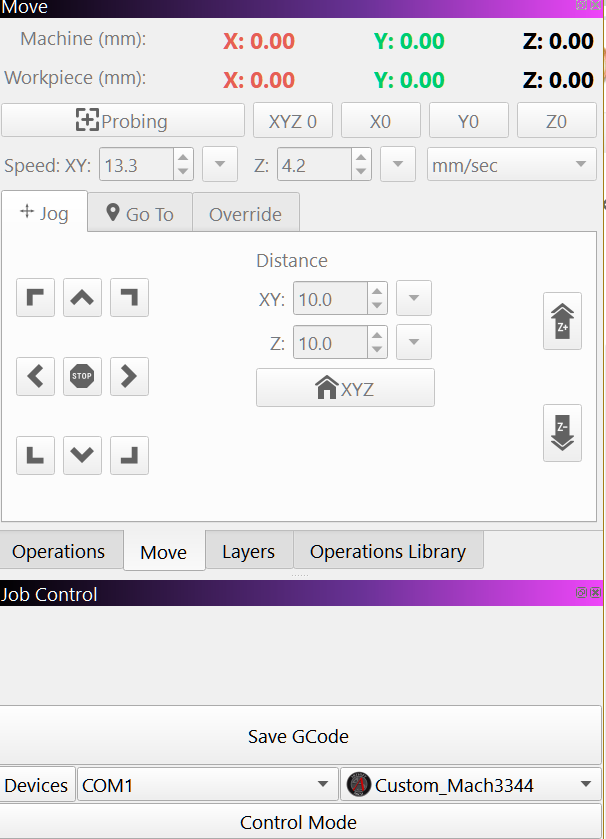
My interface for tools is working in MM/sec. I want to work in mm/Min. Where DO i set that up?
Not sure what this is.
In MillMage, you set the units in the Device Settings window. You can also make a setting in the Tool Library, Tool Units line for Metric or Imperial (SAE) display of tool parameters.
Due to the CNC mills being much slower than the lasers, I am pretty sure it defaults to MIN and not SEC for motions.
I have found it. It is in the “Move” tab when I am connected to my CNC.
It should be in the Parameter. 
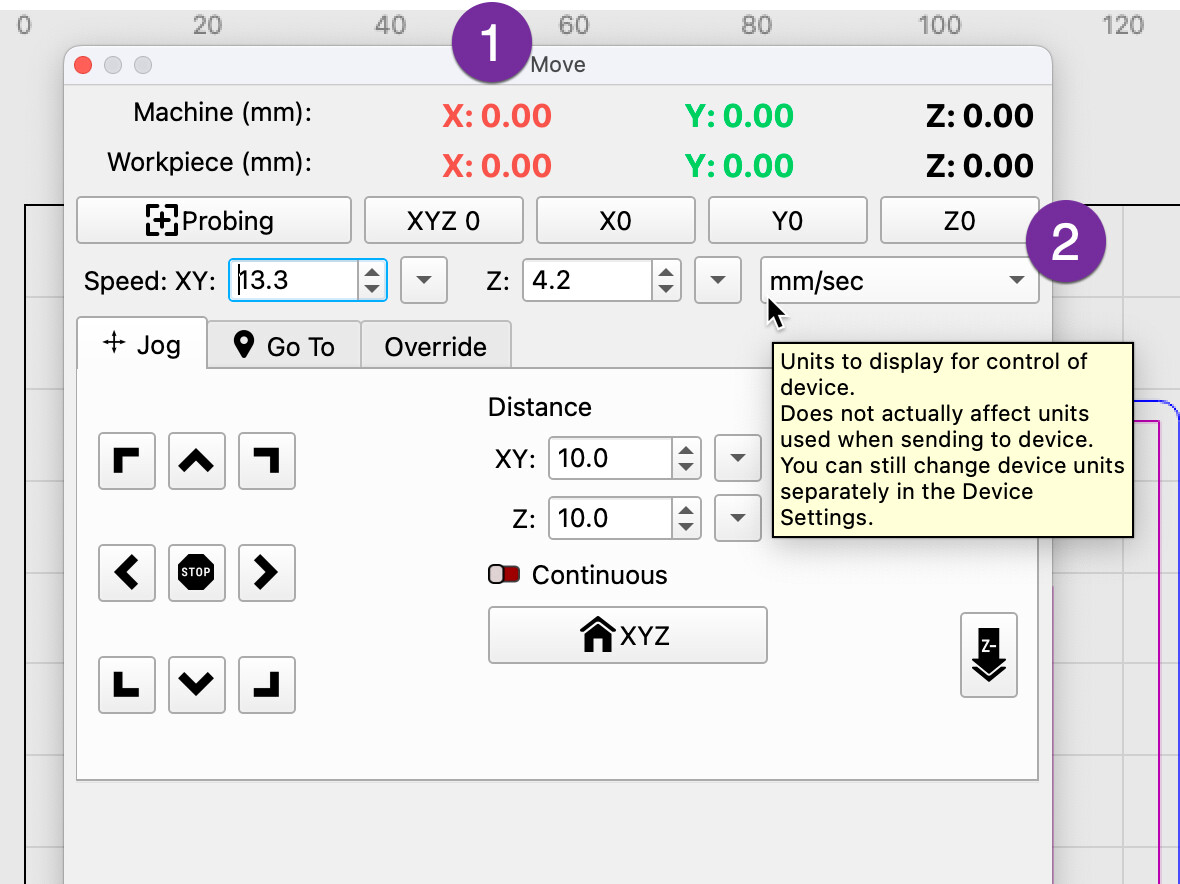
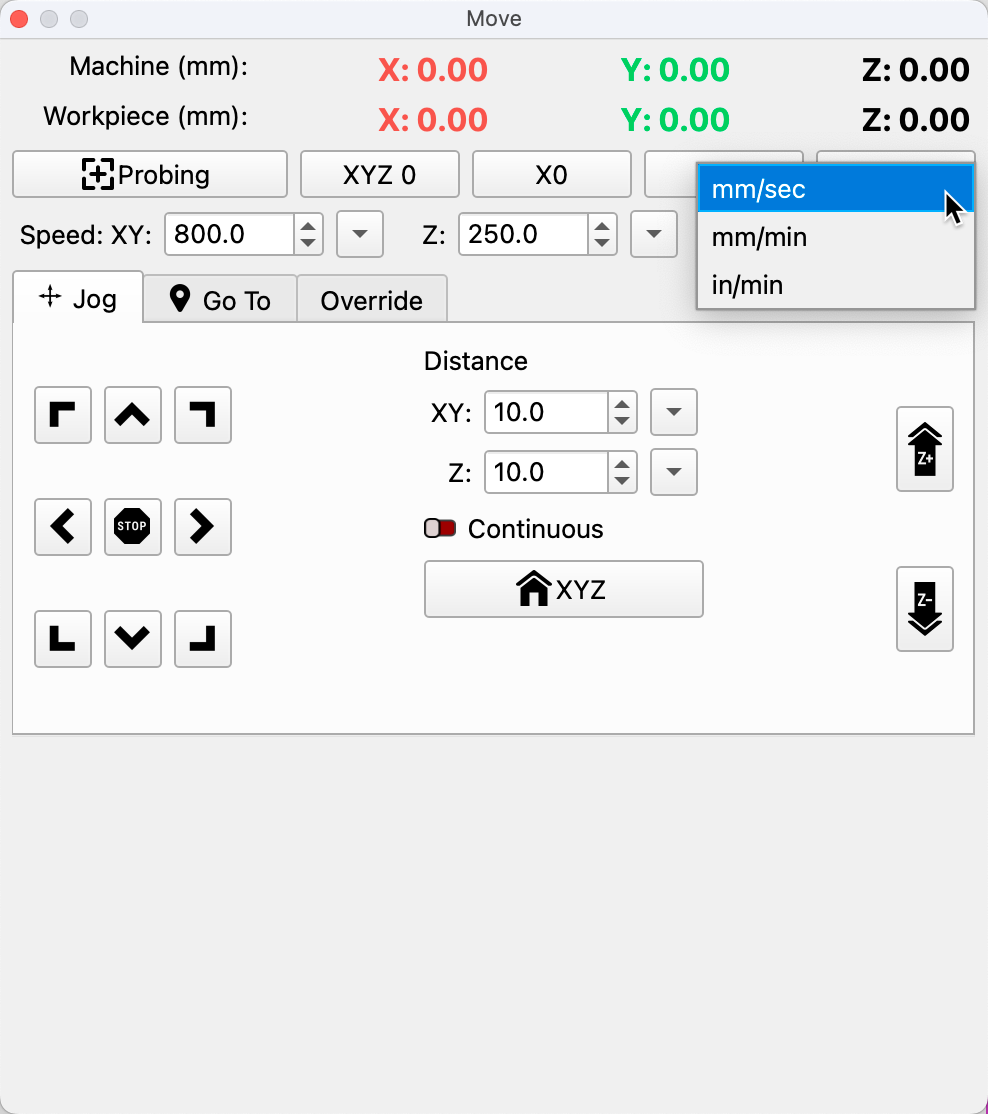
Is this also possible to change if your not connected to a CNC machine?
My machine is not supported in the control mode
As a workaround until a better solution Duplicate your Device profile by Right-Clicking it
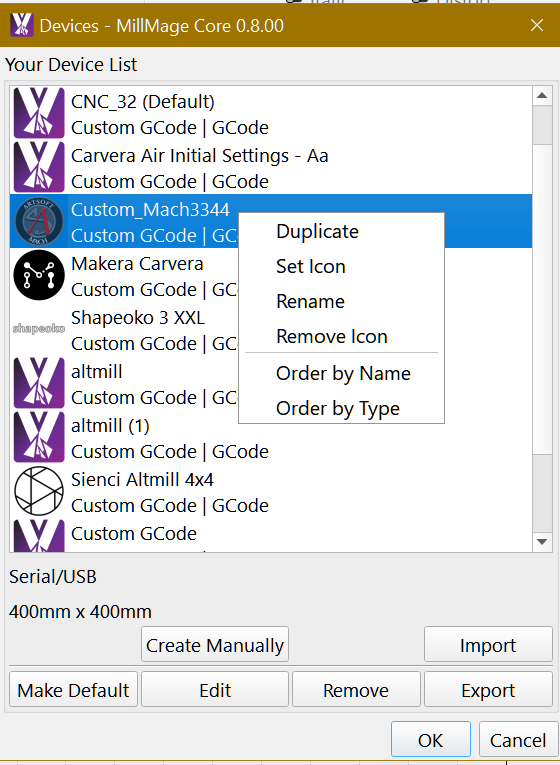
then Edit and set the Duplicate as GRBL in GCode Flavor
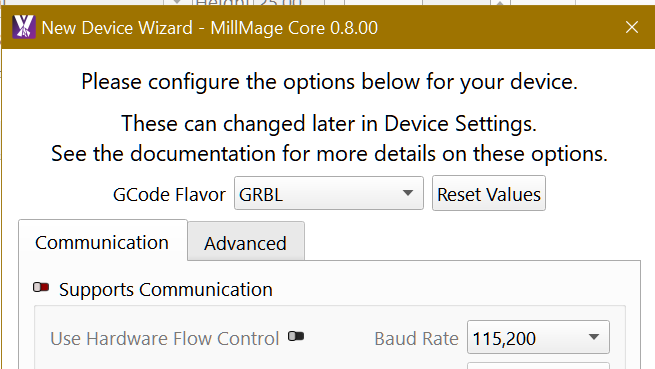
Select the Duplicated Device , set speed to mm/min do your designs set your Operations etc, do a copy of your Project.
Switch to your original Device and the speeds change according to the new configuration, although in mm/sec they are correct. Send the code to the machine and do the Hula-Hula.