I am trying to use a software called Laserbuzz to make some layered military wall hangings and it only opens in CorelDRAW. Once open I am trying to figure out how to move it to lightburn with all the colors associated with the difference cutting lines. I tried to move it but it only showes one color and I need all the colors for cutting the different layers.
What are the file formats available to export from this software? From Corel you will need to export to SVG with each color matching the color palette used in LightBurn to have each color land on its own layer. 
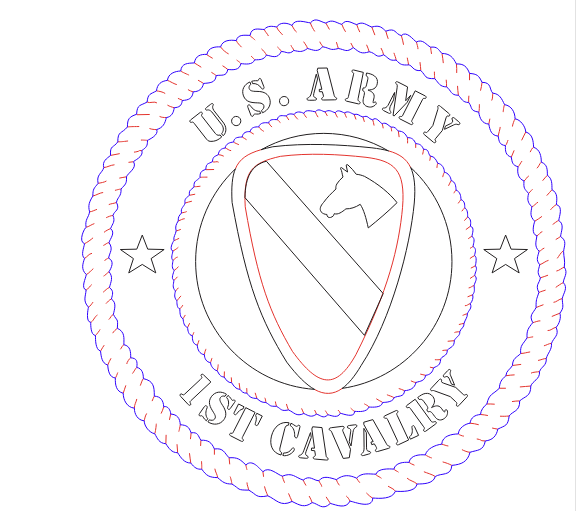
I did that, I brought the image over to light burn and assigned the colors to the layers. The issue I had was the middle layer, it has an insignia in it, and it cut it all the way out, I don’t know how to make it only cut certain parts of it and still have it attached to the center ring.
Ah ok. Thanks for that information. It would be fastest if you were willing to share the design file (.lbrn2) so we can “see” what you do and can share some options for you to achieve your goal.
That layer was most likely supposed to be a “score”. That is, the layer is set to line, but you reduce the power. If you want to, upload your Corel file, and I can take a look at it.
1 Like
It is only allowing me to share a picture. as you can see that middle design is what I am having problems with. The one I did, it cut the whole center like it was an individual piece and I couldn’t even put it together.
The forum is very restrictive regarding the file formats it allows you to upload. You can get around this by appending" “.txt” to the filename, e.g.: myfile.cdr.txt, or myfile.pdf.txt etc.
Hope this helps.
This topic was automatically closed 30 days after the last reply. New replies are no longer allowed.