When I was a kid in KY, we used these to find possible cave locations, and sinkholes.
(your Feedback tab to GitHub didn’t for me, so …)
I’ve tried that “other” map-maker program which will ONLY do New York City. I entered a mountainous region of Alberta and LO AND BEHOLD! a 3d layered map of Kananaskis Park in Alberta. THANKYOU THANKYOU THANKYOU!
Glad to hear!
The feedback button currently requires a GitHub account (as it basically just pre-fills a GitHub issue and takes you there to submit it.) I’ll probably change that soon. I understand not everyone has or wants a GitHub account, and I don’t want to add barriers to providing feedback.
Hi, Ive just been looking at Topostack and it looks awesome!
Having generated a stack and downloaded it I am very impressed with the notes file for assembly and advice, I look forward to cutting and assembling it.
Great app!
Thanks
ONG the Crater Lake got my attention. I know a former USFS Ranger who was stationed there in 60s. I should make him one of these.
Version 0.5.0 is live now, with the headline feature being a new Custom Data section and the ability to create custom depth maps from 2D chart data.
Custom Lake Depth Map Guide
How Chart Tracing Works (technical explanation)
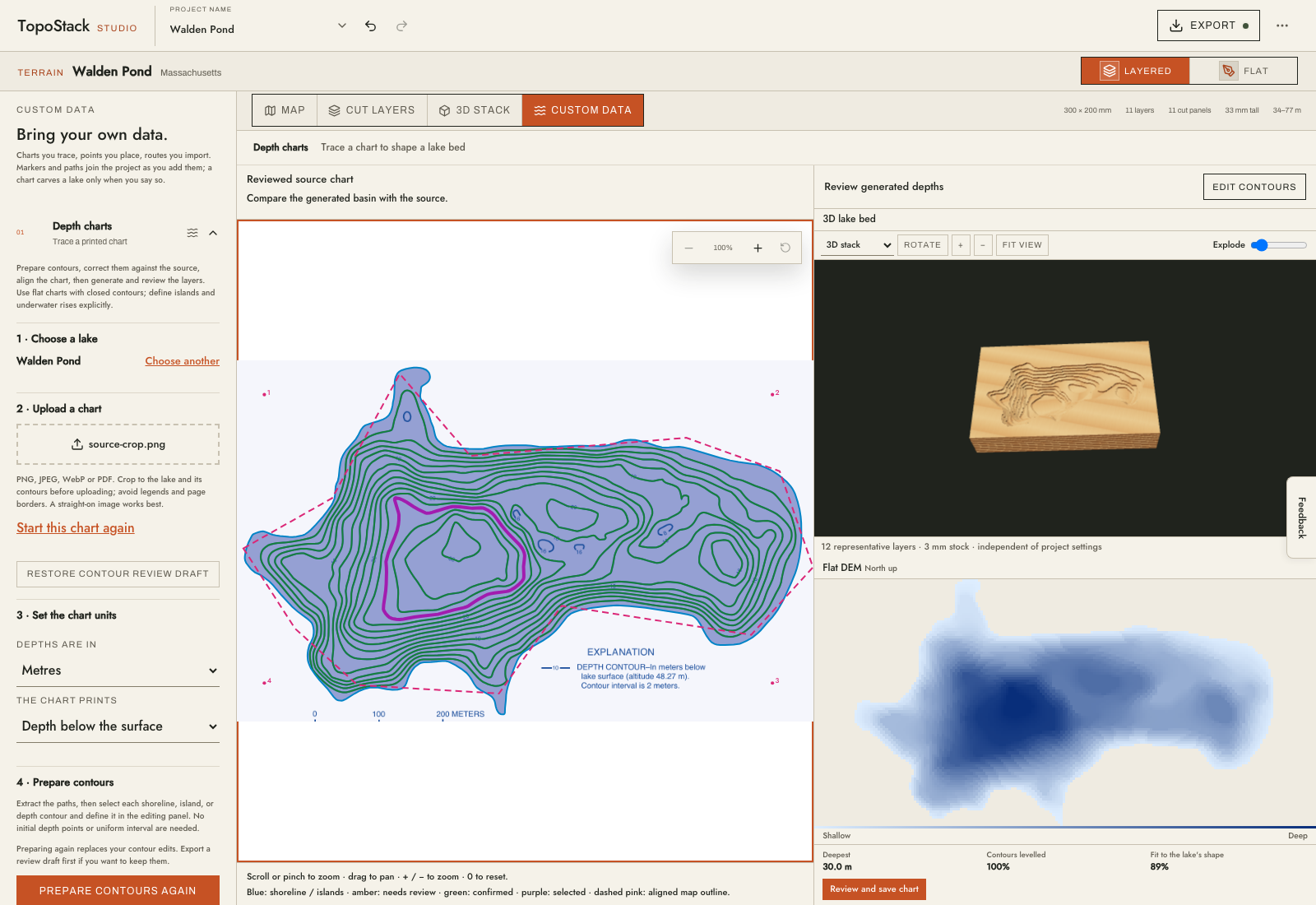
This turned out to be a fair bit harder than I expected, and is highly dependent on the quality of the input data. Complex depth charts will need some clean-up before trying to import, or the contour editing process will be a little painful in TopoStack.
I plan to improve this in future versions, but I’m shifting my focus elsewhere in the application near-term (automatic nesting using sparrow is coming next).
Your sources for lakes do not include any FL, KY, or TN lakes.
I also mentioned NOAA navigation maps, which show bottom contours. Do these not have the data needed for your application?
I did a little more digging into the NOAA data because I agree the original dataset from there seems sparse. Turns out there is a lot more data available that I missed on my first pass. They’re mostly in an experimental “Test-and-Evaluation” folder of the National Bathymetric Source bucket and in nautical charts (which NOAA doesn’t list or index by lake sadly, I’ll sort that out too).
I’ll fold the additional data in tomorrow. Thanks for pushing me to look again!
Happy to help! 
I think those charts are identified by section numbers. There must be a cross reference because (madeup) Chart #34206 would be Upper Tampa Bay. But there was overlap where that chart might be partially located in the boundries of (madeup again) Chart #18216 Hillsboro Basin.
They went from paper charts to electronic printable charts, but they were not image charts. They use an app where the chart can be zoomed in and out. As you zoomed in, detail would increase.
Even if you hit a brick wall, I appreciate you investigating. I live in the Land of Perpetual Vacation, with water on 3 sides, so I can really put this to use if you can make it work.
NOAA didn’t make it easy, but there are now a lot more lakes with depth data for FL. Let me know if we hit the lottery on the specific lakes you were hoping to see.
Unfortunately the NOAA data contained nothing useful for KY, TN. I’ll have to go to state-agency and possibly Army Corps data to get anything more for those states.
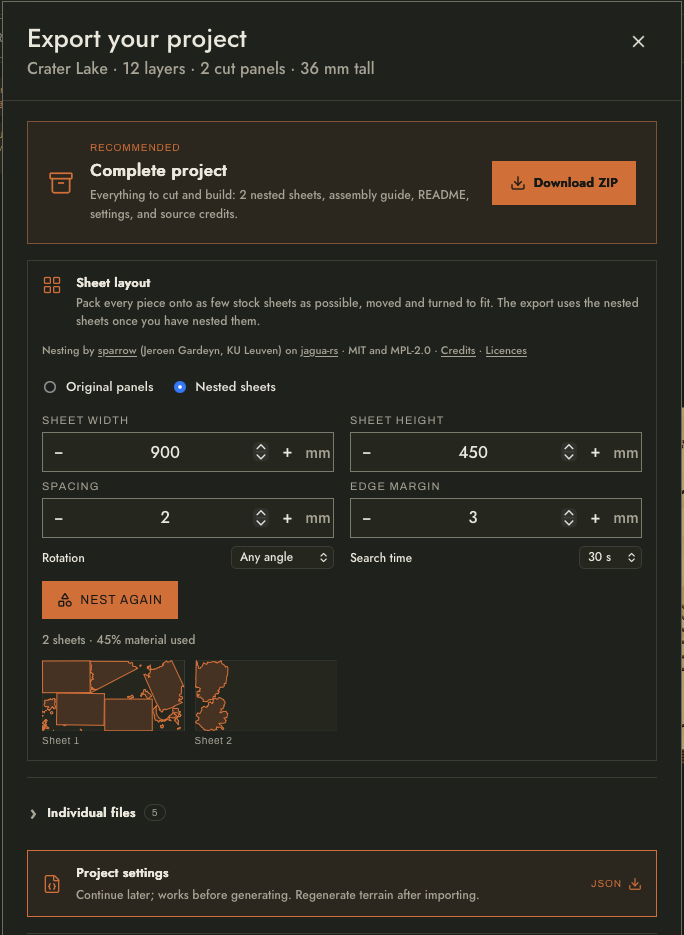
Additionally 0.6.0 is now out which includes pretty huge performance improvements and automatic nesting (using sparrow running in a WebAssembly worker). Assembly guides are nesting-aware.
I think most of the big lakes in KY are Core of Engineers controlled. I have no idea if they have the data available.
I will take a look at what FL lakes info is available.
You are doing an amazing job with this project. Reminds me of the days when I had passion! 
Would this work on doing a house. If so I’m all in, I would do the landscape on my property and house , that would look great.
@justaoldguy You can certainly make a 3D topographic map of the terrain around your house, but the house itself would not be modeled. TopoStack doesn’t handle buildings currently (I’m not sure it ever will, that feels out of scope to me).
Version 0.8.0 is now live and features aviation data layers (FAA only currently).
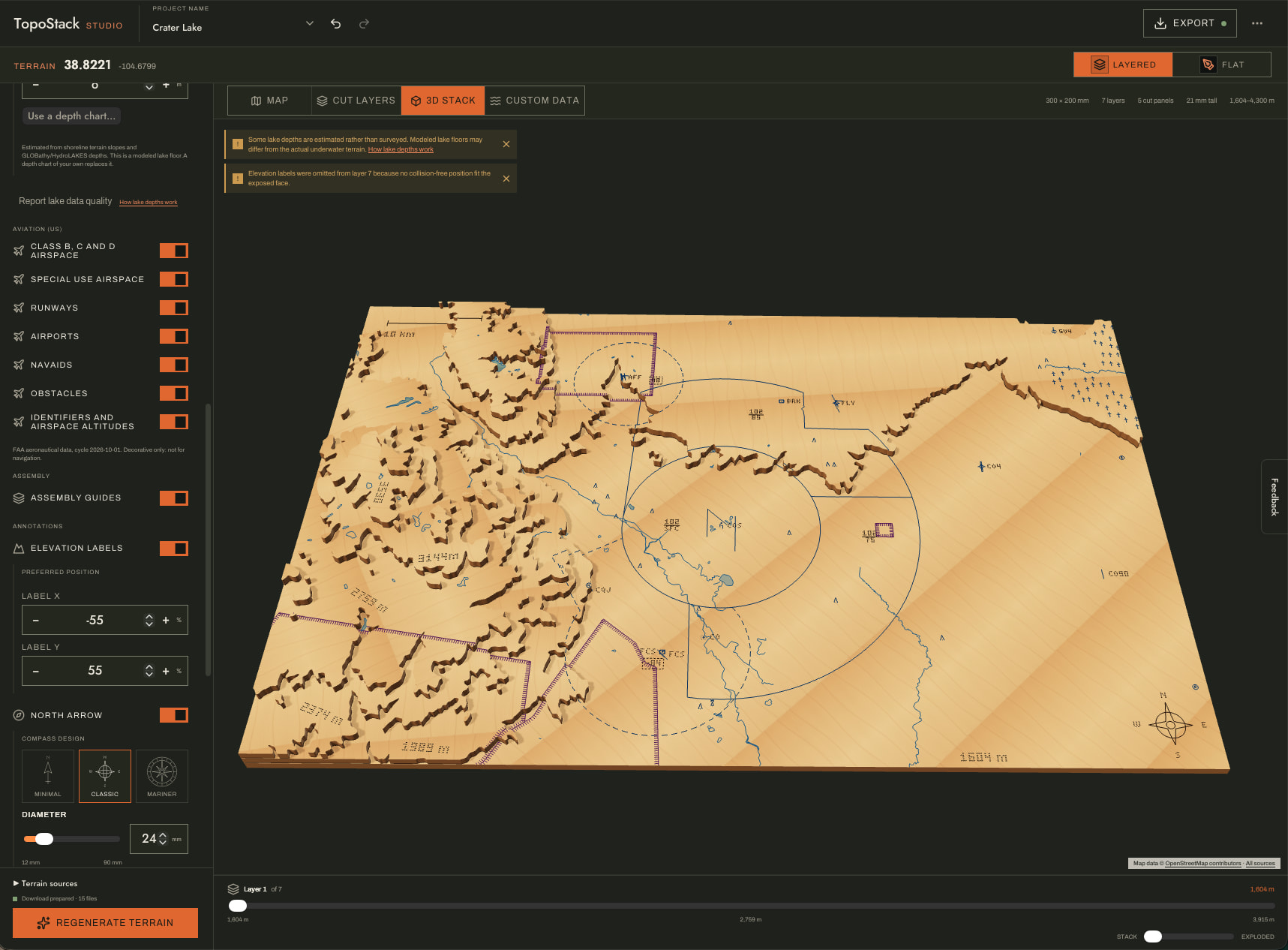
This is a feature that is probably a little niche, but it’s one I personally wanted for some of the projects I have in mind (and adding what I want is part of the point of building it myself, haha.) Hopefully someone else finds it cool or useful.
The next iteration of this idea is to represent airspace in 3D using translucent acrylic, that feature is in development now.
Ooh we have a dev that’s a pilot, this is super neat. I’m also a hobby RC pilot and have to know airspace things like this, I’ll see if I can pull in my local airport
Indeed haha. I hold a commercial pilot’s license, but for various reasons my career path took me in a different direction. Still holds a special place in my heart though, as you can see.
I still have lots of features in mind for the terrain and lake systems, but getting sectional data into the outputs was a stopgap for what I want to build for my office, so I had to detour a bit.
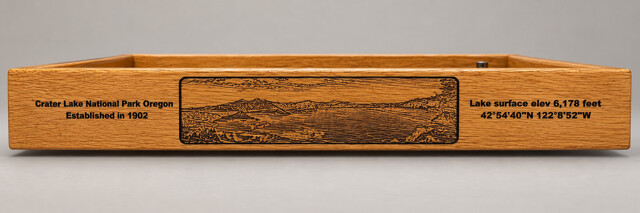
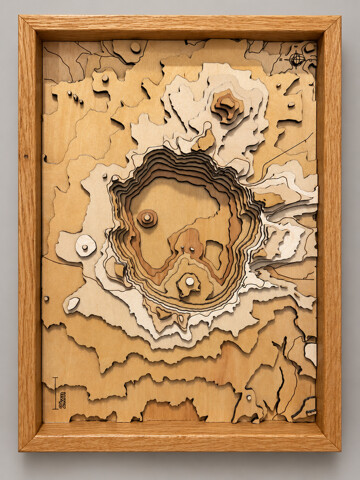

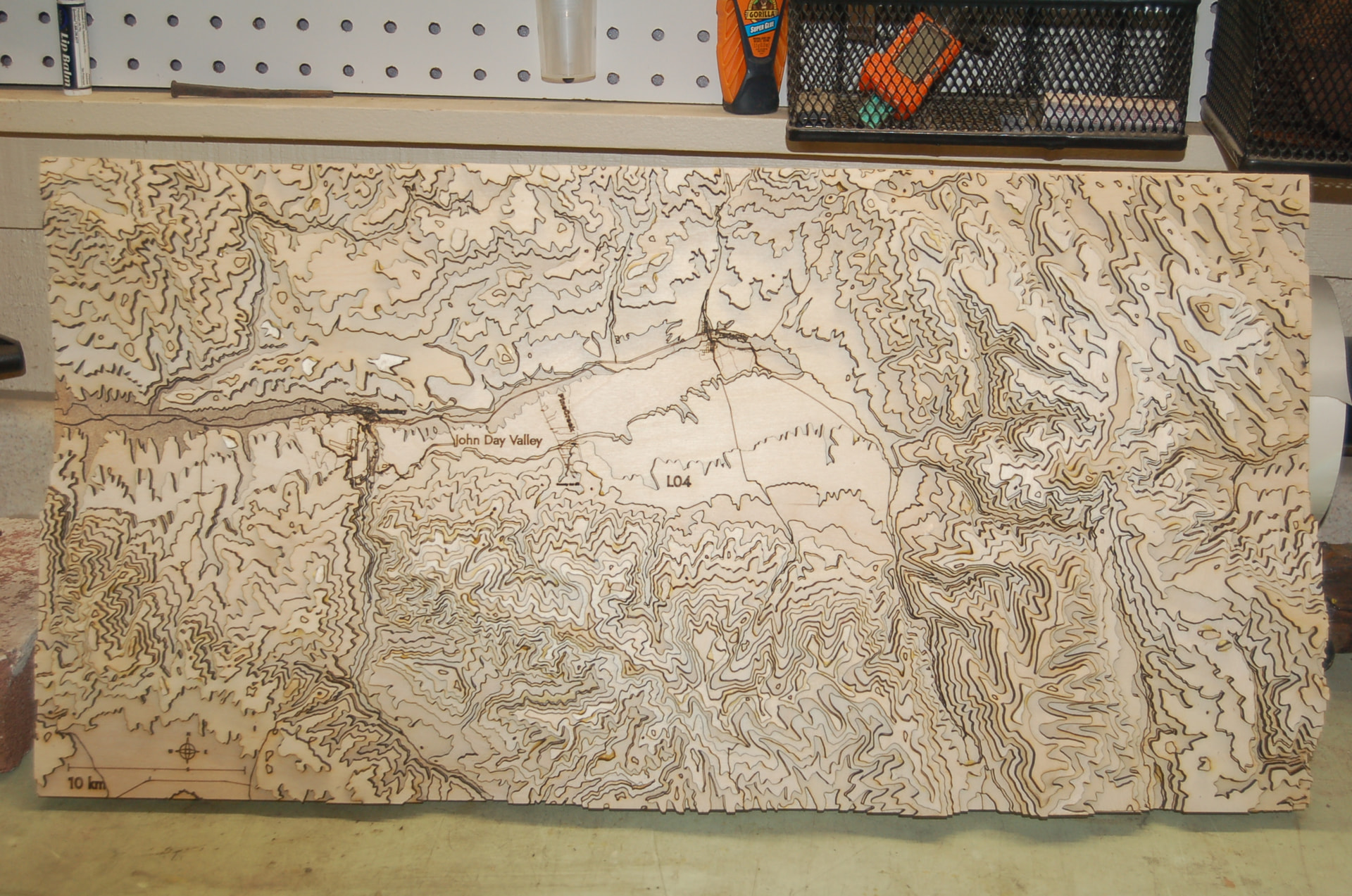
That looks awesome! Thank you for sharing, it genuinely made my day to see this.
Don’t look too close. The ones for my boys will be far more precise. Still don’t know how LO4 got there. Dead center is Pine Creek and a very small burn where I built the house. Tks again. R
LO4 would be the layer identifier but it should be placed only within non-visible glue areas. It doesn’t appear that you are missing a layer on top of it at a cursory glance, but it’s hard to say without seeing the project files.
If you are able to send me the project master.svg file (in a private message) I can take a look and make sure this isn’t a bug in the placement system.