Hi, i have a Gweike G2 Pro Fiber laser, and i was trying out the rotary option on Lightburn.
I’ve never used the rotary chuck before, i was just setting it up but when i tested it the chuck doesn’t respond.
Doesn’t spin, doesn’t jitter, it just looks like it’s not connected t all.
Instruction manual isn’t really helpful as it comes for the regular Gweike G2, which has ports set up differently.
I’ve found the instructional video on youtube but it just tells you how to set it up, nothing about possible troubleshooting.
I’ll append pictures of my laser setings, so if anyone spots something off i’d be really glad.
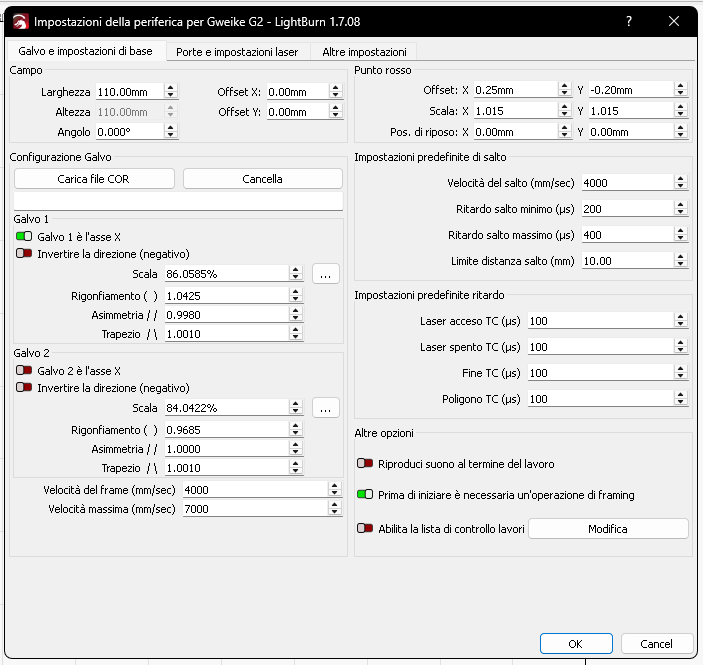
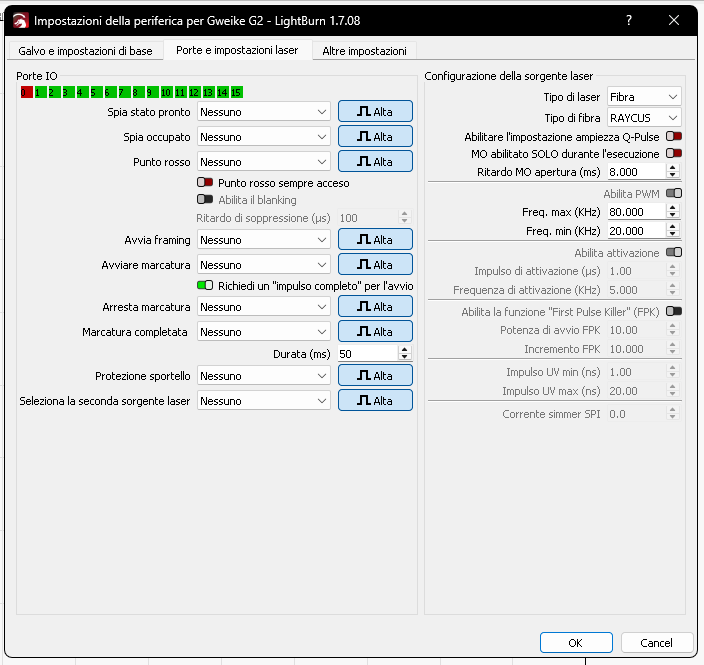
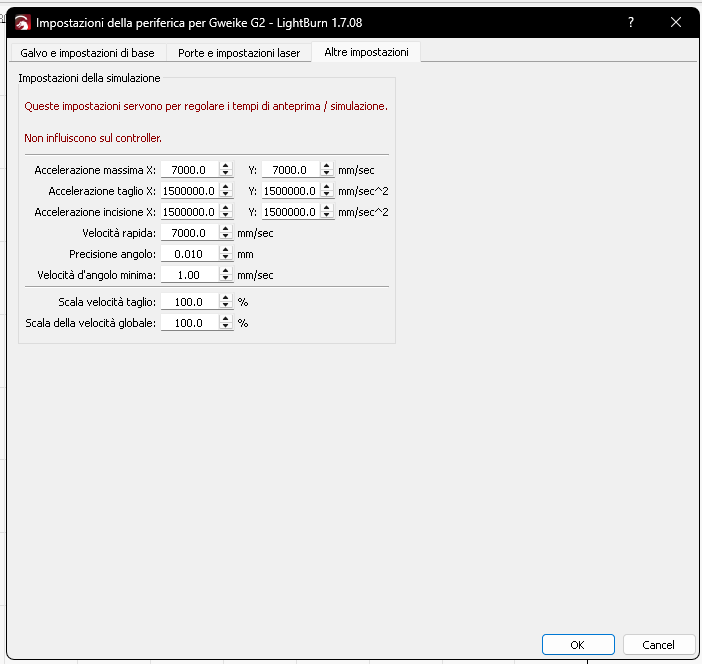
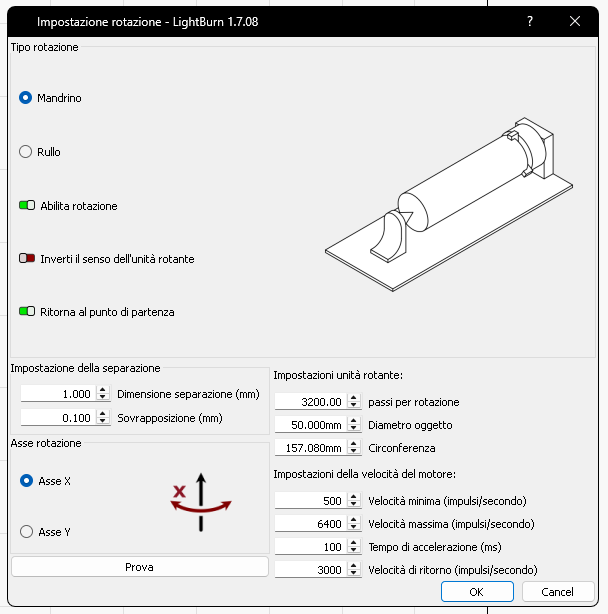
Your settings look good. The rotary chuck should at least jitter, or give some resistance, when you turn the laser on and off with the emergency switch.
Are you using the rotary axis that came with the G2 Pro? The one with the USB-A connection?
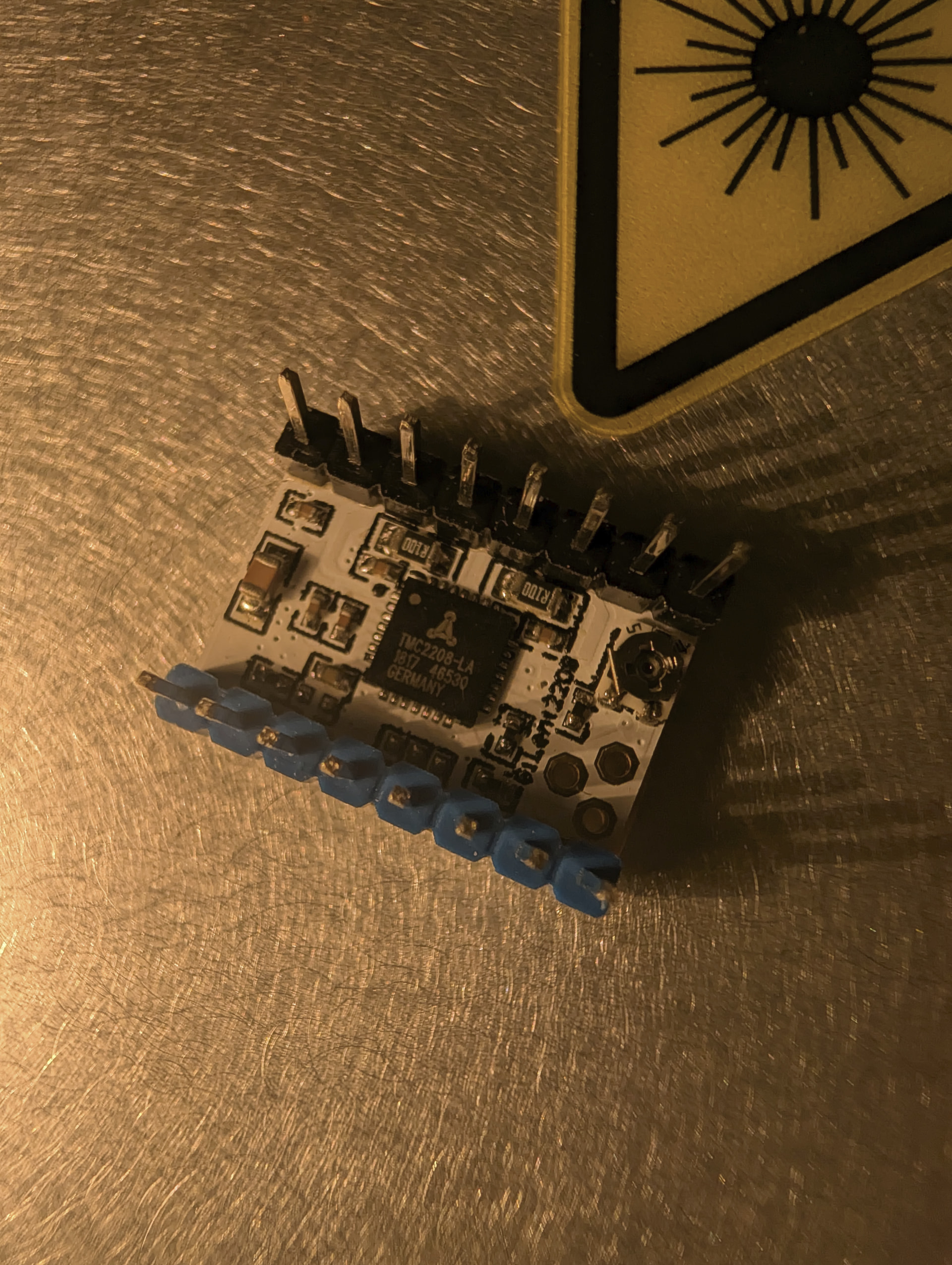
You could have a defective Stepper driver. (The motor itself normally doesn’t break.)
Hi, thanks for the reply
Yes, I was using the correct rotary chuck, plugged into the USB-A port.
I’ll try and reach out to Gweike and see if I can get support from them.
Okay.
I’m guessing it’s a defective stepper driver then.
If the laser is still under warranty, contacting Gweike is definitely the way to go.
If the warranty has expired, and you feel comfortable opening the box, you’ll find this off the shelf TMC 2208 step stick, which is easily replaced and only costs a couple bucks.
I’m curious to hear what you find out.
This topic was automatically closed 30 days after the last reply. New replies are no longer allowed.