Hi i have a machine co2 vevor china with plate 600x400 i change por motherboard monport nano 2
the program reconized the machine but give me the error folt determination ponto zero homming.
i thing something i made wrong cant help me Thanks best regards
Please tell us more details about this machine.
Pictures of the interior and your wiring would be helpful.
This is not translating well for me.
Please show a screenshot of the error in the console.
You will need to adjust a couple firmware parameters to use this controller in your laser.
Show us the current settings, so we can assist further:
Open the Console window (Top menu bar > ‘Window’ > ‘Console’), then Right-click this field and select “Clear Console”

Once cleared, please enter these commands, one line at a time, and press “enter” after each:
$i
$$
$#
?
Once completed, right-click the field again and choose “Select All”

Finally, copy and paste the results (Ctrl+C and Ctrl+V on Windows, or ⌘+C and ⌘+V on MacOS**)** into a reply here.
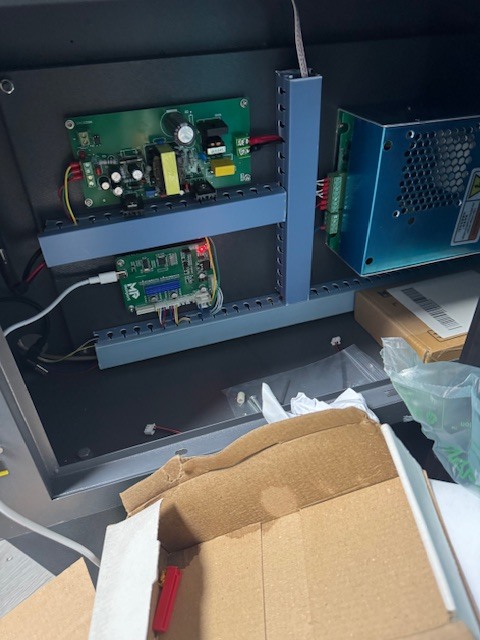
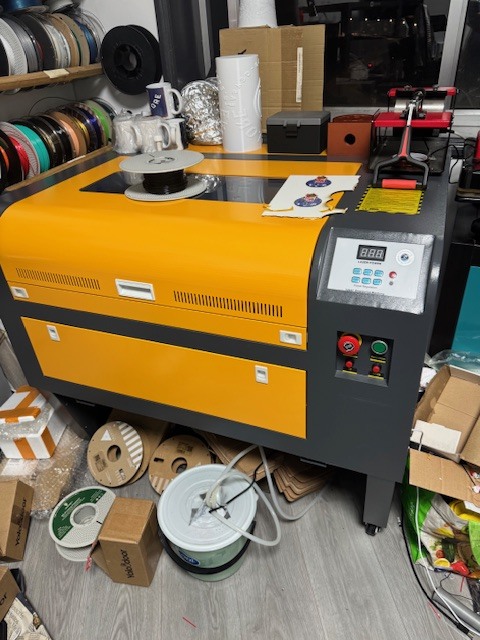
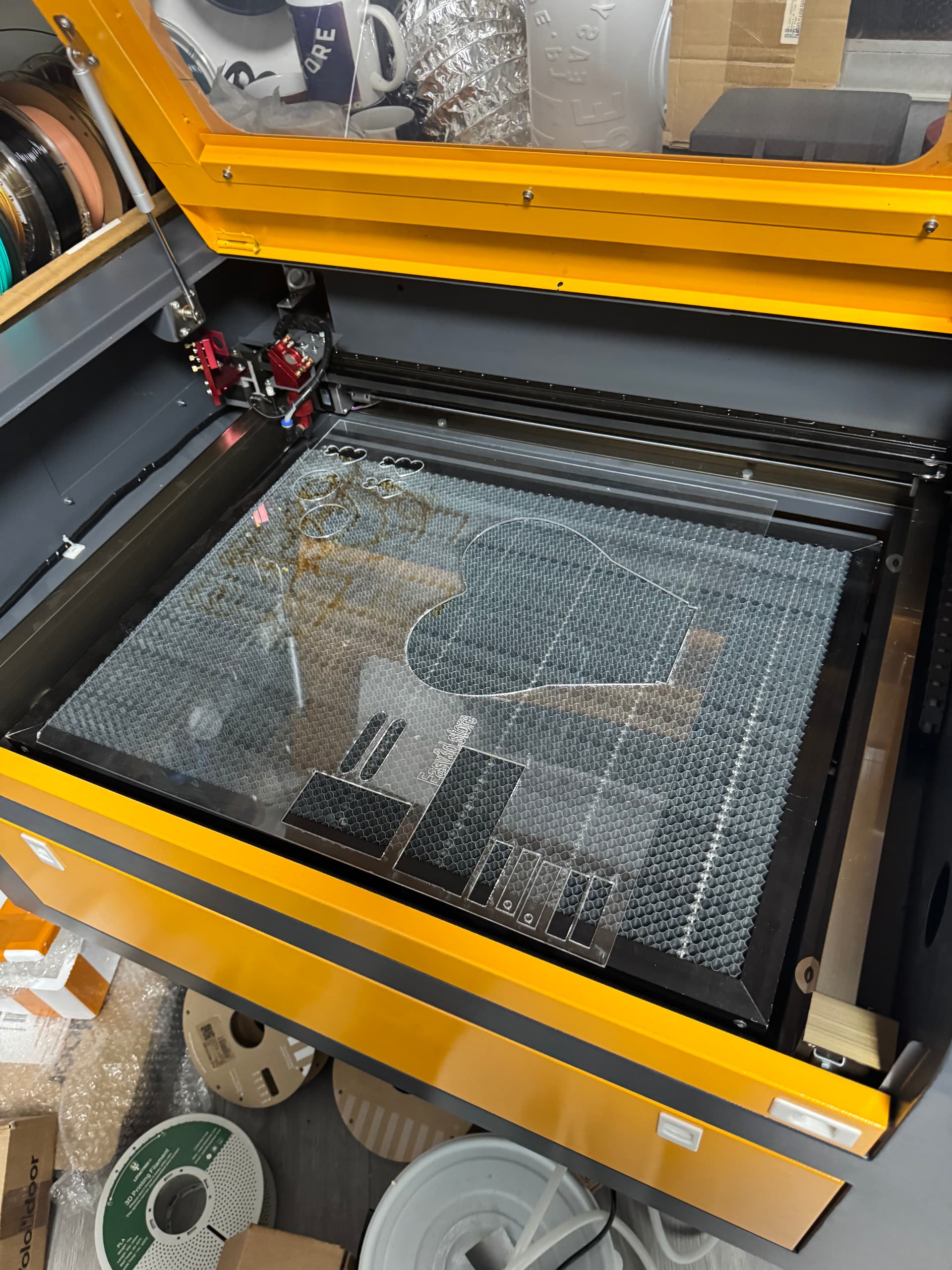
$i
[VER:1.1f.20230606:]
[OPT:VZHL,35,254]
Target buffer size found
ok
$$
$0=10
$1=25
$2=0
$3=1
$4=0
<Idle|MPos:0.000,10.744,0.000|FS:0,0|Pn:PXY>
ok
$#
[G54:0.000,0.000,0.000]
[G55:0.000,0.000,0.000]
[G56:0.000,0.000,0.000]
[G57:0.000,0.000,0.000]
[G58:0.000,0.000,0.000]
[G59:0.000,0.000,0.000]
[G28:0.000,0.000,0.000]
[G30:0.000,0.000,0.000]
[G92:0.000,0.000,0.000]
[TLO:0.000]
[PRB:0.000,0.000,0.000:0]
ok
?
<Idle|MPos:0.000,10.744,0.000|FS:0,0|Pn:PXY>
ok
Hi i thing isthis that you want correct thanks for try to help
That’s a start, but the $$ values are incomplete. Here’s the list of GRBL firmware parameters:
Does the machine move towards the limit switches when you send it the homing command?
dont do anything
and i talk with the seller monport and tell me its plug and play i dont understand to much of this only work
Nothing at all?
Maybe it’s plug and play for some machines. You certainly need to configure some GRBL parameters specific to your machine. The GRBL wiki I sent earlier will be of help.
Monport also lists a couple of troubleshooting steps in the manual.
nothing and iff by hand the swiths recebe the command
i donnt understand anything of that
the error is dont find the point 0 something like that
i put the older board i dont know but thanks for your help
i conect all like the manual only this Control Laser i cant conect
There’s no way around getting accustomed to these settings. These GRBL values define how the controller talks to the machine.
Monport’s default values are obviously not working for your machine.
I don’t understand anything you are saying here.
Maybe describe the issue in your native language. It will make it easier for me to transate.
Try to explain as detailed as possible, what you are trying to do and what the machine does or doesn’t do.
Add screenshots showing any errors in the Console Window
The controller replied to the commands earlier, which means it did connect.
Show us screenshots, so we have a chance to see what’s going on.
1 Like
Ok understand that
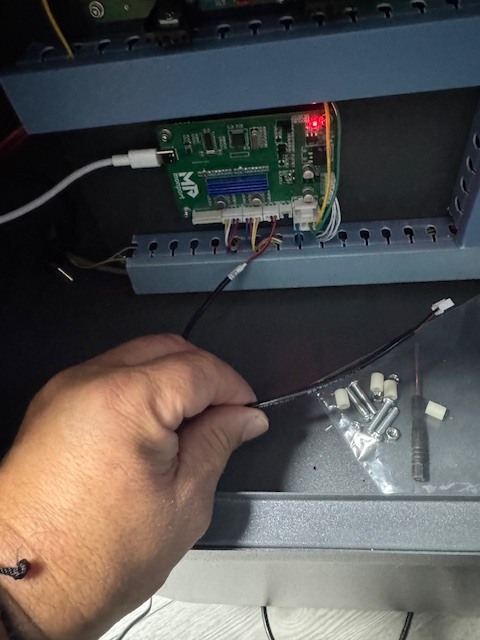
This controls the power of the laser. It connects to the laser power supply.
Described on page 9 and 10 in the manual:
If I move my hand towards the laser, the x and y limit switches give a signal on the lightburn, and this appears: X_LIMIT
ALARM:1
Hard limit triggered. It is likely that the machine position was lost due to the sudden and immediate stop. It is highly recommended to repeat the zero point determination (‘homing’).
[MSG:Reset to continue]
MonPort
Grbl 1.1f [‘$’ for help]
[MSG:Check Limits]
[MSG:‘$H’|‘$X’ to unlock]
[MSG:Caution: Unlocked]
ok
Y_LIMIT
ALARM:1
Hard limit triggered. It is likely that the machine position was lost due to the sudden and immediate stop. It is highly recommended to repeat the zero point determination (‘homing’).
[MSG:Reset to continue]
MonPort
Grbl 1.1f [‘$’ for help]
[MSG:Check Limits]
[MSG:‘$H’|‘$X’ to unlock]
[MSG:Caution: Unlocked]
OK
And the error when I turn on the machine is this:
ALARM: 9
Failed to determine the zero point (homing). The limit switch could not be found within the search distance. Set to 1.5 * max_travel in the search phase and 5 * pulloff in the localization phase.
yes i see one picture but my power supply its diferent off the k40 i dont know here plug
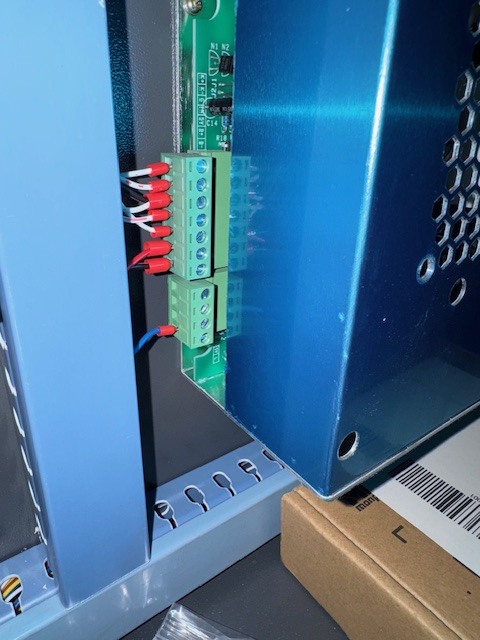
This is exactly working as expected. The ALARM:1 is described here:
Did you ever see any movement on the motors? The coils of your motor might be wired differently.
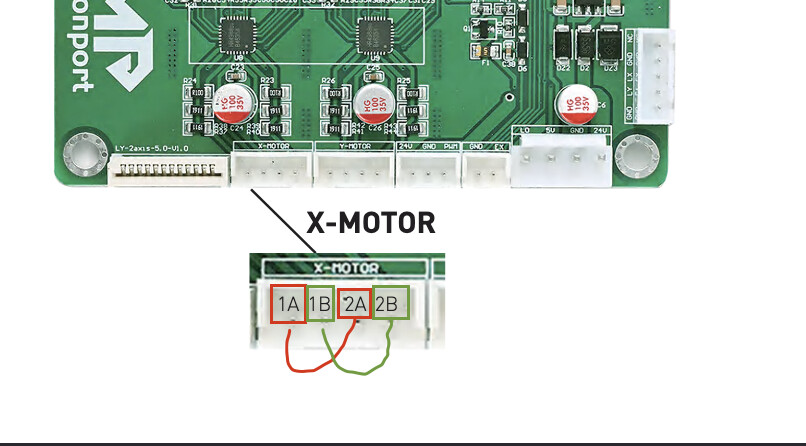
Unplug the motor cables, and use a multimeter to measure the resistance on the cable going to the motors.
It should measure 1-20 Ohm between 1A and 2A, and between 1B and 2B.
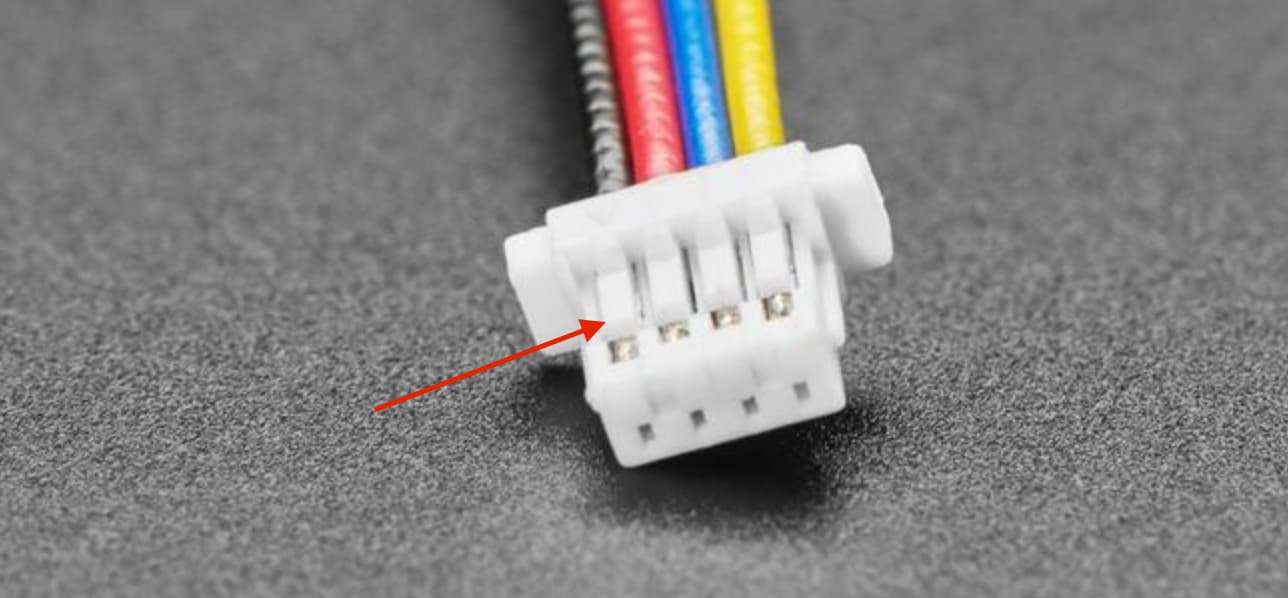
If you measure any continuity between A1 and 1B, you need to switch the crimped wires on the connector.
Lift this tab to pull out the wire and reseat them accordingly.
I must add that this already exceeds the scope of LightBurn support.
If you don’t receive further instructions from Monport, familiarize yourself with your laser by studying the manuals and the GRBL wiki.
Here in the forum, you will surely find people who had the same questions. Use the search function with the model number.
1 Like