I would like to only home using X and Y, i believe this would be M28 X Y rather than M28. Is there an option to do this?
Because the controller handles homing, it depends on the controller, not LightBurn.
Old-school GRBL firmware has the homing sequence as a compile-time option, rather than a configuration. More recent firmware has it as an option, but because all firmware is different, the exact option and how you invoke it depends strongly on the firmware.
So the answer is a definite maybe.
If you can figure out the exact firmware and which version is running the controller, somebody around here can probably help move you closer to the goal …
Hi Ednisley…
Thanks for getting back to me.., and so quickly.
I could go into the printer itself but as it works and it took a few goes to make it work i do not want to play with it.
I just used the console window and sent G28 X Y and then it ignores Z.
The chassis i am using is my 7 year 3D printer. It works very well indeed for a new boy…
One careful measurement outweighs a thousand opinions. 
If the controller automatically homes Z when at startup, that’s a function of the firmware configuration over which you (likely) have no control.
There is no auto home on start up… It only take instructions from L Burn. It does not move until i ask it to do so.
It’s well behaved!
Depending on the Device it’s configured to be, you may be able to drop the homing command in the appropriate Custom G-Code slot. If it’s not available, you may need to work in hard mode with a full-frontal Custom G-Code Device.
That is another option that someone mentions but i do not know how to do that yet…
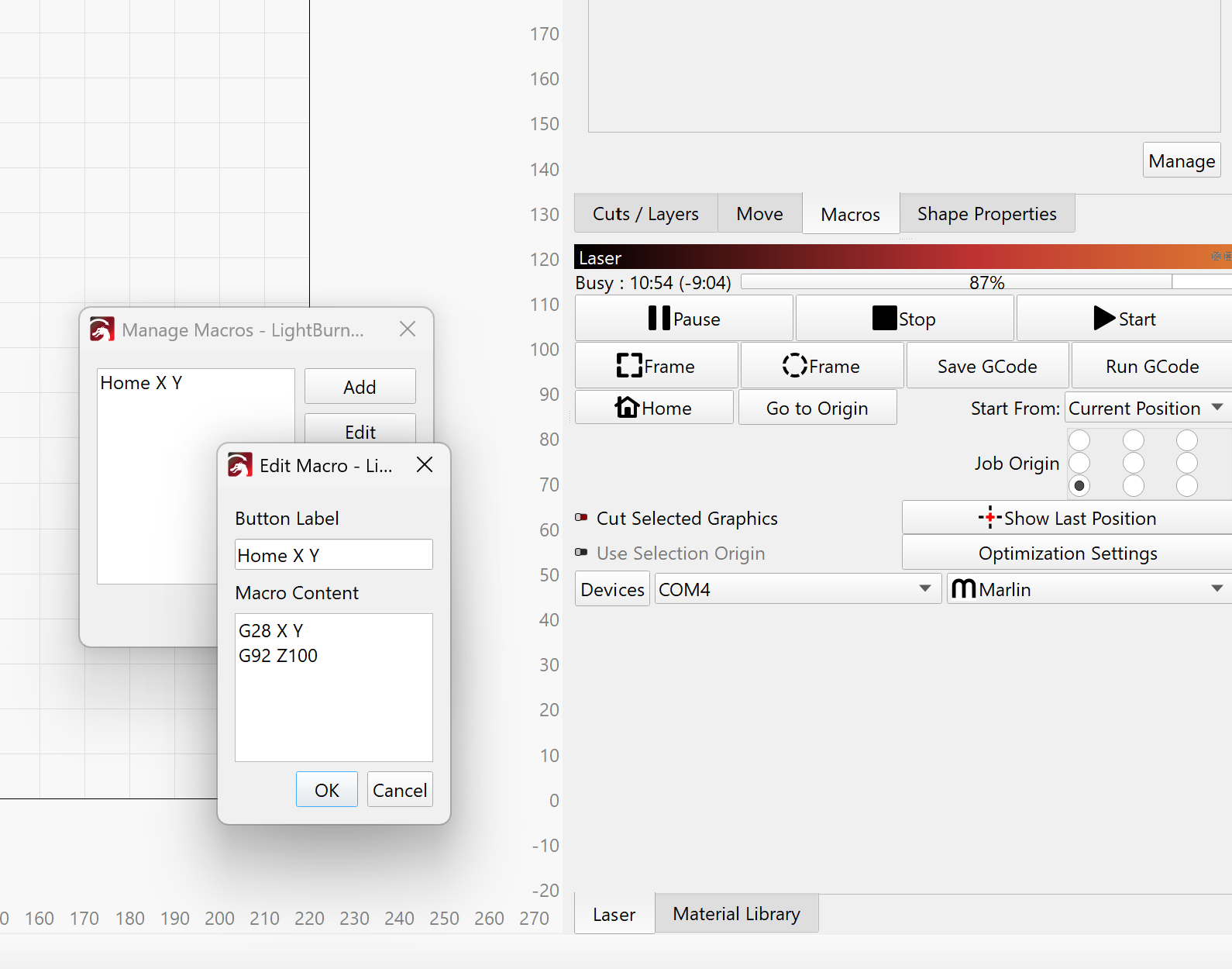
Did your macro G28 X Y work to home only X and Y?
(G28 is the homing command for your Marlin firmware. With GRBL firmware, it would be $H, and $HXY works on most firmware versions.)
Here are the steps to convert your device profile to use the Custom GCode device type @ednisley mentioned:
Open the Devices menu, and right-click your Marlin device. Select Duplicate:
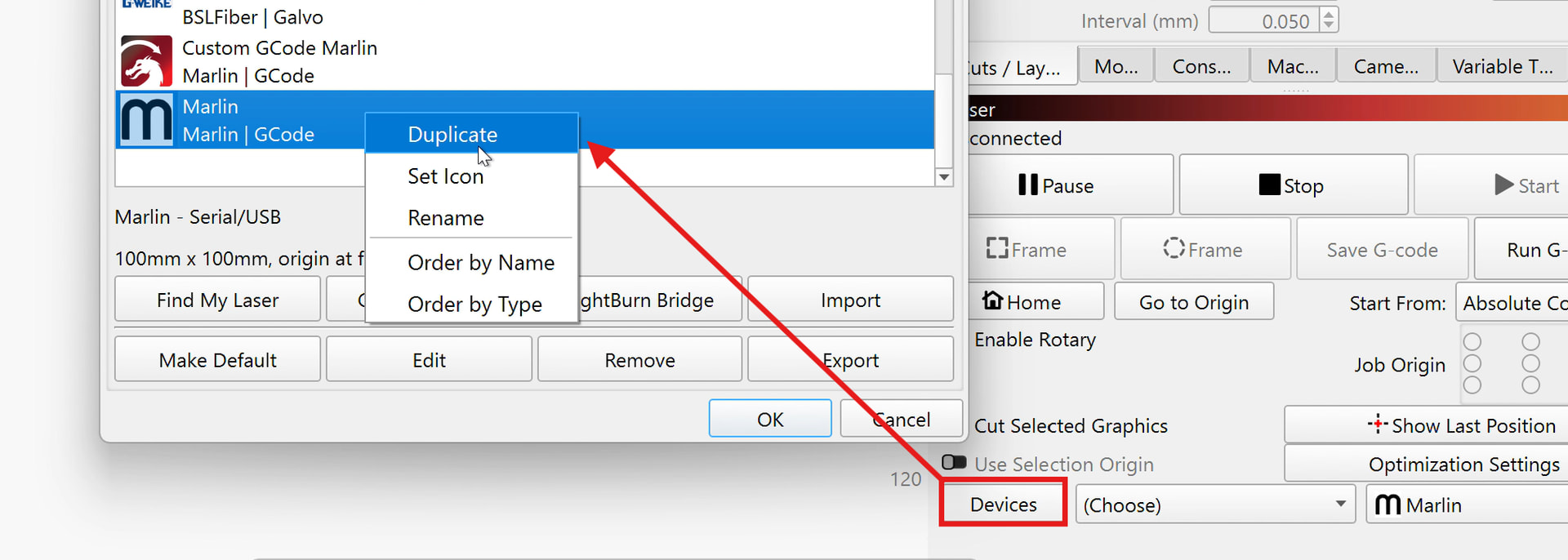
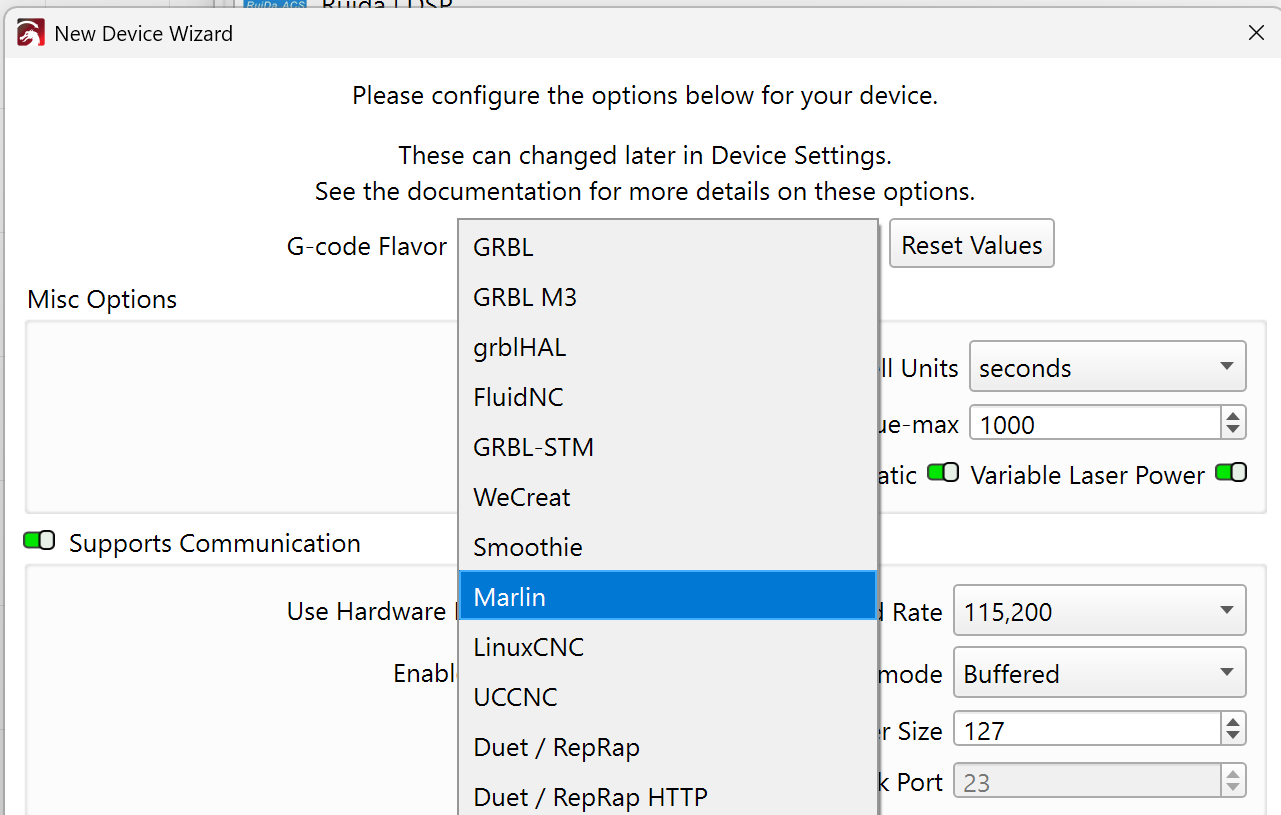
Change it to “Custom GCode” and click next a couple times.
Change the G-Code Flavor to Marlin here:
You now have full control over which commands LightBurn sends to the controller.
Select the newly created device and open Device Settings (F3)
Change to the “Custom GCode” tab and enter your macro code here:
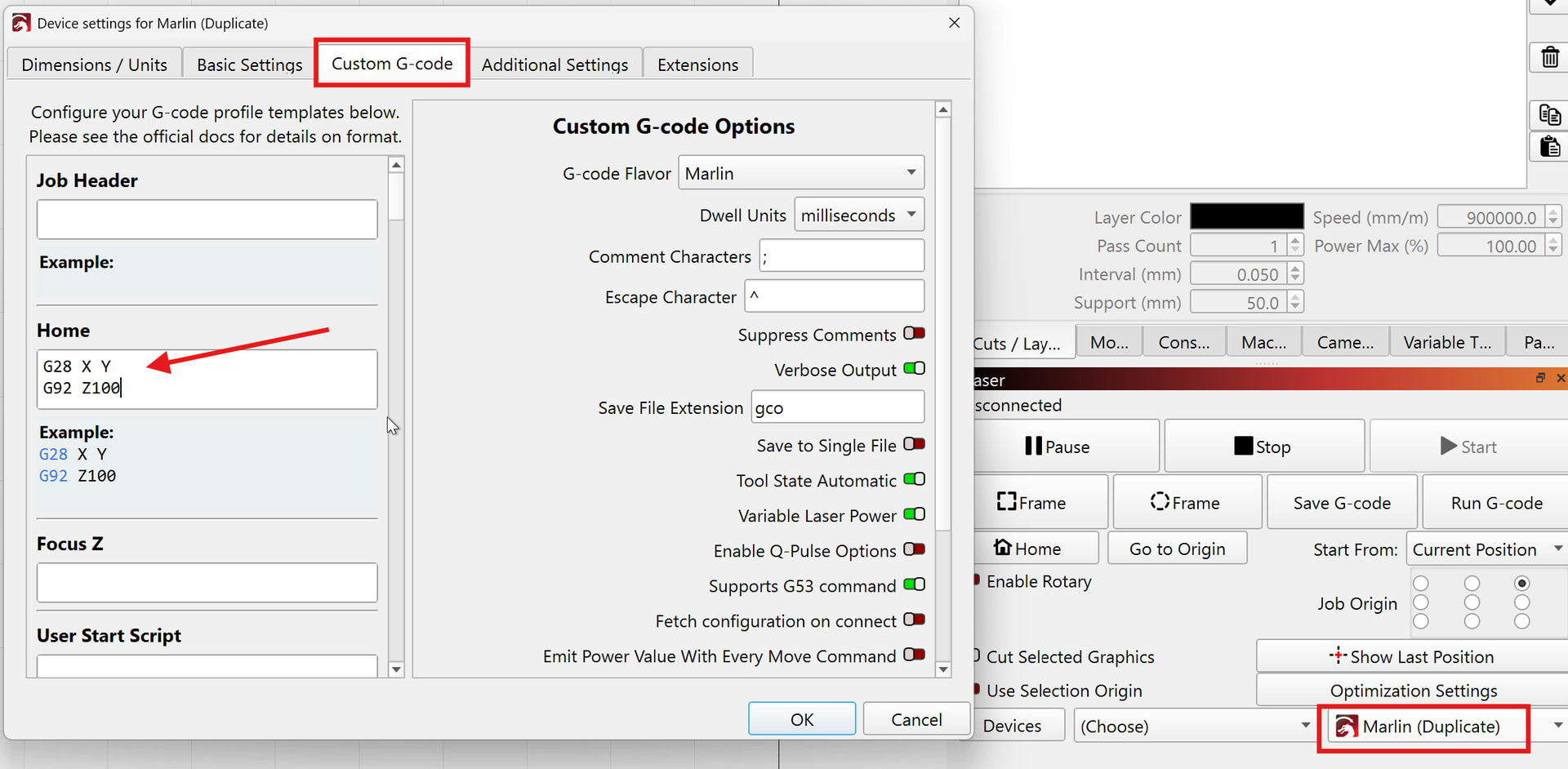
That should also work for “Auto-Home on startup”.
Not many use Marlin firmware for lasers. Please let us know if you run into any issues with the Marlin GCode flavor!
OK, back now just going to see if the macro works. The laser machine is an old 3D printer chasis, so we flashed the Marlin code to drive it. The only thing we had to do was chang the PWM for chosen output which was the fan from about 16 to 2000 to 4000 so the laser would fire.
Just connected the machine and it works as expected, x y home and z assumes the value given. If you do run home again and z has moved then it returns to what ever that 100 is, but as it has no ref it is where you last put it… So for me this is what i need. I will try the other options but for now thanks to all!!!
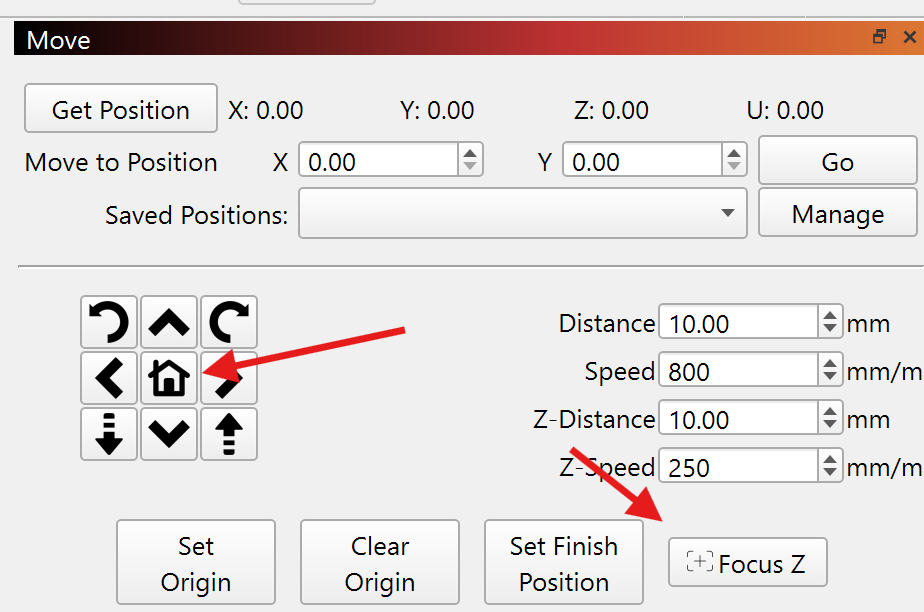
Hi, sorry, what does focus Z do? i am guessing you would use when you have a camera? Is it literally to set and focus? I have never noticed this button..
The “Focus Z” button in the Move panel sends the machine whichever command you add in the Device Settings here:
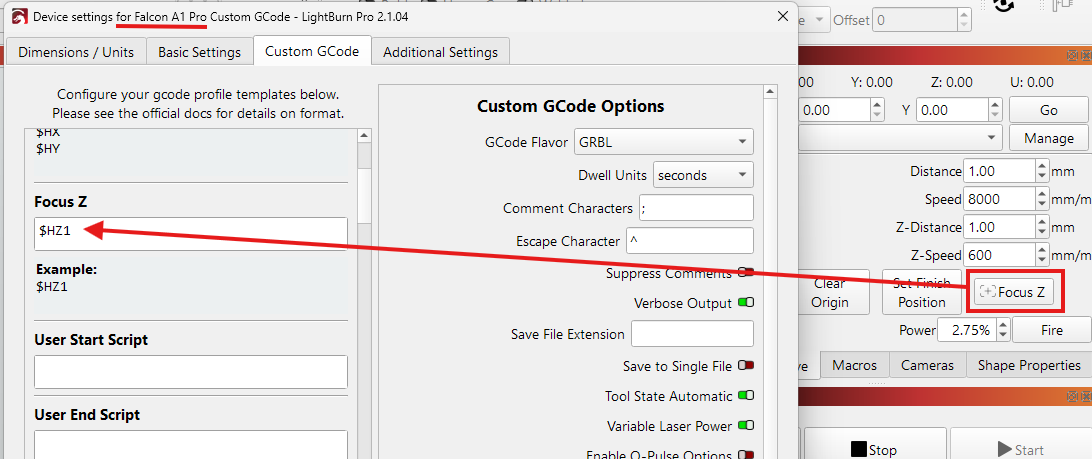
The feature is normally used to set the laser’s focus on the material surface (has nothing to do with camera focus)
I suggested (mis) using this function in your case, so you would have a quick way to home the Z axis. The G28 Z on your Marlin firmware will move the axis towards its limit switch to reference the zero point of the axis.