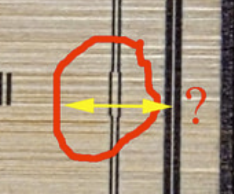
I am experiencing duplicated images and lettering when engraving on my YoraHome CrossRiver CNC machine.
Attached are two diagram examples (A and B) that illustrate this doubling or over‑engraving effect. Each diagram contains two engravings of the same subject: one produced with the laser set to Bi‑Directional mode and the other with One‑Direction mode. The One‑Direction engraving is included to show that, when motion occurs in a single direction, the engraving is clean suggesting that factors such as cable slack are not an issue. In contrast, the Bi‑Directional engraving clearly shows duplicated markings.
Each diagram also includes three reference rectangles measuring 0.01", 0.03", and 0.05" wide. The observed over‑engraving offset measures approximately 0.034" hence the width of the rectangles.
In Picture A, the laser travels from east to west. All duplicated markings—most noticeably in the lettering—also run east to west. This strongly suggests that any mechanical slack or positional error is occurring along the X‑axis.
In Picture B, the laser travels from north to south. Here, the duplicated lettering appears in the north–south direction, indicating a potential issue along the Y‑axis. Notably, in the yacht image, duplication occurs in only one localized area and only along the Y‑axis.
To verify mechanical accuracy, I positioned a dial gauge on the machine and zeroed it. I then commanded the laser to travel four inches in one direction and return. The dial consistently returned to zero within 0.001", suggesting minimal measurable backlash in static testing. I have deleted Lightburn and the preference files and re-installed Lightburn to try and eliminate the problem but that didn’t work either.
Given these results, I am unsure why this duplication occurs during bi‑directional engraving and wonder whether it may be related to LightBurn software settings or motion control behavior rather than a purely mechanical issue. Any insights or guidance would be appreciated.
Because every machine has slightly different mechanical motion characteristics, the starting position of the bidirectional return sweep will often need to be software tuned (advanced or retarded slightly), there is an explanation and guide for this here:
Regarding backlash - last night I made a new test which should measure backlash in a way that does not require a dial gauge or calipers. You are welcome to try it and see if it corroborates your measurement, although you should pass it with flying colours based on your measurement.
It moves to the right, then changes direction, tracking back on itself but takes a slightly offset path which compensates for backlash aggressively at the turn of direction (1 mm), with diminishing compensation to 0.05 mm back at the start. Where the zigzag line is the thinnest/converges should relate to the backlash amount.
I’m setting up for the offsetting but one question please once I’ve found the over engraving amount, do I have to put this offset on every job I get or once I’ve made the adjustments does it remain as a default for all my work?