Hi guys, thank you all for sharing info to the novices. My question might seem similar to others but it’s not. I have a Mintion Beagle laser camera, and for some reason now (and only recently) it will show my project on the screen, when I click on the camera tab (small image on the right side of work area) its correctly displayed, but when I click on update overlay, it’s backwards or mirrored, and my images are also printing reversed as well. I went on the Mintion Beagle app and it shows me the image properly just not on the screen over the grid on the updated overlay. MY ORIGIN is set to bottom left. Can’t figure this out. Please help.
The camera image in the overlay is tied to the laser’s axes.
Since the laser’s output is also mirrored, that explains it.
It’s odd, that it suddenly started happening, but you might need to check the Device Origin in the Device Settings here:
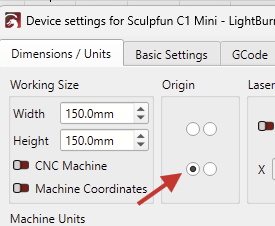
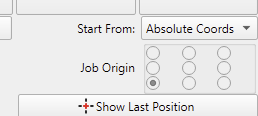
(Not the Job Origin here)
This topic was automatically closed 30 days after the last reply. New replies are no longer allowed.