I am trying to cut out some key fobs in MDF and ply.
I can get the image and the shape on on the workspace but when I come to print my two layers, image and cut outer shape with ring hole it fails.
The image prints fine on layer one, but when it moves to print layer two for the shape and little hole at the top to cut out it only marks it. Layer one is speed 1800 power 40% and layer two is speed 400 and 100% power.
I know it is something I have missed and tried to source info but all with simple text no image.
It appears to be when I attach the image it takes over and will not allow the cut at full temp speed, a bit like it is using the image settings to cut the shape, even though the layers state different.
Thank you in anticipation.
Robert
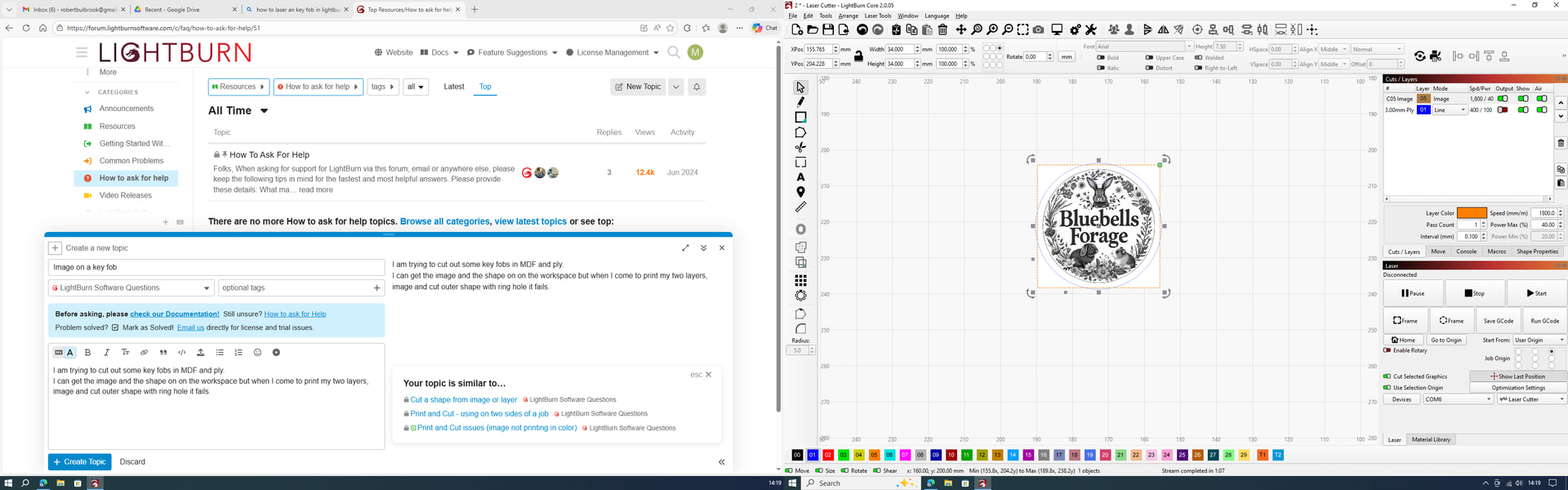
You have output on the blue layer turned off.
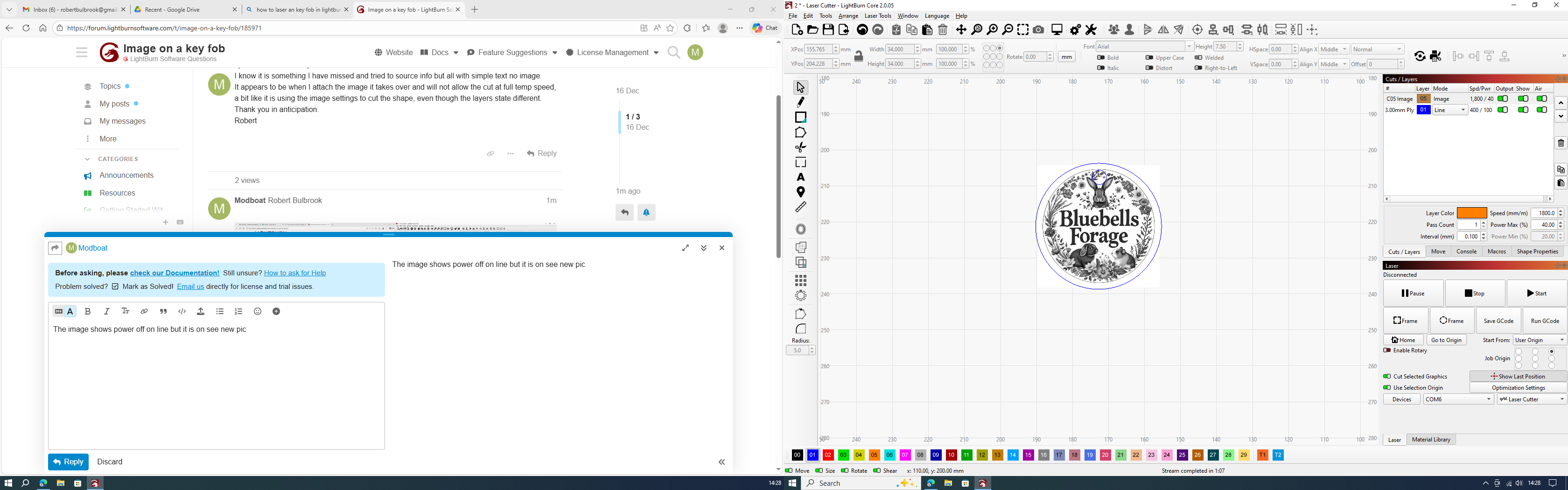
attached wrong picture first time last image is what I have been using
How many passes are you taking with the cut layer? For 1/8” (~3mm) engineered wood cutting with my 10w diode laser…
I use about 1000 mm/m, 100% power and from 8-13 passes depending on the wood and colors. Plywood is particularly difficult to get consistent good results from due to the multiple layers of glue and various layers of wood and grain densities.
I tend to agree with James you either need to slow down some more or take multiple passes. Also make sure your focus is spot on.
As stated they cut fine separately but put together and the cut layer does not cut, but separately they work as they should with settings shown.
I don’t totally understand what you’re saying here. You are trying to cut through MDF and Plywood together? I would expect a double layer of material to take quite a bit more power, number of passes, lower speed and drop the focus into the extra thick material.
No,
I am cutting some in MDF and Some in Ply, not both together.
The only reason for this is to see which cuts and looks the best but as yet no samples as the program is doing something beyond my skill level.
Its something to do with paths, grouping or something else I feel.
First I drew the main key fob with little ring hole at top. (Cut perfect)
Second I imported and traced the image. (cut perfect after adjustments for speed and heat)
Took the image and placed over the key fob shape, highlighted for cutting and started cutting the two layers Image and cut. Image is fine but only marks the key fob shape will not actually cut the wood at all in the 4 passes. Not even 1mm cut depth.
Something in the program is stopping it.
Its no doubt something in my inexperience an a novice.
Thank you
OK, now I understand. If you disable the image layer does the cut layer work? Upload your file and I’ll ty to see if there’s anything you’e missing.
Tim
Yes now it cuts the outer shape as required, so does that mean I have to operate the program in two goes, one for image and one for cut ?? Or is there a way round this??
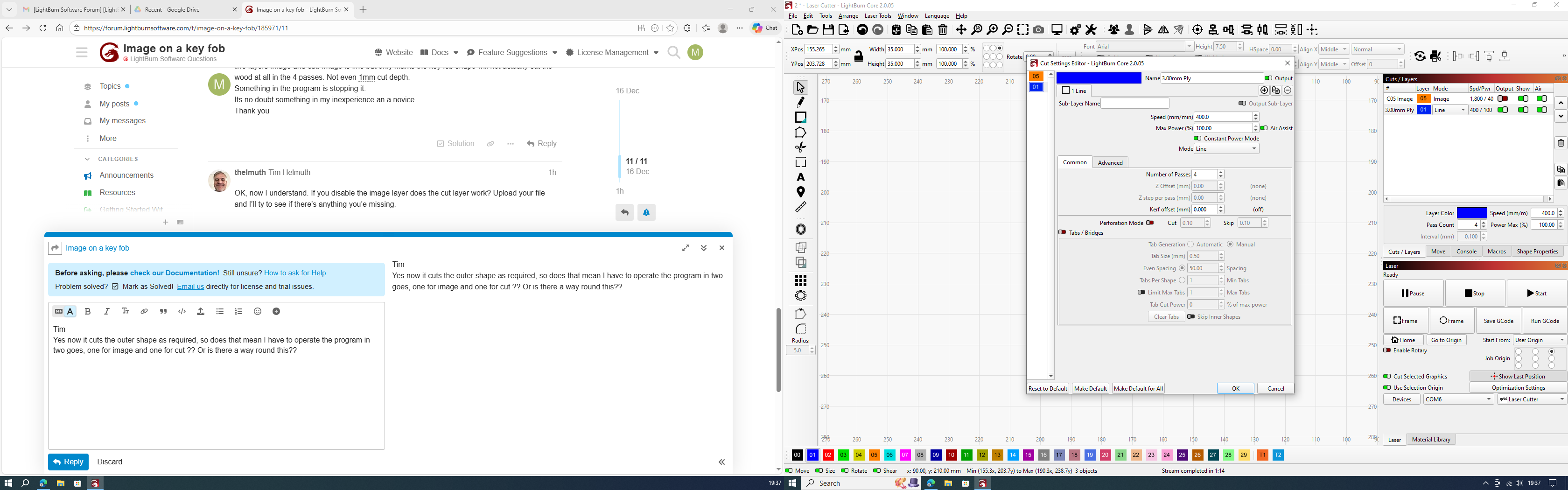
You didn’t change any settings other than to disable the image layer? Something is not adding up. It shouldn’t make a difference if the image layer is on or not. Unless… the engraving is somehow overheating your laser module and it isn’t able to output enough power for the cut.
Try this, do the engraving and when that part finishes hit the pause button in lightburn, take a 30 minute break then resume and see if that makes a difference. If it works then, I think your laser module is overheating. Not even sure that’s a thing, just guessing.
You have “Cut selected graphics” on. That means that your laser cuts only the parts/ layers you have selected. Turn that off and it will process all layers and cut as intended.
On my work, Cut selected Graphics never gets turnrd off.
Is it possible only the image is selected and not the cut-it-out layer?
You have to turn it off yourself. When it’s on, what ever you select on the canvas is what is sent to laser, everything else is ignored. Try deselect everything by clicking outside the drawing and you will get an error message saying you have it on, but you haven’t selected anything when you try to run the job.
Here is the explanation what the option does and how to turn it on and off:
How are you selecting the thing to engrave? Are you using a right to left drag box (green outline)?
If you are just point and clicking, you are not getting the results you want because you are missing the selection. Try using the lasso and let us know how it goes for ya.
I’m pretty new to all this but on 3mm plywood I use 700mm/min at 70% with 5 passes to cut out a keyring successfully.
Hey Steve to be able to help properly could you please upload the file …
….directed at the wrong post. Sorry bout that buddy.