If an image pixel measures 0.26mm in height(y) and a laser dot measures 0.1(y), with a line interval set to 0.1 will result in 2.26 passes to accurately mark the pixel.
How does lightburn account for or deal with the (.6mm) of that pixel and the one above it which may be a completely different colour and duty cycle %.
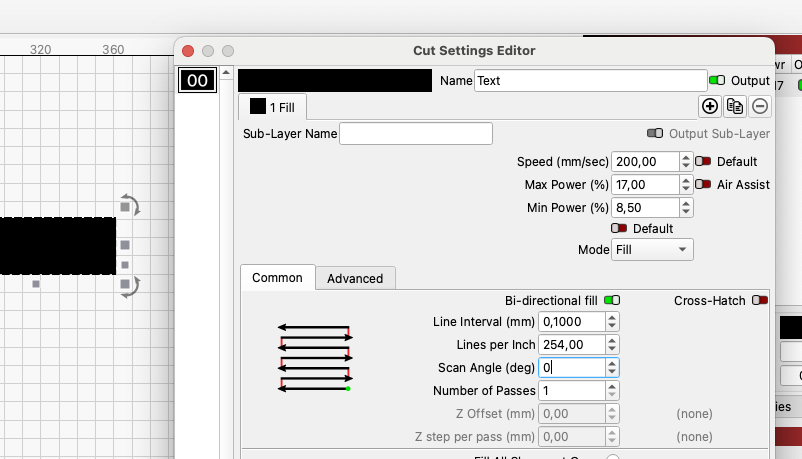
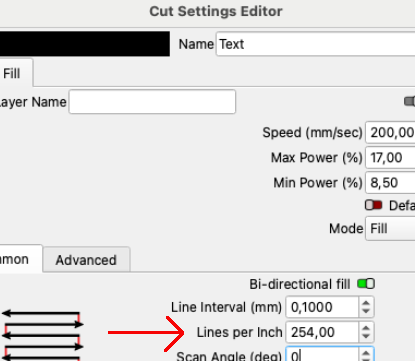
It is up to you to decide the lpi, i.e. with which overlap you want to engrave. I use for example 256 lpi which corresponds to 0.1 mm line spacing, then I get efficient engraving without too much overlap but also not with space between the lines. These are of course rounded numbers, but they should stay within reasonable limits.
I hope I have understood your question correctly.
In a perfect world, this happens by using exactly the right focal point. If you slightly vary the height of the focal point, the options and results can be countless.
Thanks all, I’ve been doing some hard study over a few days on greyscale and that question seemed sort of unimportant but refused to go away. I was zoomed in measuring pixels and trying to find the best Li and power for this birch ply for a portrait image with shades and highlights in beard and hair. Moving between 0.244- 0.104 and as far as 0.91 Li and getting very varied results but loosing and gaining certain qualities with each correction, going from detailed sketch with good contrast to almost photographic but less fine detail in places, and also trying to get the most shades of gray possible with also the sharpest blacks. I’m also running the image twice or more with settings to focus on various shades per run.
Also can anyone remind me of the name of the English chap that does those excellent videos on dot dimensions-Li and dpi, I mistakenly wiped out all my saved pages on my phone a few weeks ago and can’t remember how to find him again . He’s often mentioned here on the forum.
I think one of us is off in the math. An inch conversion uses 25.4mm/inch. If I set mine to 254 dpi, I get an interval of 0.10mm. 256 gives me an interval of 99.22 dpi.
One of the best videos is from Laser everything. I suggest you watch it.
If I remember correctly, it covers what you want including a talk on how to use dot width with the creator himself.
I am referring to lines per inch and Line interval in mm from LightBurn’s Cut setting editor, I have not referred to dpi and am also aware that there is a difference.
Your screenshot says what I though I stated.. I don’t think we’re communicating and it isn’t worth the time, as I’m sure whatever you’re referring to is likely correct.