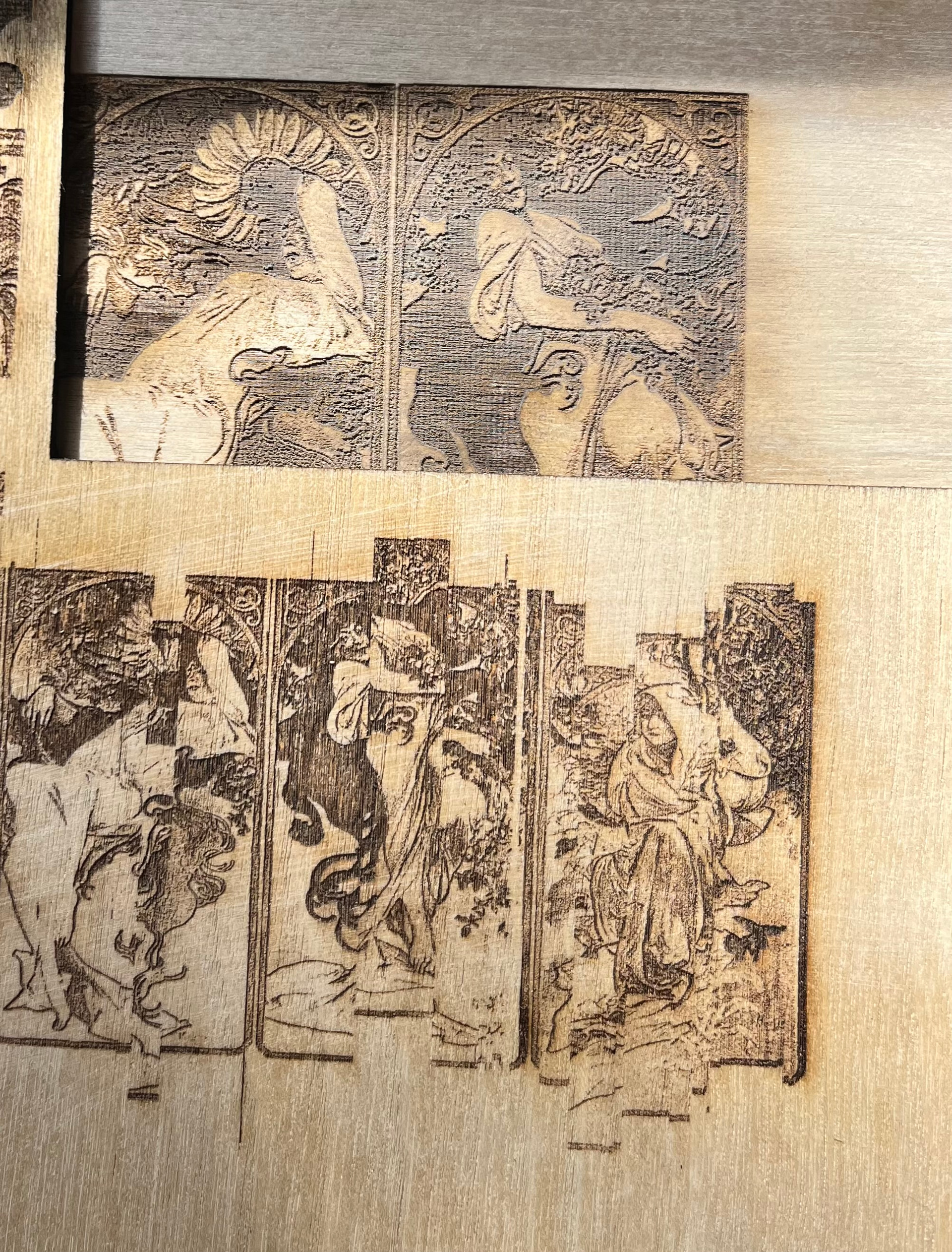
So I have browsed through the archives and didn’t manage to find anything that sounds exactly like the issue I’m having. Details below:
Machine: USB 5B3R
Lightburn version: 1.71
As pictured at the bottom of the image below and hinted at by the title, my laser has these strange shifting errors whenever I send the file to the onboard controller first (Pressing the send button on lightburn, then framing and hitting start from the machine compared to just hitting play on lightburn.)
I have tightened/checked my belts, and checked/cleaned all rails for debris so I am sure its not that. I have also tried several different USB cords from different vendors (Best Buy, Walmart, Amazon.)
My question is why does this happen? Is my onboard controller misconfigured or corrupt in some way?
Hey Mikey, so this isn’t a diode. The machine I listed in the post (USB 3B5R) is CO2 Laser. I guess my profile still has my old laser.
It is not mechanical. I promise. I’ve gone all over the belts. I can run the same image directly from lightburn and get no issues, but when i send it to the machine first it gives me the weird shifting.
Yup! Okay, does it have the Ruida controller? If so, the reportedly do strange stuff when the memory is full. Delete some stored files? I am just repeating what I read.
846 DPI is not possible unless you’re using a fiber laser. A CO2 will never produce a spot that small, and it’s possible that’s contributing to overloading the controller. If you’re using compound lenses with a really short focus distance, you might hit 500dpi or a little better, but not much.
Try running 300 to 400 DPI and see if the controller handles the load better.
It was 100% the onboard memory. I bought the laser off a friend and all of his old files were saved in the on board memory. I deleted them then I spent all last night running tests and it works flawlessly wether I send the file or run it directly from lightburn.
Thank you for the advice, it was driving me crazy.