I have drawn an image and shaded it in Mastercam and saved it as a DXF vector image. When I import the DXF file into lightburn, it automatically gives it a zig zag patter when going from one line to the next. I have attached two pictures to show the before and after. When this file is burned, it does not look uniform because of the overlapping lines. Please let me know if there are settings to change so that it only burns the vertical lines. Thank you!
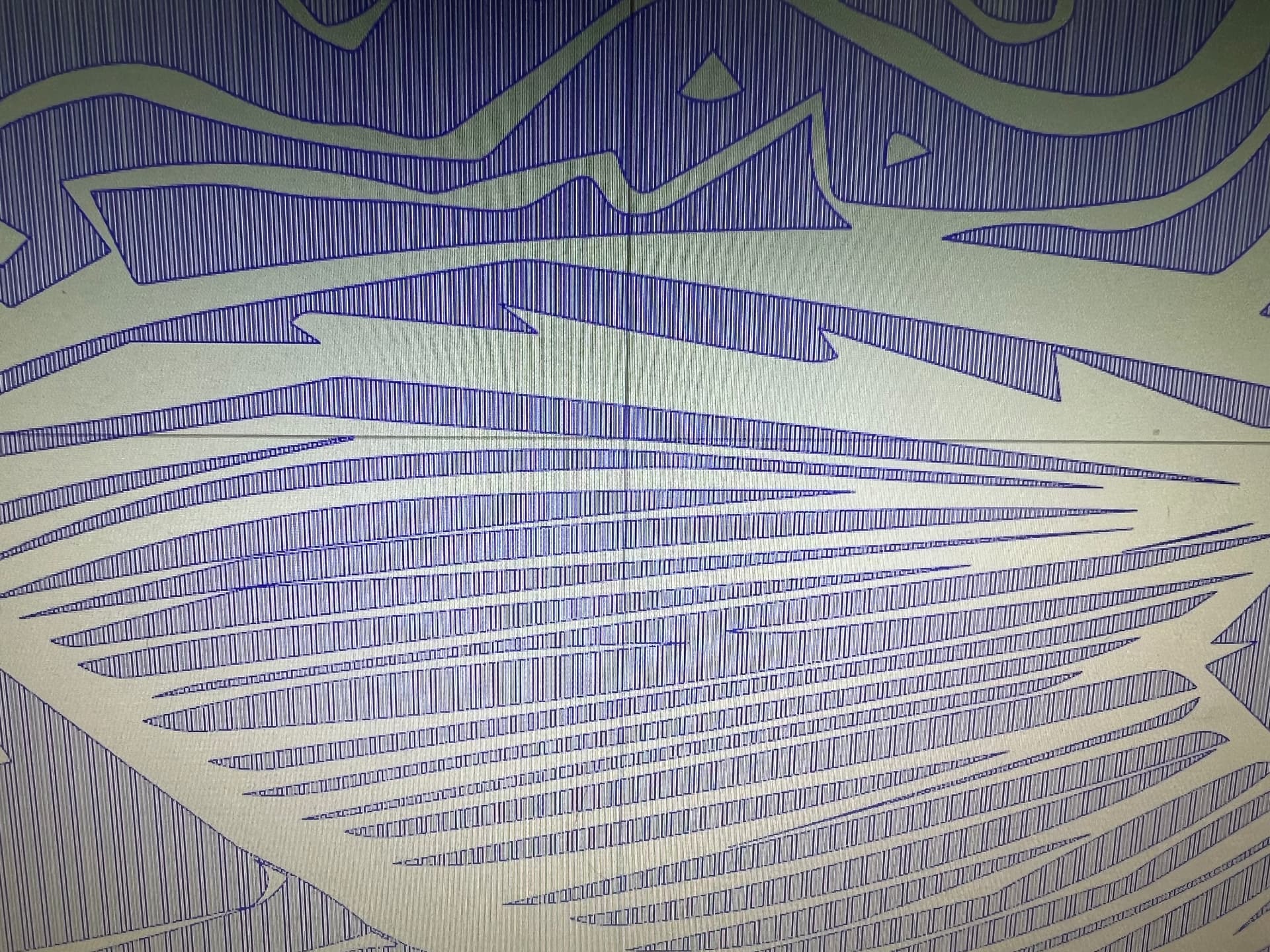
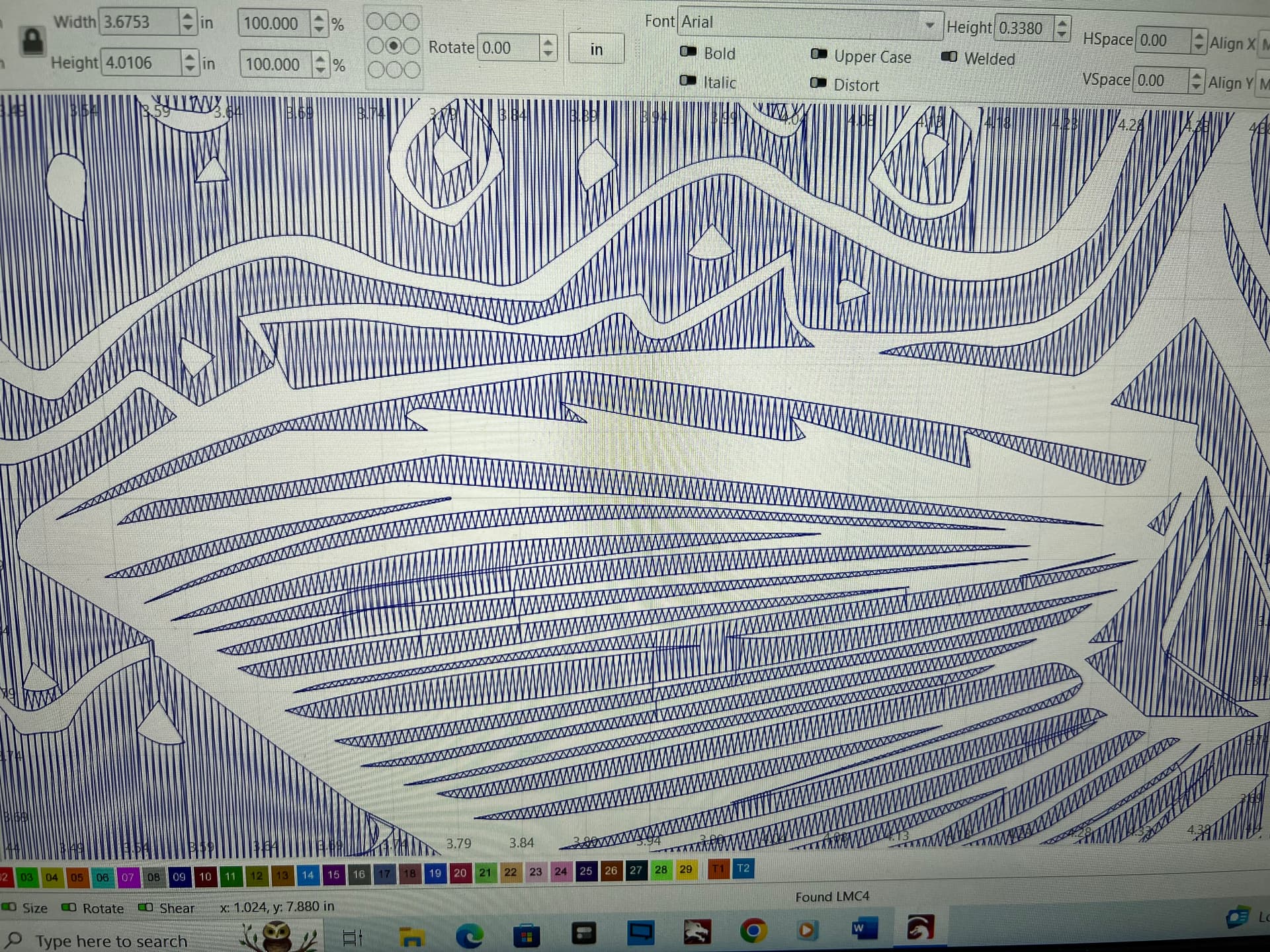
I wonder if this is a case where the imported file has not-quite-adjacent line segments turning into separate shapes.
If so, then embiggening the Auto-join tolerance may help:
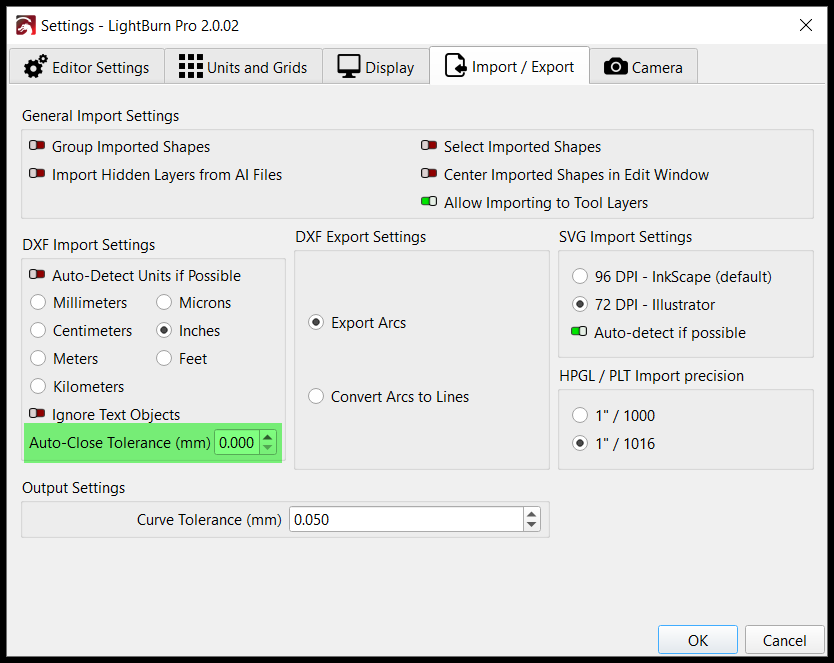
Ah!
So the trick is to not join the line segments resembling skinny rectangles, leaving the vertical and perimeter lines as separate lines. The perimeter won’t be closed, but that doesn’t matter for a non-filled design.
I misunderstood the original image: ya learn something new every day around here!
The vertical lines most likely do not form vertical rectangles. In CAD, it is a hatch pattern of vertical or horizontal lines, or they can be crosshatch at any angle. The perimeter shapes can be auto joined in LB if they aren’t connected in CAD. Most likely they were connected in CAD.
This topic was automatically closed 30 days after the last reply. New replies are no longer allowed.