I am a NEW user to lasers and Lightburn. I have an Omtech co2 laser. I am having difficulty importing pics/files of patterns to Lightburn that will be read by the laser. My patterns require to have interior cuts as well as cutting an exterior shape. When I import a pdf, Lightburn only fives me the option of “Image”. I cannot get it to cut. Any suggestions?
Does this apply to all PDF imports?
Did you try to Trace Image to convert it to a Path.
Image: Laser scans back and forth (raster) to reproduce the image.
Path: The laser follows the lines of the drawing.
Yes, all pdf imports. I can do “Image” only.
“Technical drawings” must be saved “specially” if pdf is used as the file type. Can you post an example here? (change the pdf extension to txt to post it.
You can try to import my file and see if it is a different / usable pdf format to be read by LB.
Puzzlebox.txt (13.4 KB)
1 Like
I’ve unsuccessfully attempted to post my file here as you suggested. What do you mean by saving a pdf “specially”? What I’ve done is scan a pattern into my computer and saved as a pdf. Is this wrong?
Your file opens up as total gibberish.
ok, the txt ending must of course be changed to pdf again to work, I thought it was known, sorry.
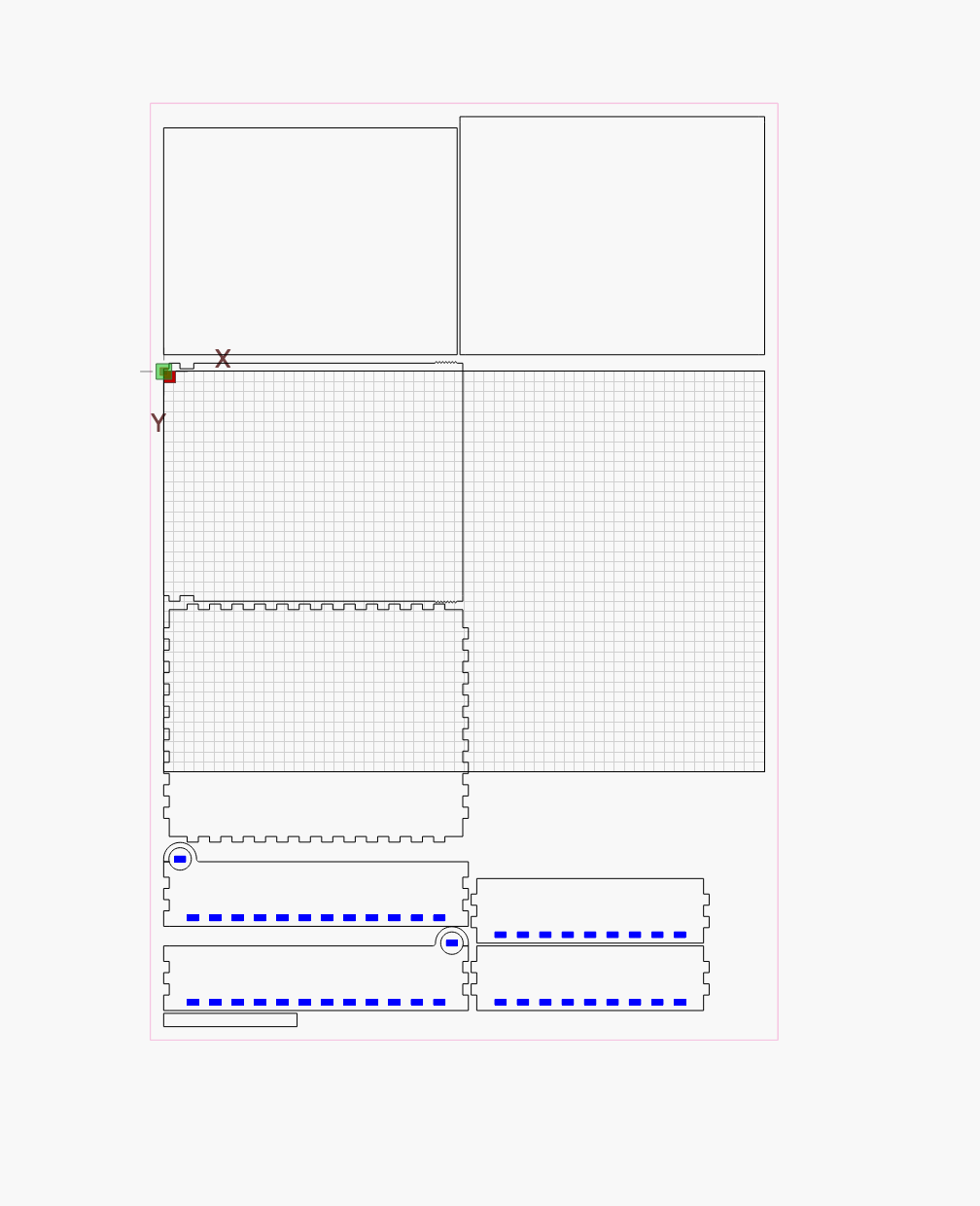
the result should look like the picture, I downloaded it myself and changed the ending and imported it into LB
PDF files can contain text, vector, or raster data.
If, for example, you make a new drawing in Inkscape and save it as a PDF, it’ll be pure vector data and LightBurn should treat it as path-type data.
On the other hand, if you use a scanner to scan a document to a (usually crappy, fuzzy) PDF, the file will just contain an image and it’s placement. LightBurn would have no option but to treat it as an image.
(I haven’t generated any pure text PDFs and loaded them into LightBurn, but I imagine LightBurn would treat the text objects as text, and hopefully you have the corresponding fonts loaded.)
If you try to load a PDF and you can only treat it as image data in LightBurn, it’s most likely because it’s raster (pixel-style) data in the PDF and not vector (path/shape-style) data. If the source of the PDF can save/export a new PDF with vector data, that’s ideal. Otherwise, you just have images with inconvenient file formats.
3 Likes
1 Like
I you used a scanner, you certainly have image data, not vector data.
When I’ve had hardcopy of plans I want to cut, I’ve generally resorted to using Inkscape to manually “trace” the design. (LightBurn would likely work, too, but I consider Inkscape better for node editing.) For some plans, this is straightforward. For a TSO Fan Club tour T-shirt, I spent a few days meticulously tracing with the spline tool to create a vector file I could use in LightBurn, but the resulting laser-engraved travel mug made my wife very happy.
1 Like
Thanks everyone. I guess that I may have been mislead. This clears up alot for me. I’ll check into Inkscape to create a vector file.
I remember that posting. I bet you are still getting points for that one. 
I do a lot of scannings, and hand tracings with a lightpad, so I use the Offset Shapes tool to smooth it out if needed.
May I ask why you are taking this “detour”?
Is it really not something “we” can handle in LB, let’s take it as a challenge 
1 Like