In Lightburn for galvo is there ..a way to pause then shut off laser, then…continue the next day on a really long 3d slice in Lightburn after you turn the fiber laser back on?
I”m still running version 1.4, I don’t think you can do it via software, but I’d wait until I hear from one of the Lightburn people such as @Aaron.F.
I think the control board looses all of the information and I don’t know if Lightburn could determine where to start it back up.
Most of these control boards hold mB of information, so I don’t know how you could restart it after a power fail or shutdown.
My Ruida can recover, but I don’t think you can with these. Maybe @Aaron.F will prove me wrong.

Does your fiber laser have a separate power button for the laser source? (For example, a three-stage system with emergency stop, system power, and laser power.)
If it does, would pausing the machine then shutting down the laser but not shutting down the machine (or the computer with LightBurn) be an option? That could safe the system but keep the job in a resumable paused state at the expense of just a bit of extra energy use in the interim.
That’s correct. LightBurn is streaming those jobs to the Galvo controllers over USB on the fly. Unlike RuiDa controllers, we can’t store the entire job on the board.
Thing is, if you pause a job and power-cycle the laser, LightBurn needs to reconnect, and this only works if you stop the job first.
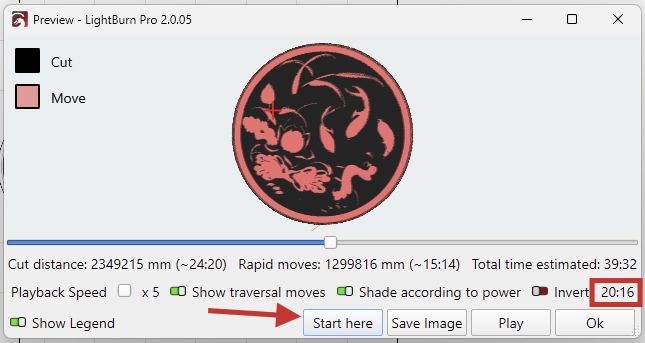
This here also works for Galvo lasers:

There’s no “automated” feature for this, but if you note the exact time when you press stop, you can move the slider in the Preview and start from there.