JoeSpanier
September 20, 2026, 4:42pm
1
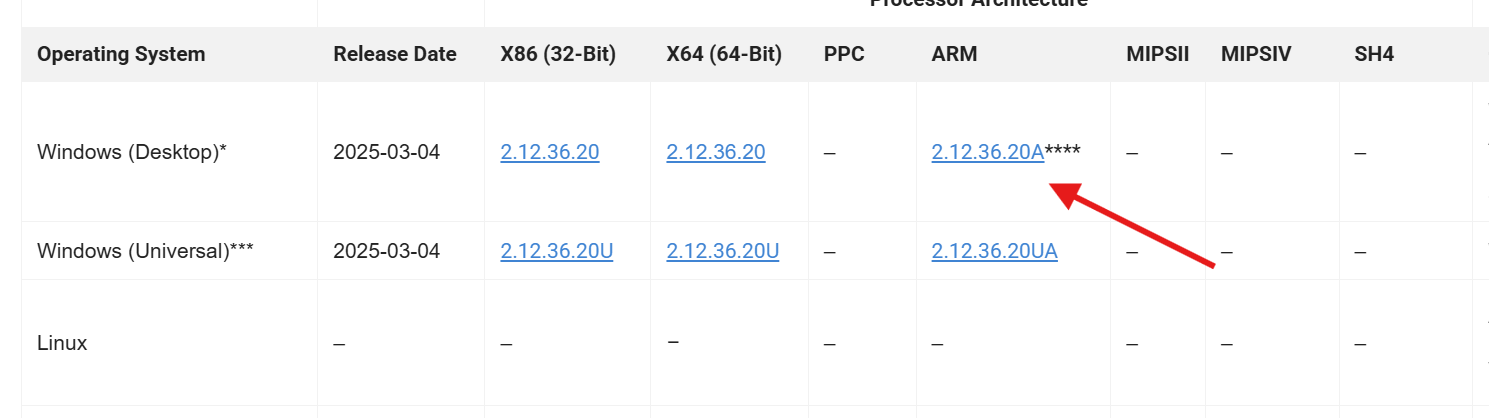
Download the “Windows Desktop” Driver here in the “ARM” Flavor:https://ftdichip.com/drivers/vcp-drivers/
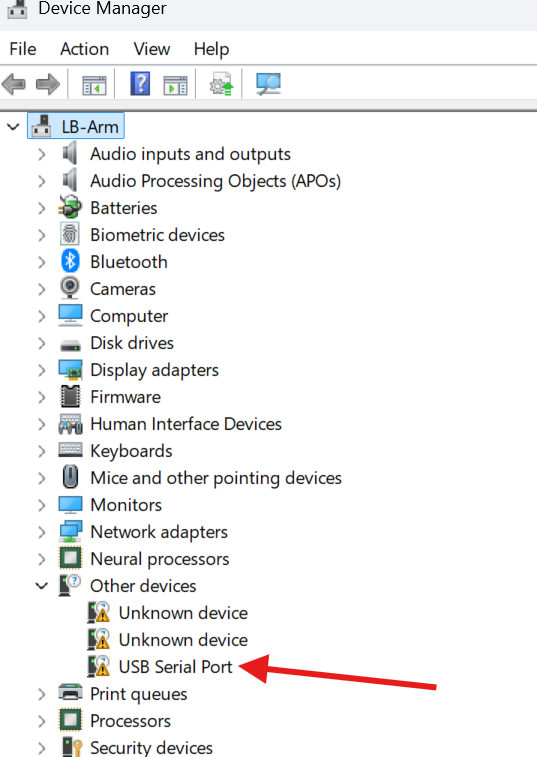
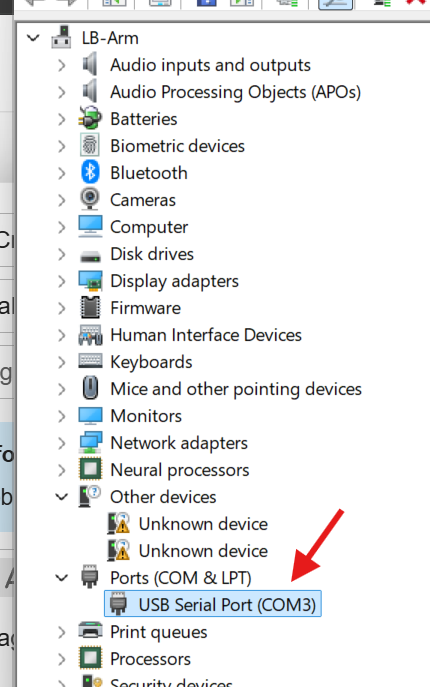
Next Open up the start menu and type in Device Manager, open it and Plug in your laser. The uninstalled port will show up:
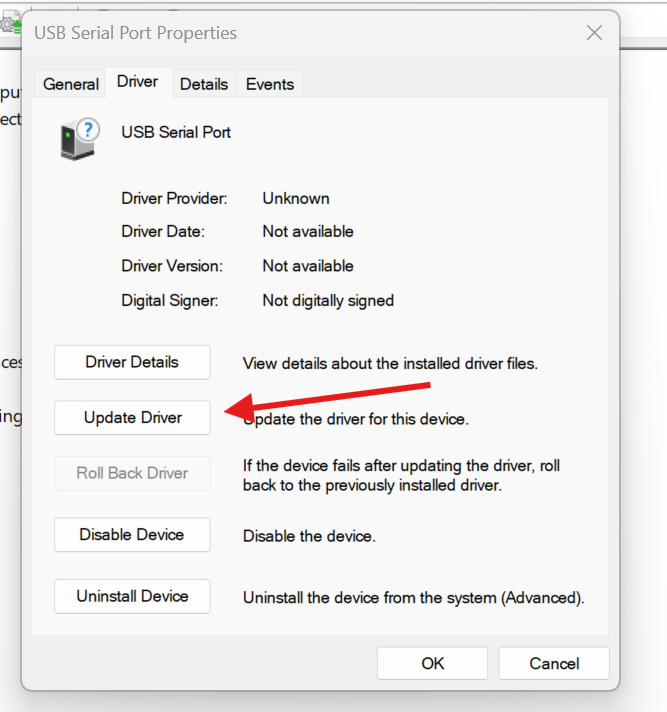
Double click and go to the Drivers tab and click “Update Driver”:
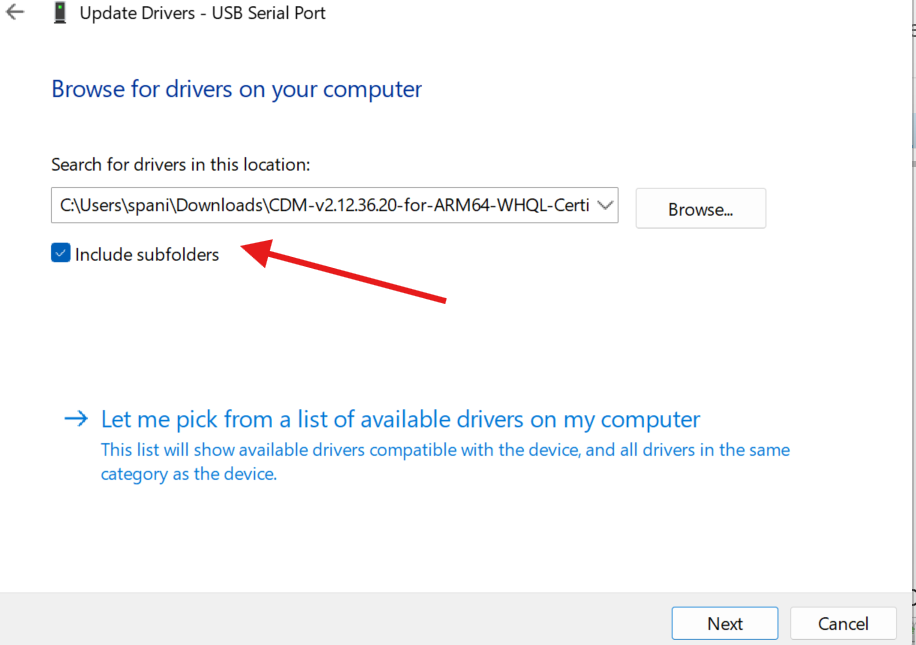
Click “Browse my computer for drivers” and Find the folder you just downloaded. Make sure it’s unzipped if it still is, and check “Include Subfolders”
Then click Next
The laser will then show up as a normal Com port and will work in LightBurn as expected.
bernd.dk
September 20, 2026, 4:56pm
2
s and LB, so I have to use Windows until an ethernet adapter comes to my Macs.)
Thanks
MikeyH
September 20, 2026, 8:51pm
3
Win10 and Win11 here. Tell the Dr. about your pain…
JoeSpanier
September 20, 2026, 8:51pm
4
This is actually in our docs now too. There are arm drivers for Ch341 and 201 as well as libUSB.
We are there’s still no driver for BSL based lasers.
 …I could have used that yesterday, it took me a long time to reactivate my old Windows PC
