Hi again, I do not understand the use. There is three places I can invert . I always do wrong. Please tell me the right. I lost many slates.
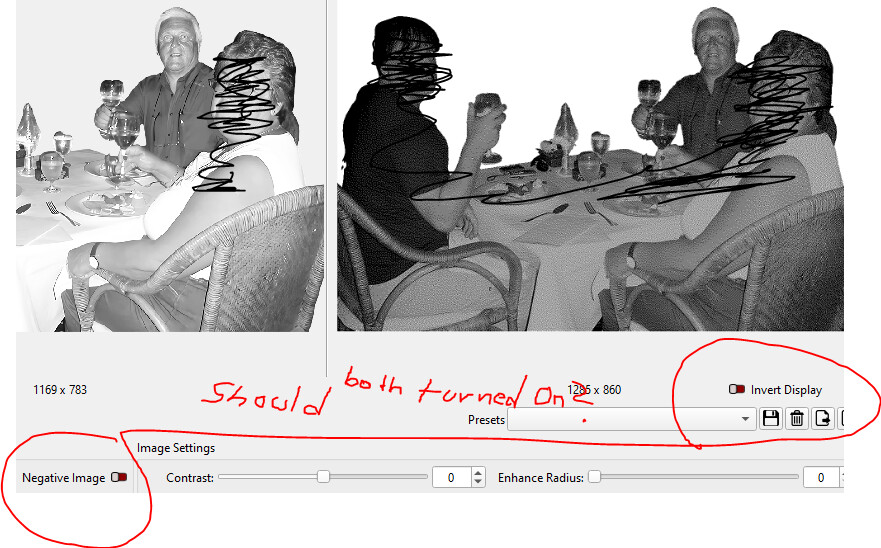
The original source image is displayed in the top left of the Adjust Image window. The result of your chosen settings is displayed as a processed image in the top right.
You are able to invert either to see what it would look like engraved on a black surface.
1 Like
Sorry, I don’t understand where to invert the image before engraving. There are several places.
But thanks for your post.
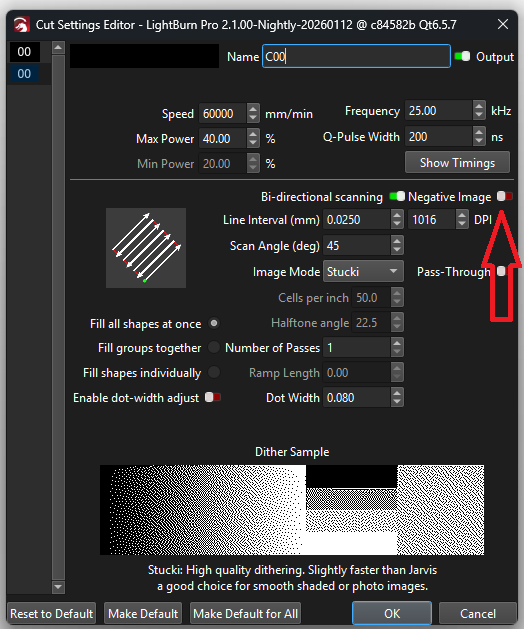
Thanks , I found it. Why so many places? Now I can do it. Thanks
1 Like
The switches in the preview are for use in the preview window only.
1 Like
This topic was automatically closed 30 days after the last reply. New replies are no longer allowed.