I’ve using an OMTech 60W CO2 with an OMTech chuck rotary axis to engrave glasses. When starting the machine I have to “trick” it by putting some metal of the y axis detector in the back corner so the rotary axis will stop rotating endlessly to find the boundary. My issue is the rotary axis has 3 chuck keys on it and sometimes I can’t get one to stop at a good angle to tighten and loosen it (either stops too close to the laser head or too far down for an awkward hand position). I can use the controller to rotate it back or forward so the chuck key is where I want it, but that changes the y axis and sometimes that’s too far for where my template is and thinks it’s going out of bounds. Ideally I’d like to be able to position the chuck key where I want it and then set that as the middle of the y axis.
The simple way to stop that is disabling the Y axis homing switch in Machine Settings. It’s in the Vendor Settings group with a warning about not making changes.
Protip: Before you make any changes, save the current settings in a file named Linear. After you disable Y axis homing, save those settings as Rotary. Then you can flip between them by loading the appropriate file.
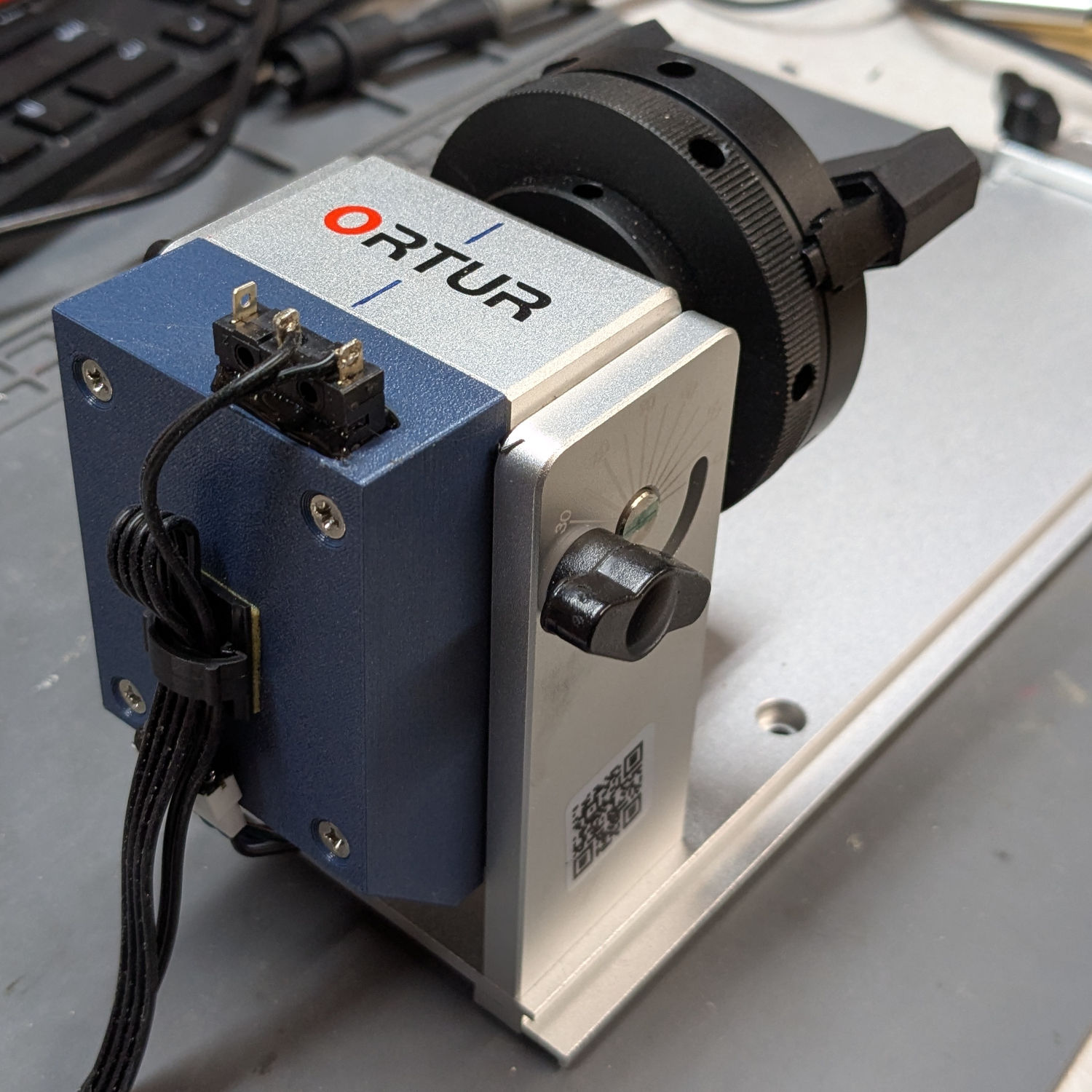
The complex way is to put a home switch on the rotary, then twiddle the Y axis homing configuration to put one of the key sockets where you want it. I crawled through that process with a little Ortur rotary on my OMTech and ended up with a checklist to ensure I don’t forget anything:
Protip: Make backups of the Linear and Rotary files, because you will inevitably overwrite one with the other. 
I am most likely doing it wrong, but here is what works for me:
When re-set (or "home"ed) - The laser head moves to home on the x axis. I manually press the Y homing switch. I move the rotary by hand to fine tune the alignment. The software thinks the rotary is still at the home location, and I have moved the rotary where need it to sit for my project.
Test the frame and make adjustments as needed.
Something you can try is, after the X axes home, press the <esc> key on the machines console. This will stop the homing operation and the machine won’t know where the Y axes are.
If you have to rotate it to a bolt location, to tighten it, then homing it to that location won’t be of much use as you’ll have to rotate it to the next spot to tighten that bolt.
I do it this way, so it’s my opinion, nothing more. Set the start from and job origin as such. You also have to move the rotary where you want it and set the origin on the machines console.
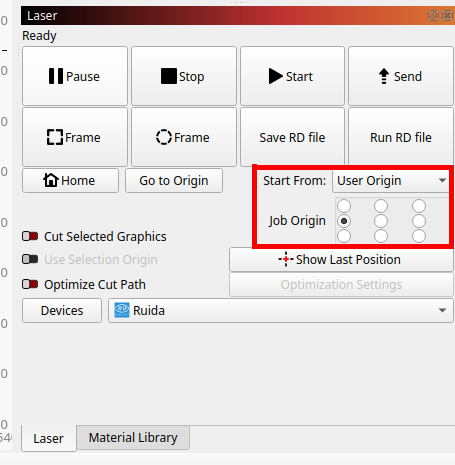
This applies to both axes. If I have a logo or something else, I put the mug in so the logo or whatever is centered with the machines X/Y axes.
I know everyone’s going to drag me over the coals, but for the last 5 years or so, I just hot swap the rotary from the existing Y axes. I’ve keep an extra motor driver around, just in case… I know it’s against the rules, so, sue me… 
Good luck…
