hey guys I distinctly remember inlays being on millmage , yet I just want to do a simple v carve of no.s of a wall clock ? cant this be done on millmage?
Inlays and v-carve are 2 dIfferent modes, so not sure which you want.
Inlays - It was temporarily pulled for final tuning. Will probably come back in an update.
V-carve - This is planned for release when the PRO version is issued. No projected date has been offered.
There is an operation, can’t remember the name, that cuts along a path but varies the enter and exit depth. You might try that one.
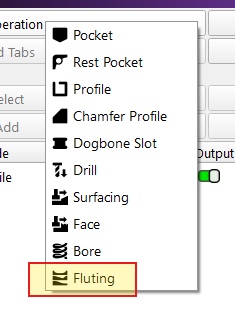
ok so what your saying is if I want to carve say a clock face I cant till the pro version is out .? until then no v bits on mill mage!
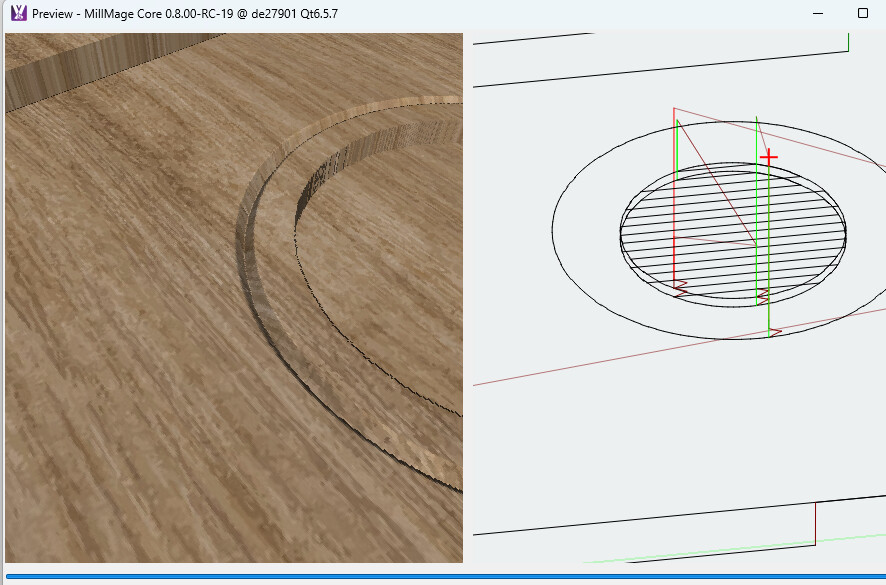
You can use V-bits to some extent - might be difficult to see here, but the outer circle is a profile with a 60-degree v-bit that only goes down 1 or 2 mm… so you can do some decorative work.
You can also experiment with single-line fonts to get something like this:

1 Like
thanks David
You can do a lot more too. @LightBurn showed a stunning image with some really fancy engraving just using the Fluting operation, but I suspect it was very labor intensive. The Flute is a ramp in - ramp out, so I am guessing there are a lot of line segments with individual Fluting operations. Just guessing here because he apparently missed my asking for the file. Or embarassed because I caught him showing off 

Just did some fooling around. Made a pocket cut, followed by a Flute operation. To cure the in-out ramp. I duplicated (not copy) the letter, and flipped it horizontally so the Start Point would be in a different location. Then that one got a new layer and another Flute operation added.
The end result was that the ramps were removed. Not bad for an old geezer, right?
Quasi V-Carve.mage (23.5 KB)
P.S. I owe someone an apology. I now see that being able to move the Start Point (green square) in MillMage with Node editing is both useful and desirable.
great , ive never known how to , still learning the quasi v carve I see it looks like you’ve gone clockwise for one and anti clockwise for the other ? eliminating the entry and exit carve by overlapping!!! have no idea how thats done as theres no real start and finish direction there?
also says 2” wide or long yet covers the whole line??
Duplicated (CTRL-D) the “A” outline and flipped it horizontally. Then I made it a second Flute operation.
To be honest, that “A” was NOT symetrical! I had to Node Edit to get it to lay on top of the first one. 
I am not sure what you mean because all my settings are in mm. Flute has no line choices like inside or outside, so it just follows the outline on the line.
Hope this helps!