All the icons and menu bar are large on my screen. How do I correct it to the original display
Edit > Settings, then to the Display Settings tab.
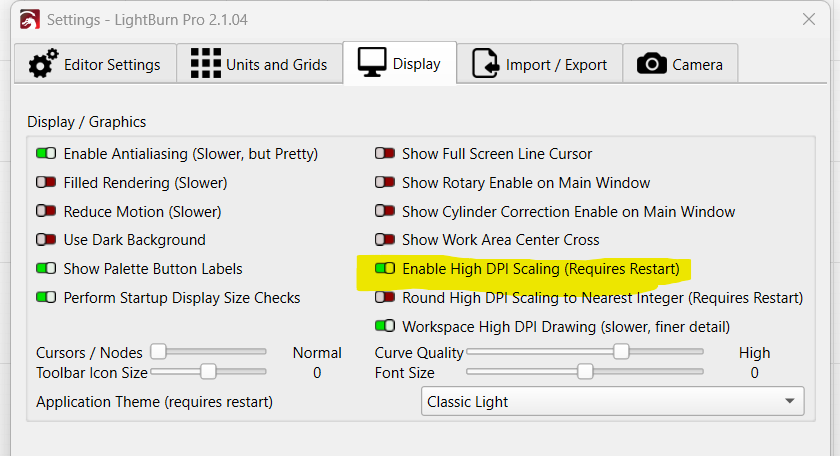
First, if you have a high resolution screen, make sure “Enable High DPI Scaling” is on, and turn off “Round High DPI Scaling” under it (you have to restart the app if you change these).
Then go back to that screen and adjust the ToolBar Icon Size as needed.