Hello,
I am sure this has been asked, but can’t find a satisfactory answer. So, apologies.
I am actually having 2 separate issues. I am using a Snapmaker 2.0 20 Watt.
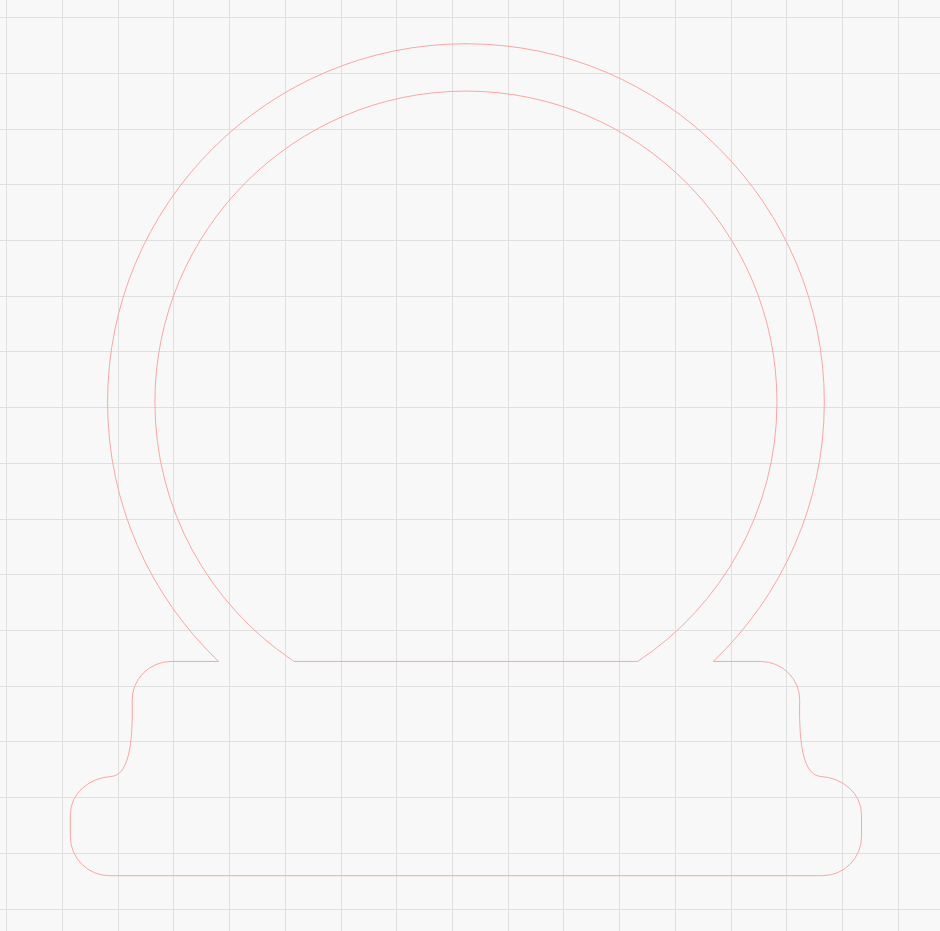
First, the laser doesn’t cut the entire shape. I have had this issue before, when I try and cut 2 identical shapes on the same layer. I finally just gave up and I create a different layer for each shape, but would love to solve it finally
Globe.lbrn2 (15.5 KB)
. Today, I saw it for the first time on the same shape. I am trying to cut this snow globe out. It cuts the inside circle, then the laser shuts off and it only runs the border of the outside circle, I cannot get it to cut the outside circle and because it is a single image, I can’t separate it isn’t 2 layers.
Second issue, probably specifically with my Snapmaker. I just downloaded the Lighburn 2.0 update and I no longer have a turn the crosshairs on button in Lightburn for my Snapmaker.