Hello,
I need some advice. I don’t know what to do anymore.
I have a Gweike Cloud Pro II laser, 55W with ruida. I controlled the laser via Lightburn from my Umax VisionBook 13wr laptop. No problem.
I didn’t use the laser for a while and when I got back to it, my laptop was dead. So I temporarily connected the laser to my older gaming laptop. I installed lightburn, FTDI driver and got to work. But I found out that the laser somehow ignores my power settings. The material test only showed changes in speed. Previously, my laser did nothing at all under 20% power. I cut 3mm plywood with a setting of 20mm/s, 65% power, 2 passes. Now I cut it with 40mm/s, 1% power, 1 pass. So the laser apparently ignores power and keeps burning at 100%.
I’ve been struggling with this for a long time. I don’t want to believe that the problem is in the laser. Finally things got back to normal after reinstalling lightburn. It worked for one day. Two days later the problem came back.
Now I have a different laptop. Lenovo ThinkPad T490. I installed lightburn and the FTDI driver, again. I connected to the laser, created a device, set the essentials. I did a test. Square, fill, 200mm/s, 45% power. Then 30%, then 5%. Everything the same.
In the meantime I calibrated my camera. During the calibration the laser burned April tags on my plywood. Same settings. 200mm/s, 45% power and it looks absolutely different. Beautiful surface engraving. I tried it again. I reduced the power and the engraving is lighter. But I open the project, create a square again with absolutely identical settings, speed, power, LPI, offset… and the laser burns through half of the plywood.
If you start by rejecting the most likely problem, it’ll take much longer than you think to find the problem.
The high-voltage power supplies driving CO₂ laser tubes have a disturbingly common failure: they ignore the signal that’s supposed to enable / disable the laser tube current. That’s not quite what’s happening to your machine: it’s ignoring the signal controlling the power and jamming the current fully on.
Unfortunately, the only way to verify the problem is to replace the power supply and see if the situation improves.
If the machine is under warranty, now’s the time to get a claim underway; they may fuss about it, but you have a fairly convincing case.
If it’s not under warranty, the Geweike machine looks compact enough that a generic HV supply won’t fit, so you’re dependent on them for the replacement.
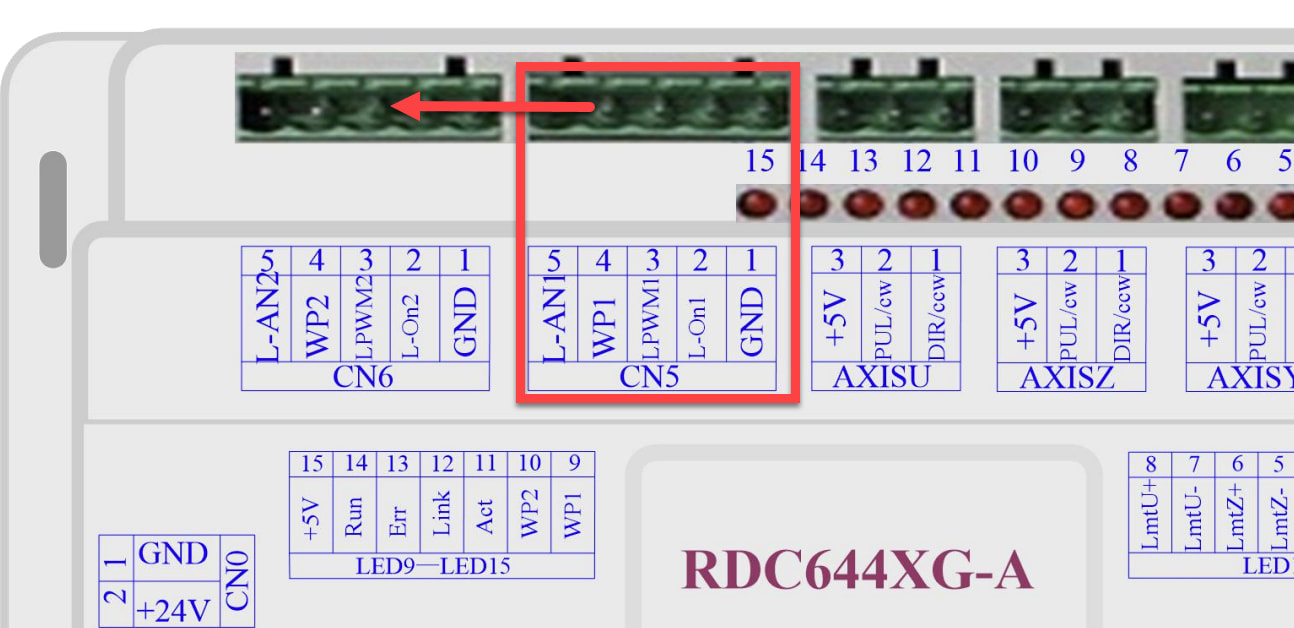
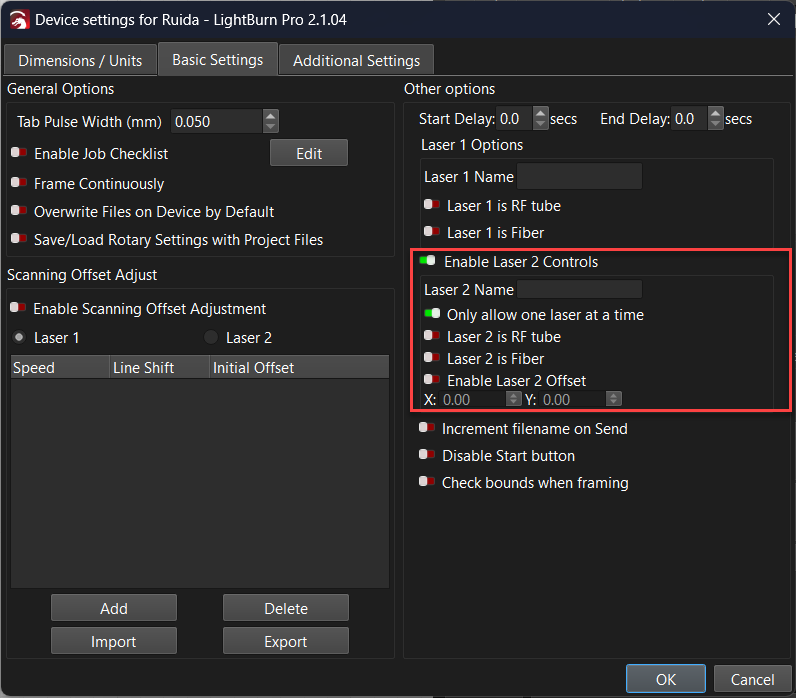
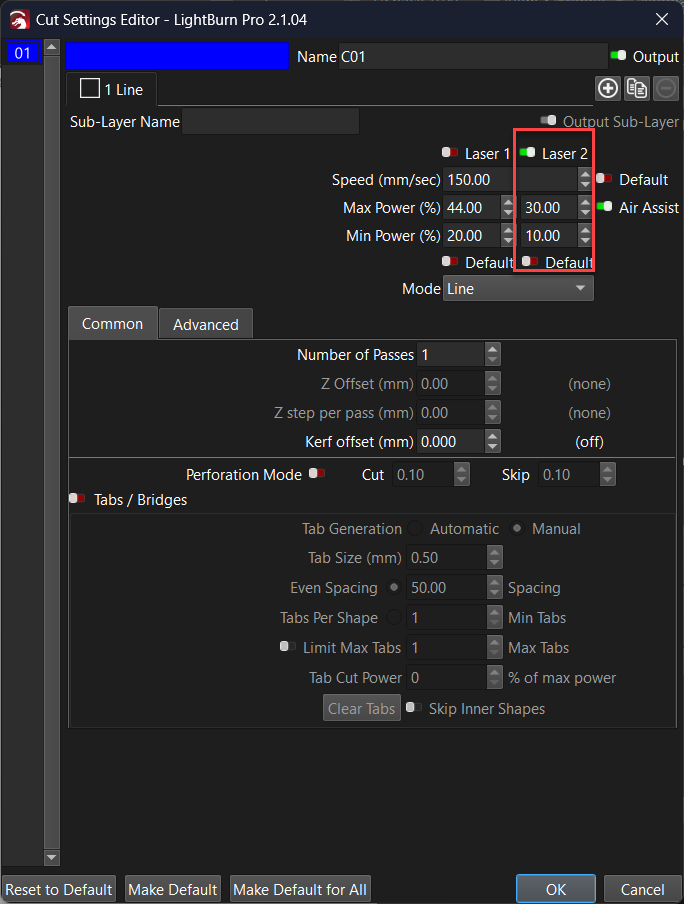
Before you do that, try using the “Laser 2” output in LightBurn, and move the wiring plug to the second (spare) signal output socket on the controller. The problem may be limited to the ‘CN5’ laser power signal interface.
Okay then. I’ll try replacing it. The device is already out of warranty so it’s up to me. I ordered a replacement power supply. I should have it within 2-7 days. Hopefully. I didn’t take the original gweike replacement. €250 + VAT + customs, delivery time… I ordered a cheaper and supposedly more reliable Cloudray. It doesn’t match in size, but that’s probably the last thing I care about. Either I can somehow rearrange it inside or, in the worst case, I’ll set up an external location. Maybe that would be ideal because I don’t think it’s appropriate to have a power supply and a pump with a coolant tank next to each other I just hope it really solves the problem.
Do an outstanding job of connecting the power supply case to the machine frame, because that safety ground will be the only thing saving you should the cathode wire break / disconnect.

 I just hope it really solves the problem.
