hello, my machine is connected, switched on, and the screen i see the name of the machine. but i see that under the word Laser it says - “Disconnected”.
i also would like to ask who can give me private lessons. i need help
Hi @aviva
Has this xTool laser ever worked with LightBurn or are you still setting it up? Couple of things to try.
- Make sure that the xTool software is closed fully and not running a background task and holding the port open to your engraver.
- Find the laser window in LightBurn and check the drop down list of COM ports, if more than one shows try selecting each and waiting a few moments to see if your engraver shows as Ready
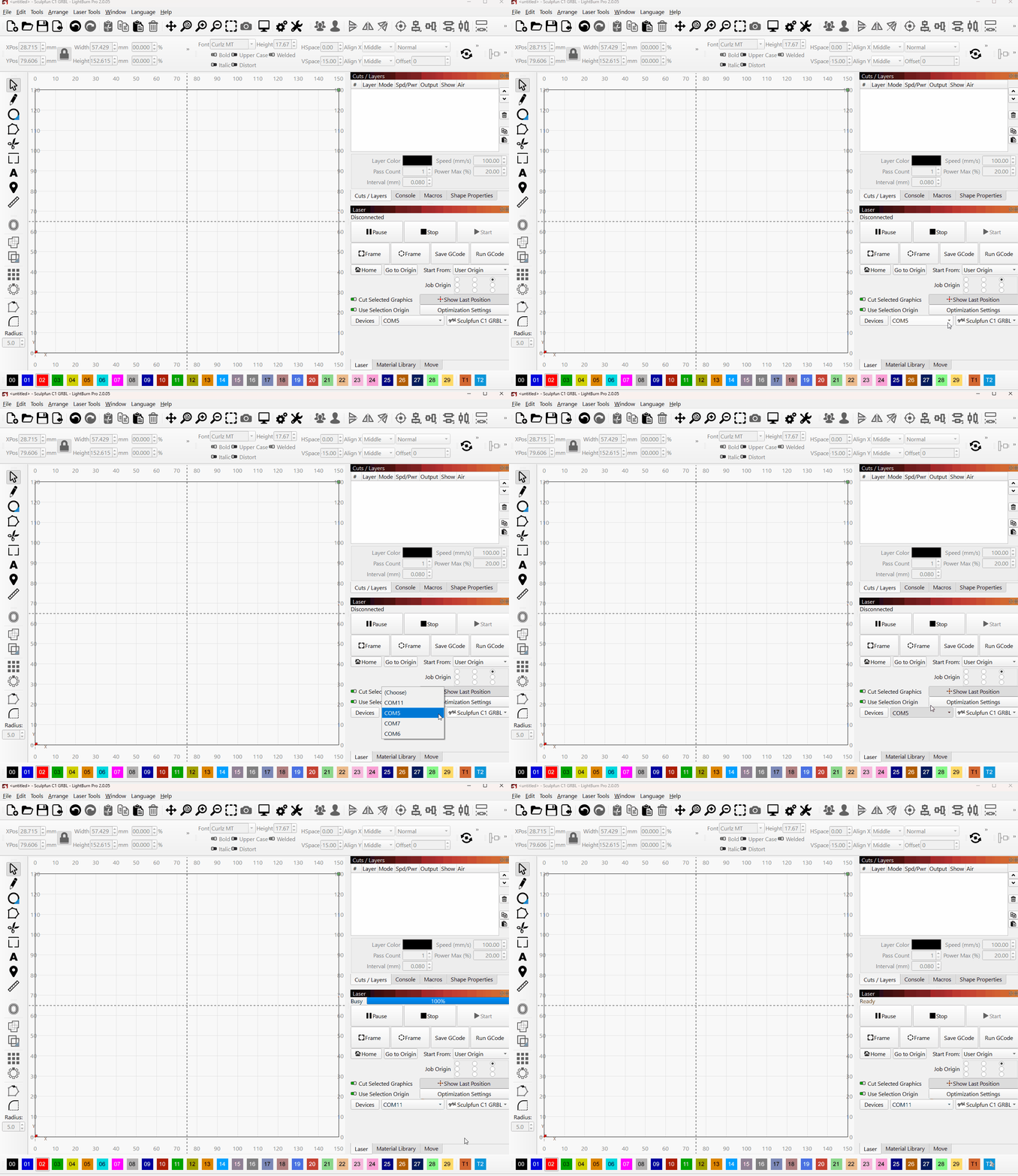
I also notice you have posted this in the xTool category, but it is not clear you are asking about an xTool laser engraver, can you confirm the model you have?
hi, for now it seems fine. i clicked here and there and allowed the software to look for the right device and it found it. now it is ready, and i am happy. it’s the first time that i am trying to set up the device with Lightburn and work on it. i am not very technical, and i really would like to have some lessons and happy to pay for one on one instead of too much struggle… maybe someone can contact me by email - aviva@aviva.me i also not sure how to use this forum… so i am at xTool, which is probably the wrong place. i have a laser fiber 50W, Galvo scanner
I think the best place to get lesson like support is YouTube. I maybe bias as I am a native English speaker and of course a lot of our customers are not.
It is worth checking if there is someone on YouTube you like who is making LightBurn videos and of course there is the official channel.
I work in support everyday with LightBurn, but I still like to watch videos from time-to-time for features and processes I’m not using for a refresher.
The video on Galvo setup are invaluable and I strongly recommend the “First Galvo Project” video
As a great place to start.
thank you. i will try on youtube. i thought it is a better place to find someone who is willing to tutor… it could be a good place to create a notice board where people can find or offer work and lessons etc… just my 2 cents. but i will ask. i am so new at it, and my technical skills are so below average that even the first laser project gave me issues… my job looked like a mirror image… don’t know what i pressed along the way… but i will look for help elsewhere. thank you
Yes, I think we’d be a bit worried that it would seem like an endorsement of the tutors bona fides, which at this time we do not offer any form of certification or endorsement outside of LightBurn support which is exclusively on this forum and by email support@lightburnsoftware.com but is not intended as one-on-one tuition, more a support partnership with a LightBurn customer willing to read the extensive and well written documentation.
One on one tuition just isn’t a very cost effective model. For instance, I know what I used to charge in the UK for training (one on one tuition) and I doubt many people would be willing to pay that for help with their software.
with regards to " my job looked like a mirror image… don’t know what i pressed along the way… but i will look for help elsewhere. thank you"
It sounds like a job origin or start from issue.
You should also check the Galvo specific documentation
for the setting X&Y which can be the root cause of mirroring.