Trying to frame starts the laser even when “Cut selected graphics” is not selected. I’m sure there’s a setting somewhere I’m missing.
Welcome. How to ask for help (<-- click) is worth review.
Please share version of LightBurn, OS and version. Is this for the Fiber you list in your profile?
Please explain what “starts the laser” means in this context. What is your procedure/steps you take? Is this a recent change you are noticing, or is this your first go?
In general, a bit more to help set the stage. 
This is my first go with this laser. I have a gweike Fiber laser now. Diode before.
First time with this new software update. It seems the frame and fire dialog are now in the same place. When I try to frame the graphic to set up my piece. It actually burns the laser and does not frame anything. Here is what I’m doing now.

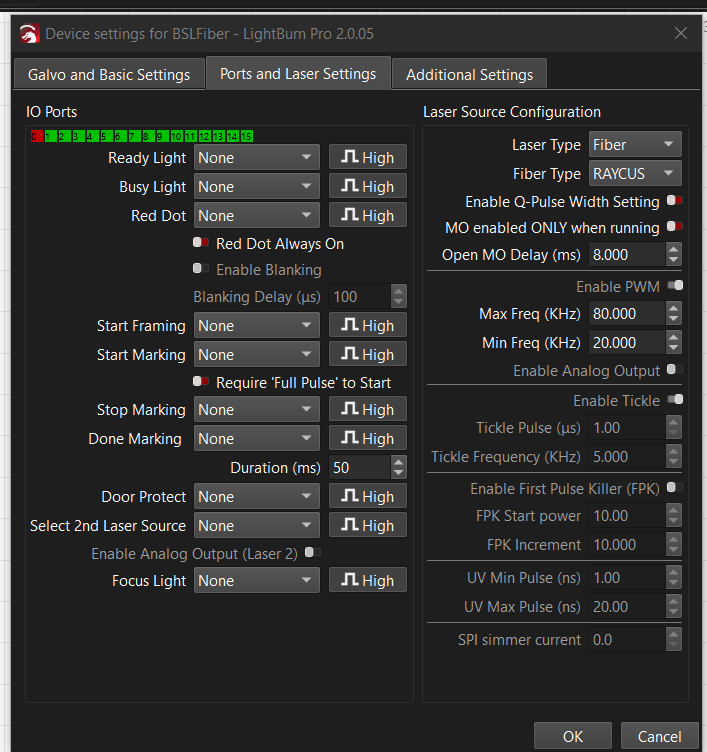
Version 2.0.05
Windows 10
Yes the Gweike fiber 30watt
You mean, the framing preview is that strong that it already burns the material? It is normal that you will see a (red, usually) outline of the project, a galvo is much faster than a diode.
No, it’s just because you are now using a fundamentally different laser system. There is no “fire” for a galvo in that sense, only framing.
As said in the beginning, this does not start the laser, but the red dot pointer. Additionally, “cut selected graphics” has nothing to do with the laser firing or not. This is a completely different function. This just lets you select the objects you want to burn, if disabled, LB will send everything in the workspace.
Melvin is on point.
This docs page explains Galvo Framing in more detail:
I also have a Gweike G2 Pro 20W, using the 150mm lens.
The G2 Pro is a nice machine. Let me know if anything is unclear.
Happy Lasering!