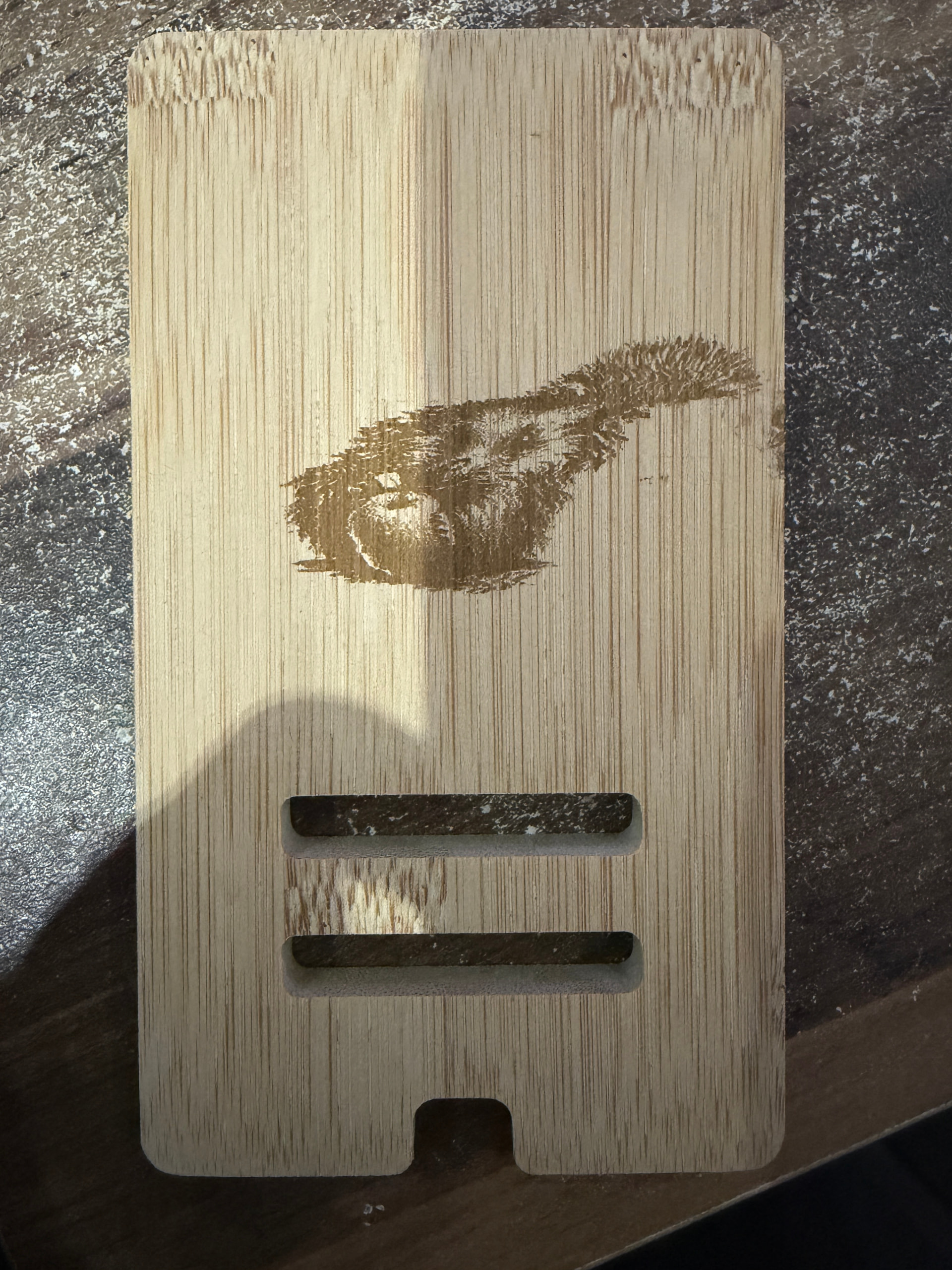
I cannot get any projects to work as they all seem to slip to the right after a couple of passes. Tried on wood and slate. I have cleaned the laser, checked the belt in case it was loose but unsure what to do next
You need to post a photo of your results. We can guess, but it’s much better to have the actual failure to examine.
Tightening belts requires a developed touch. You can’t explain to someone how to do this, you have to get your feet wet.

The next best practice is to slow down. Your laser might have a top speed of 10,000 mm/m but it will be happier at 2000-3000 speed
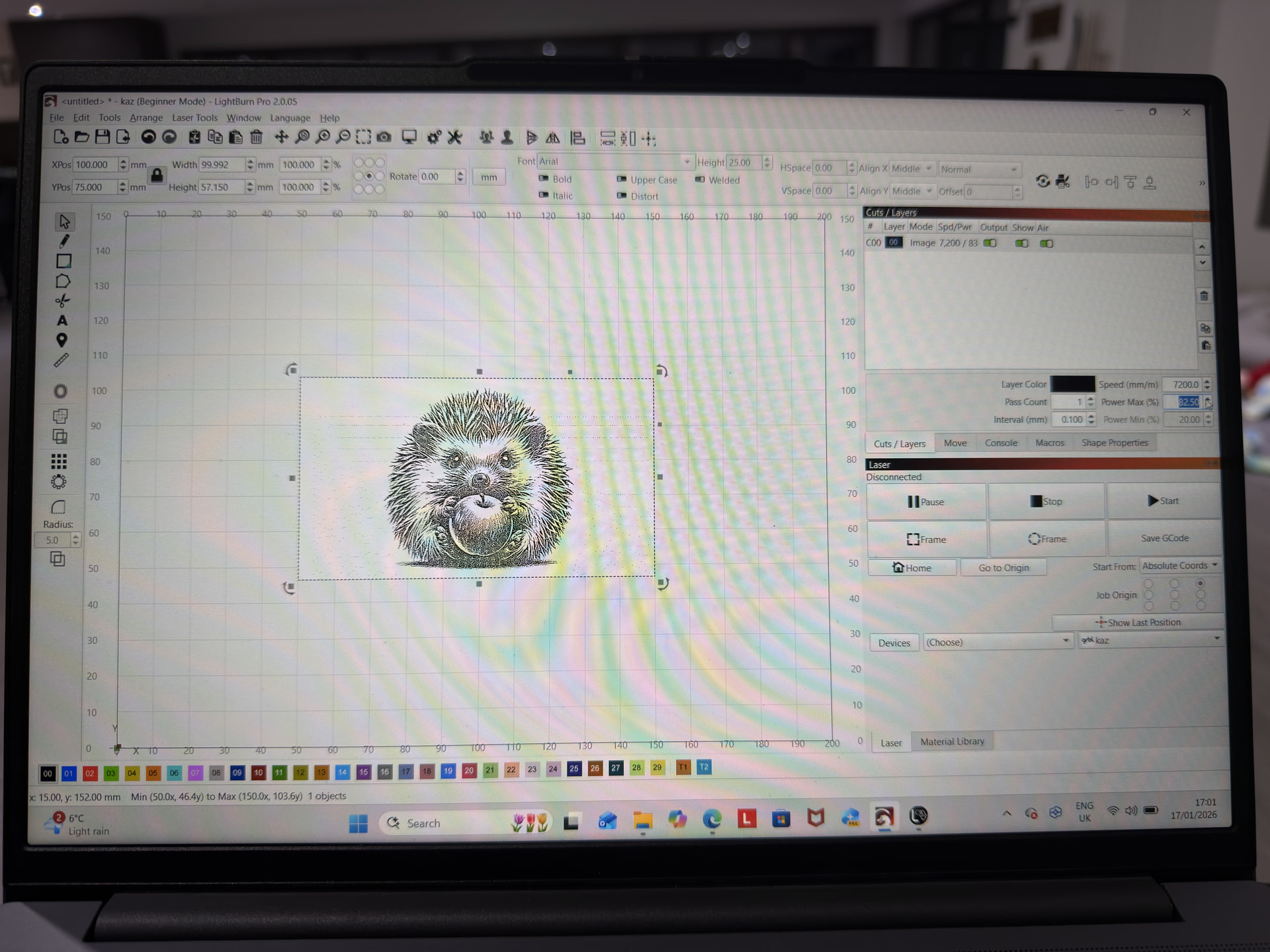
Post screenshots of your layers/cuts settings and a screenshot of your project and preview screens
speed i was using is 7200, 82.5%
i have cleaned the machine, checked the belts. it has just started to do this last night. all my other projects on slate and wood have been ok
I don’t have your model but I do have a small laser similar to yours. I also have a medium co2.
Did you increase the belt tension? This can cause drag and create this or exacerbate the issue.
In either case your controller thinks it’s a some coordinate, when it’s not. Usually the motor is loosing steps. Normally, you can hear this, sounds similar to a ball peen hammer on steel. It can be subtle.
I doubt it’s a hardware failure, but there isn’t any reasonable way to check it other than swap out parts.
Good luck.
hi not increased the belt tension, dont hear anything different. only had the machine for a month 
Look closely at the laser head and check for anything that puts drag on it. From what I can see it’s an x axes issue, so it’s likely the head/bearing or if you have wheels, they may have change the pressure they apply.
Might help to slow it down as @JimNM advised.
thank you, will have a look
Look into adding some overscan. Having a few extra % overhead for deceleration may help with the drift issue, too
1 Like
I would say you have a loose hex screw on the drive pulley on your X axis. The one mounted to the laser module.
This topic was automatically closed 30 days after the last reply. New replies are no longer allowed.