Laser moving super fast

Good morning everyone I feel like I just can’t win.

I’m using a laser pecker LX1. Max and I had issues this week with it dropping the configuration file which I managed to place and now it works. However, I’m not sure if it is the new update but the settings that use to be, are now completely different. I have it moving at a speed of one inch per second power. Max at 70 and this laser is flying through the work when I know it should be going slow as a snail.

Is there something in the setting that I should adjust? Because I’m looking and it’s all gibberish to me.

They claim a maximum speed of 200 mm/s = 8 inch/sec, so 1 inch/sec may be faster than you expect.

Perhaps you’re thinking it should be 1 inch/minute, which would certainly be dead slow.

A screenshot of the LightBurn workspace with the Cuts/Layers window displayed will help sort this out.

These are the settings I previously used

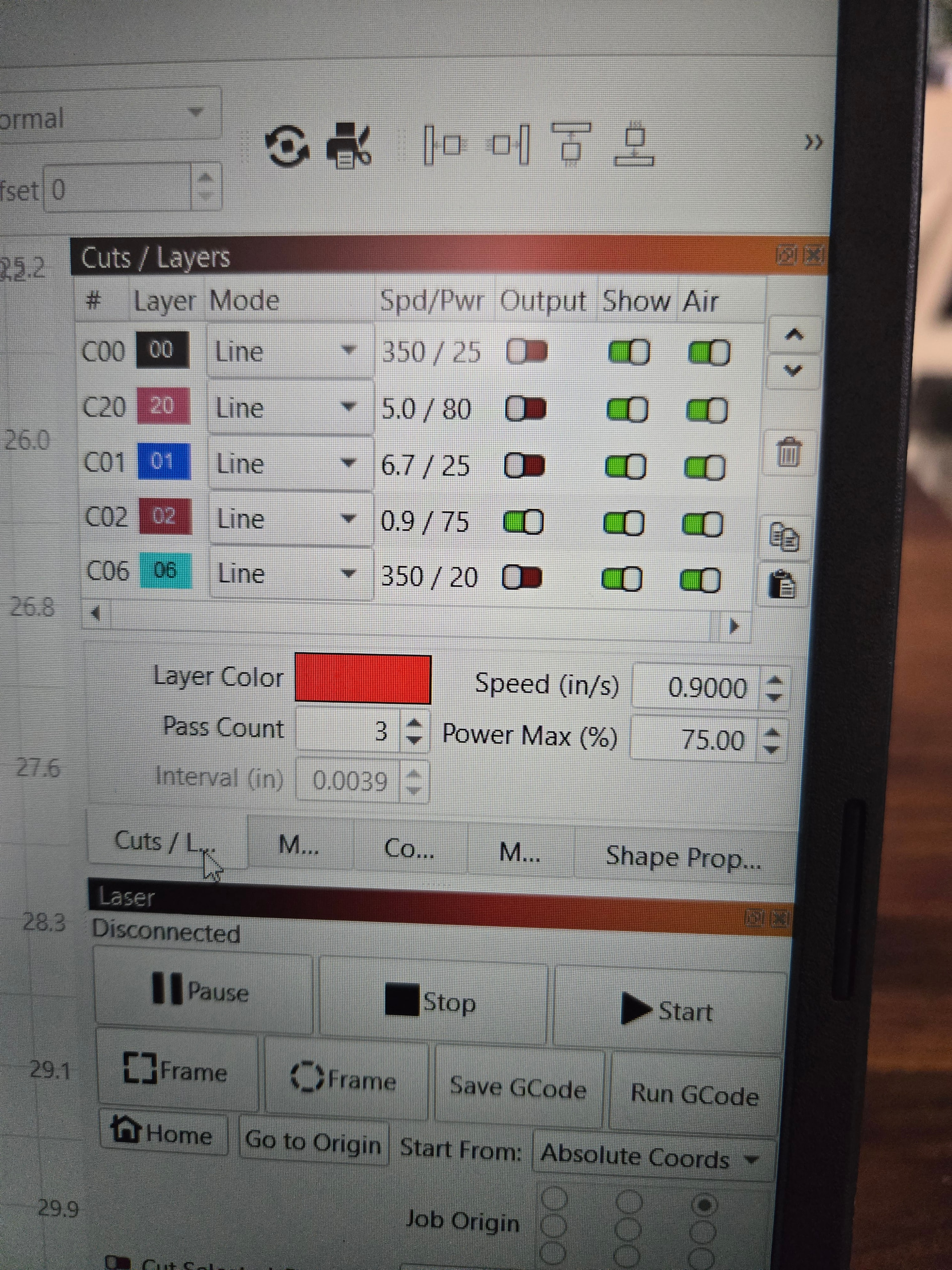
Your layer 00 (350 in/s) corresponds to 8890 mm/s … that is very fast - too fast for a laser machine.
Set your measurement units to in/min if you are not working in mm and if you are using a diode laser, that is the “standard”.

The red is what i am worried about.

It was a .9 and still flying

Like the user above said. Under “Better for Diode” set for Inches/Min or mm/min which ever you want

The LX1 has a 400 mm = 16 inch workspace, so that speed will cross the workspace in 17 seconds.

Use the stopwatch in your phone’s clock app to measure the time the laser head takes to go across the entire workspace. What’s the result?

Ill give those a shot, I know its a setting!

How does your “Move” window look like?
Your red layer corresponds to 22.86 mm/s and is not airspeed …, there is something else that does not fit, can you send an example lbrn file?
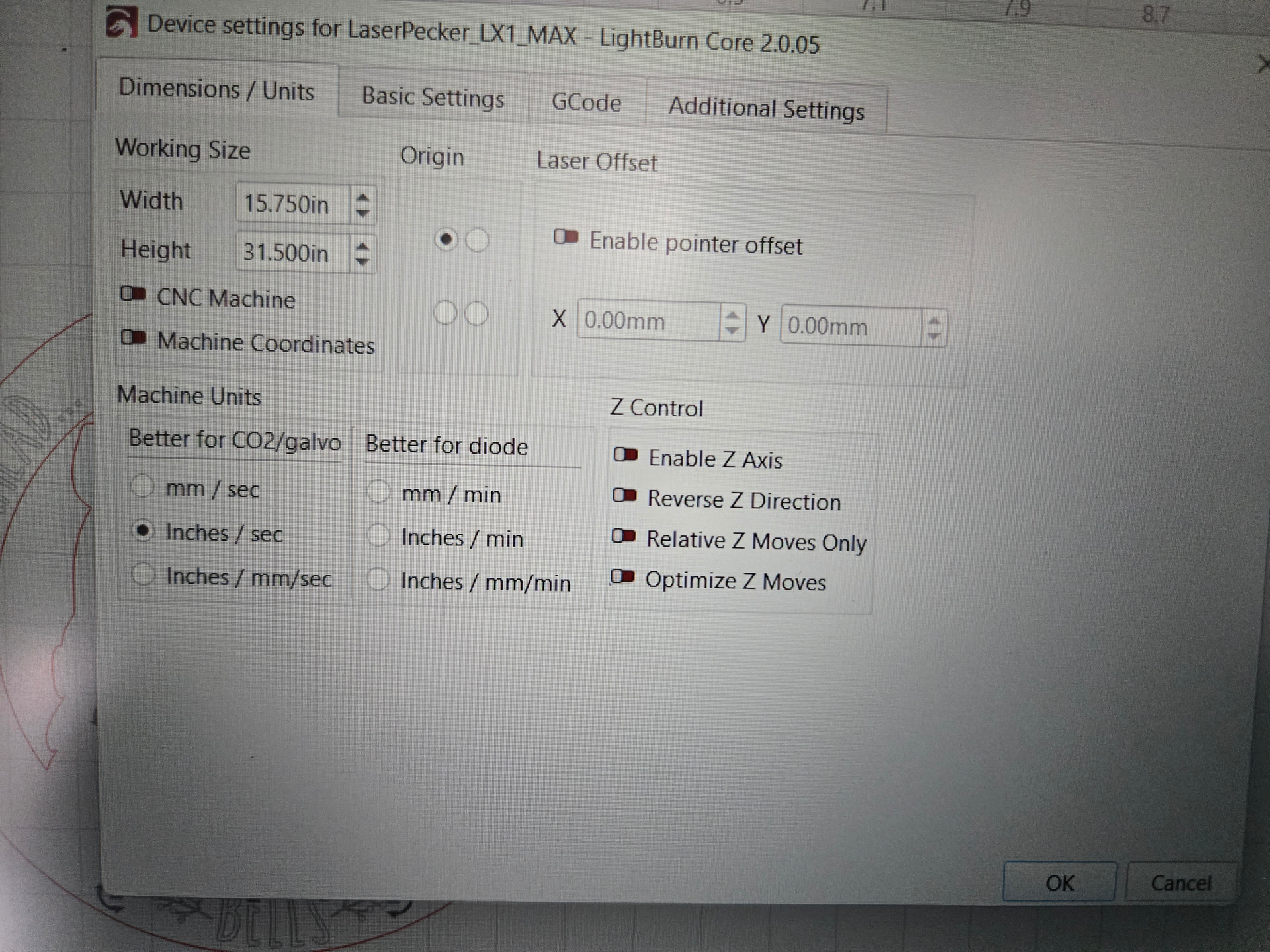
that seems to have been the fix! i greatly appreciate you guys!!

im sure i’ll be posting again since my setting are sooooo off!

Geralyn

This topic was automatically closed 30 days after the last reply. New replies are no longer allowed.