I have not used lightburn or the laser in a few months, today I went to run a quick project and lighburn wanted to update to 2.0.04 and I allowed it to do so. When I brough up the software it would not connect to the laser (tried 2 different lasers, different cables, different ports) Rebooted PC and laser control bord with no help. Auto finding a device dose not show anything.
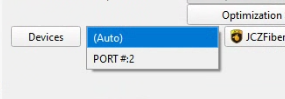
I see (Auto) and port #2 in devices on the laser window.
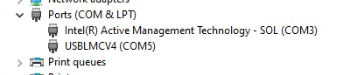
Yes the laser is connected and the USB connection is good. If I look in devices I see the following (If I turn on the second laser I see it on COM4 as well)
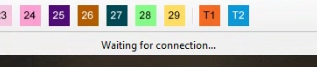
Looking for any advice on what I can do to get Lightburn to see the devices again. Drivers are correct, PC sees the Laser (as shown on devices screen) but Lightburn only shows “waiting for connection”
I’m unaware of a recent change that touched EZCad2, but if you remember which version you were using before, it would be worth downgrading to try the previous version. We have all past releases hosted here: Index of /LightBurn/Release/
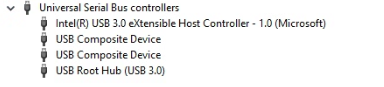
I removed the driver from the Ports section. (uninstall driver) as I was going to completely back out and redo the driver install. As soon as it was uninstalled the devices updated and it showed up under USB controllers (Yes the picture dose not show that as the laser is off right now)
However at this point Lightburn could connect ok.
This worked in the past as being listed in a Port from what I remember. My other laser is still shown as a port and I think I will need to do the same to get it to connect. Not sure what changed but it is working now.